Find the 40 GB you forgot about.
Strata maps your whole Mac in seconds and shows every folder at its real size. Then it helps you clear what you do not need, and everything it moves goes to the Trash, so a mistake costs one click.
Download freeEmail yourself the linkWatch the tour
Strata is a Mac app: send yourself the link, and open it on your Mac.
- Notarized by Apple
- 11 MB download
- No account, no card
- 14-day refund
- A native Mac app, 44 MB
- Every feature free for 14 days
- Pay once, no subscription
- Nothing uploaded
Sound familiar?
Your Mac is full, and nothing tells you why.
The storage settings file most of it under System Data. Finder cannot see half of it. And the apps that promise to help want a subscription before they show you anything.
“Your disk is almost full.”
Storage settings shows a bar and a vague System Data, with nothing to open. The biggest folders are the ones Finder hides.
Deleted apps leave the rest behind.
Drag an app to the Trash and its caches, preferences and support files stay in your Library. Sometimes gigabytes, sometimes for years.
Caches and build data grow in the dark.
Xcode, browsers and package managers fill folders nobody looks in, and nothing ever empties them.
The same file, three times over.
Downloads, exports and copies of copies, each one taking its full size, scattered where you will not look.
Cleaners that scare you, then bill you.
An “issues found” counter, a subscription, and deletions you cannot take back.
Slow, and no idea who to blame.
Apps you forgot were open hold gigabytes of memory, and nothing says which ones are safe to quit.
Where the space hides
- Xcode build data
- Simulator caches
- App caches
- Logs and crash reports
- Package manager downloads
- Ollama and LM Studio models
- Hugging Face downloads
- Apple Intelligence models
- Leftovers of deleted apps
- Installers of apps already installed
- Duplicate files
- Hidden dot folders
- Apps unopened for months
- Startup items nothing owns
- Videos over a gigabyte
What you get
One window that answers all of it.
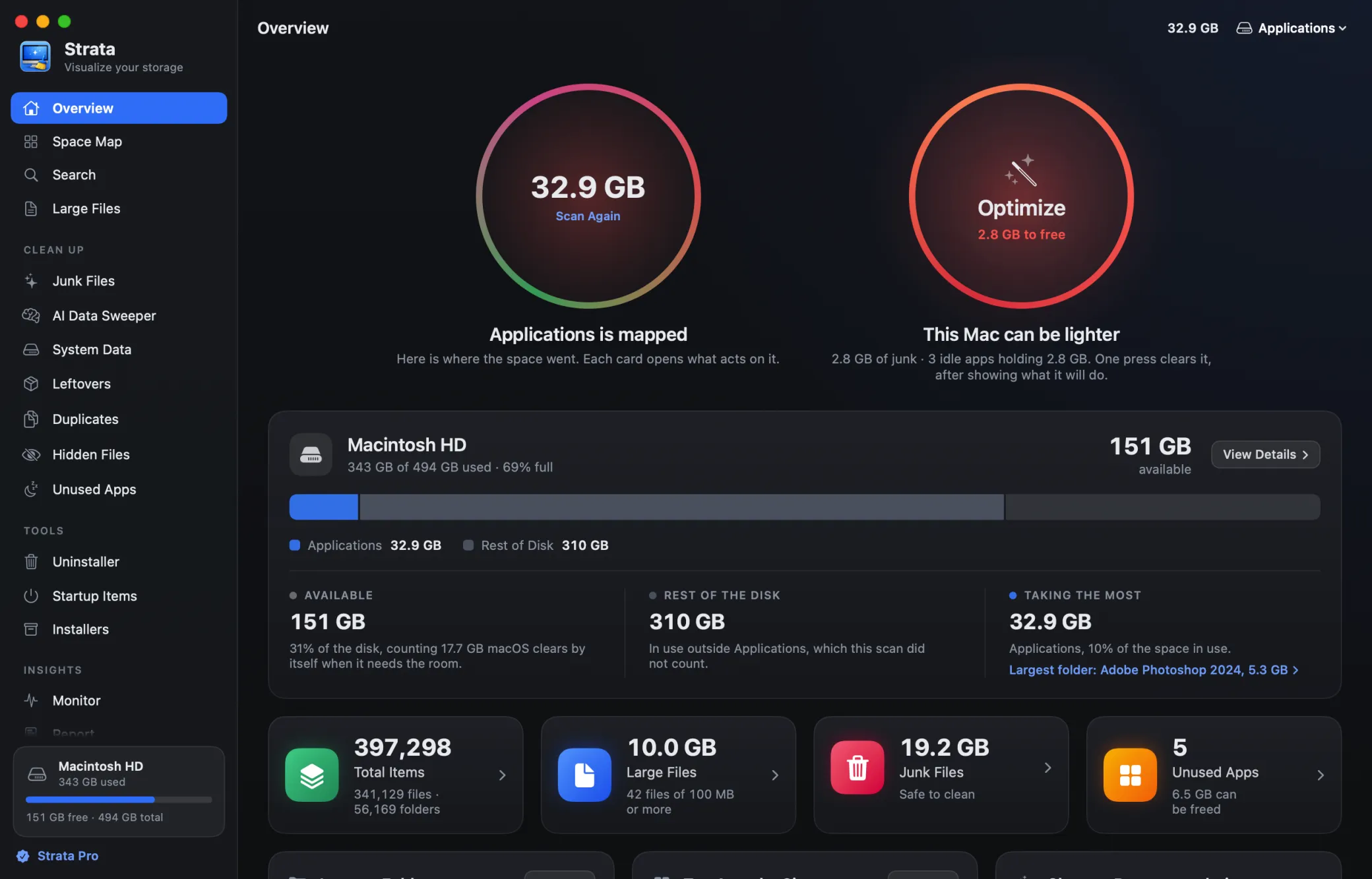
Every screen below is Strata itself, captured from the app. Every number in it is a measurement of a real file, not an estimate.
-
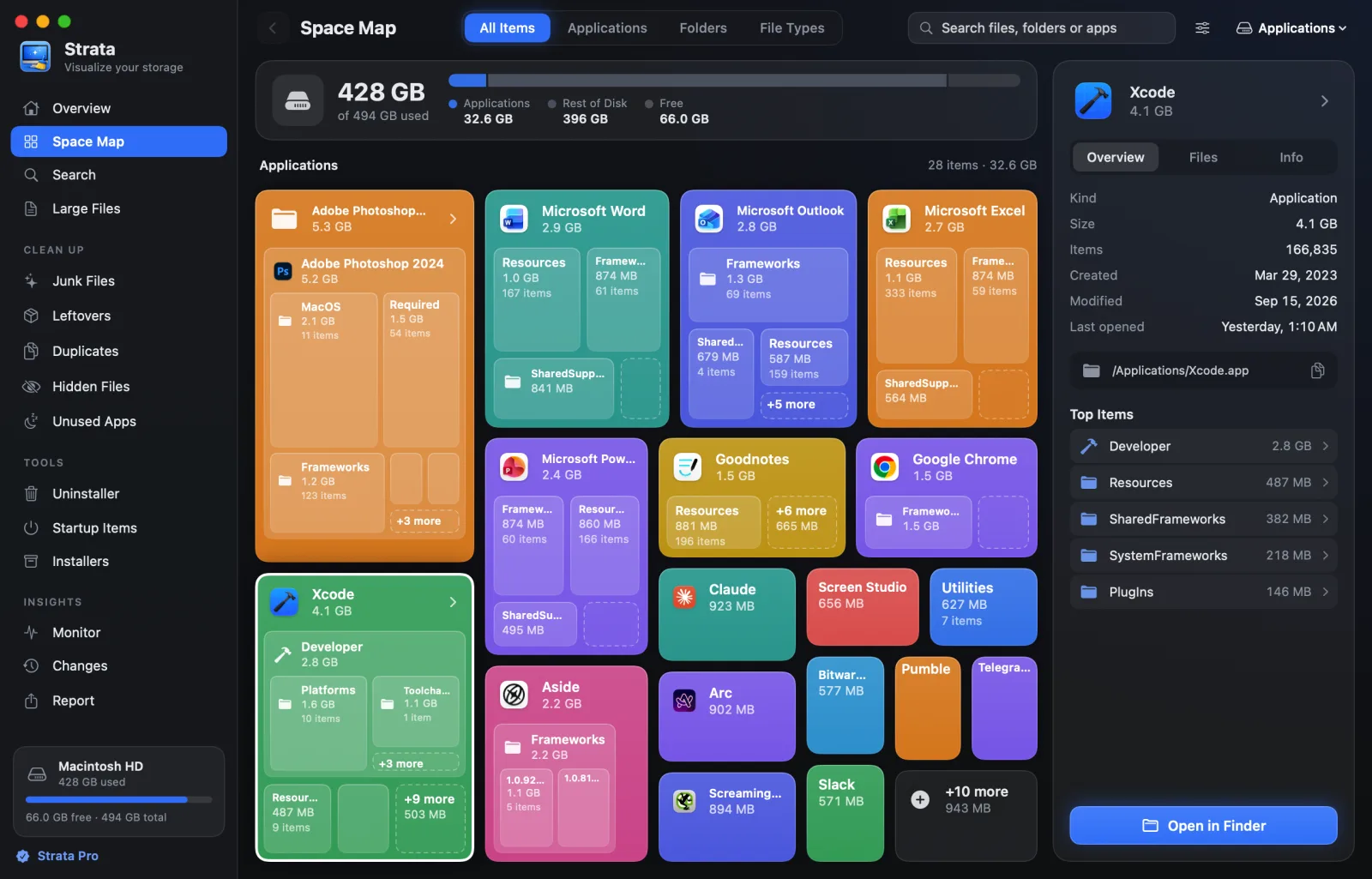
See where every gigabyte went.
Scan the whole Mac in under a minute. The Space Map draws any drive or folder to scale.
-
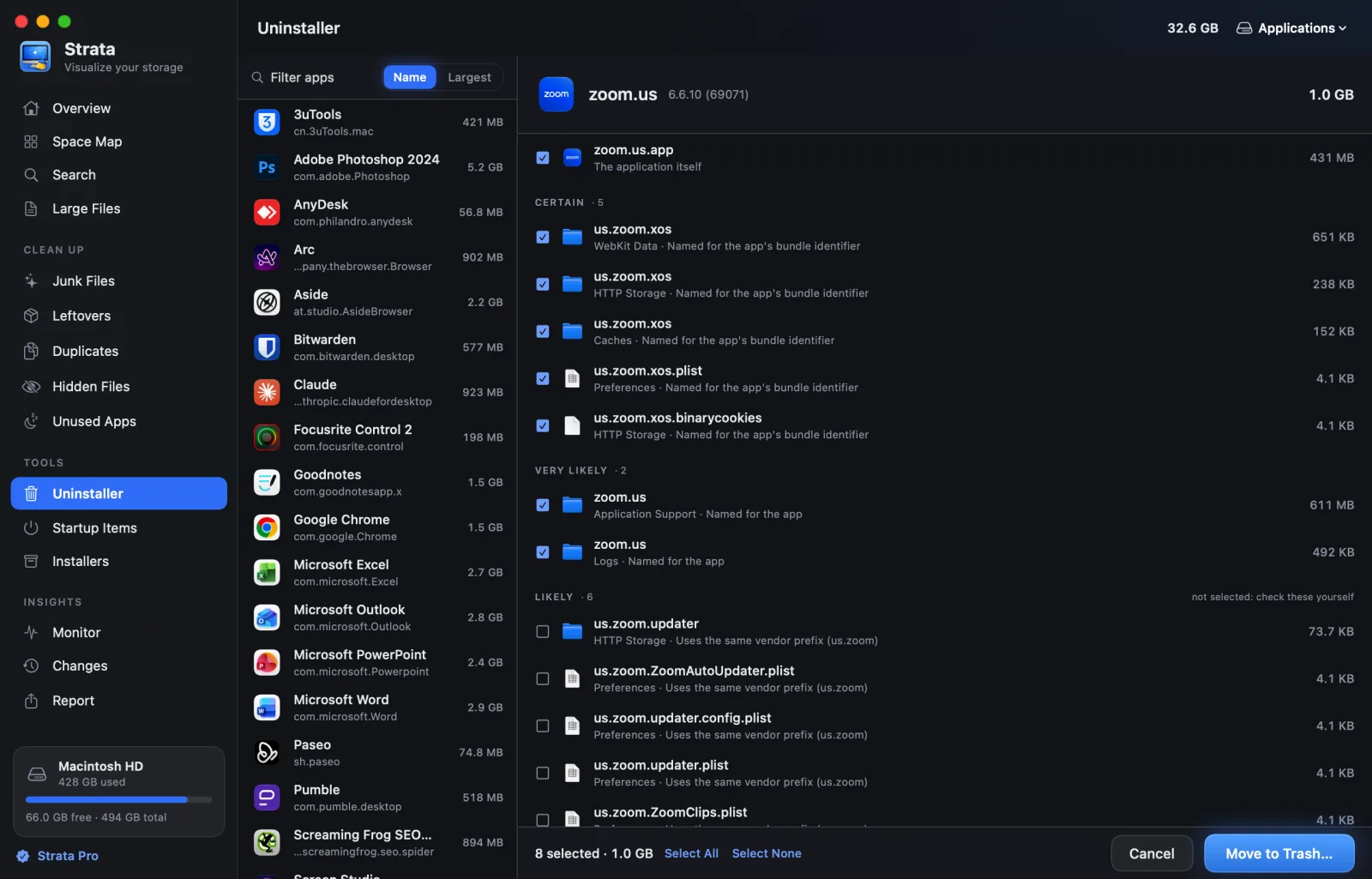
Remove an app, and everything it left.
Strata reads the app’s identifier and searches eighteen places in your Library for what belongs to it.
-
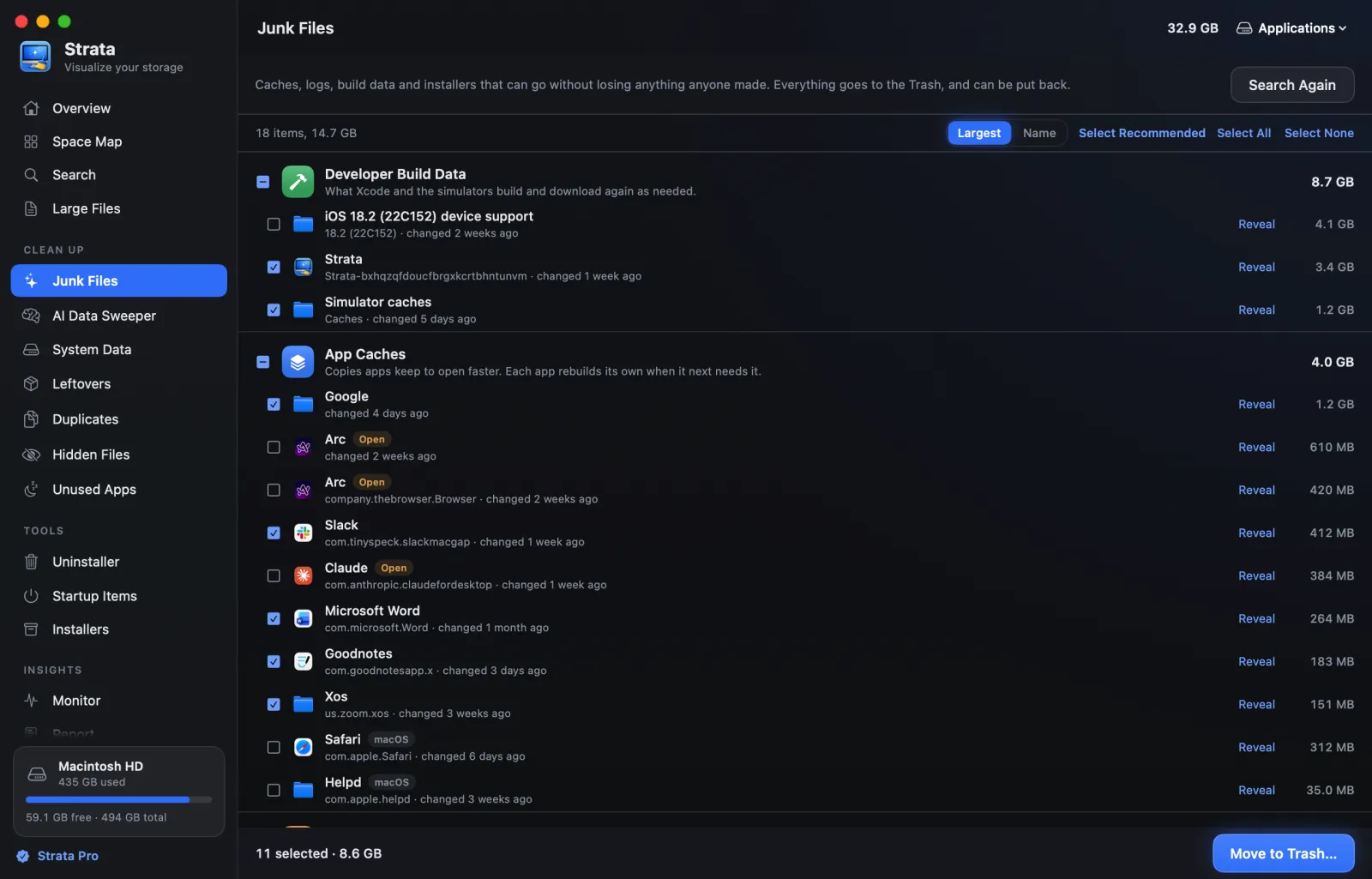
Clear the junk nobody will miss.
App caches, logs, crash reports, Xcode’s build data and package downloads, measured and grouped, each with the app it belongs to.
-
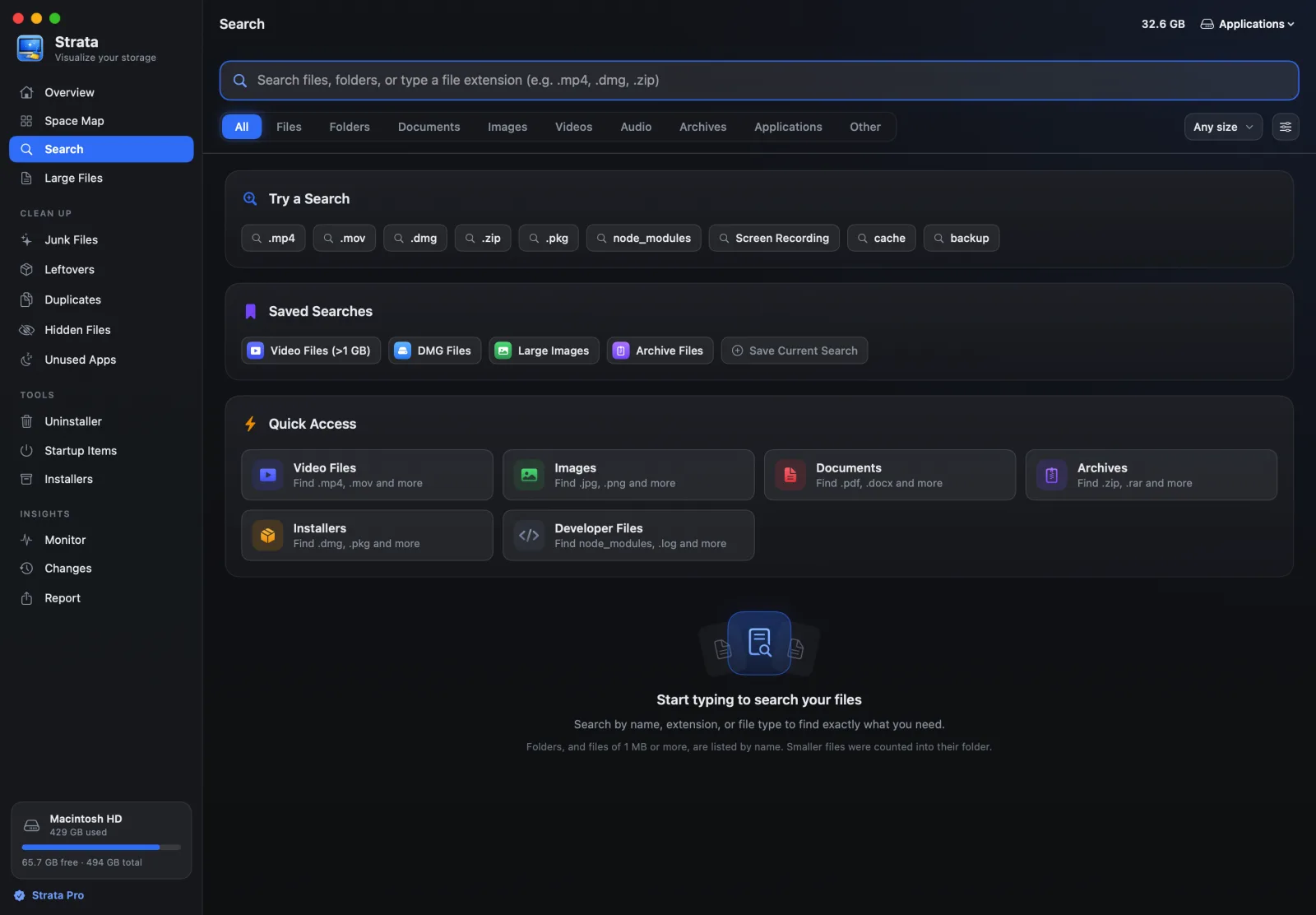
Find the duplicates and the forgotten giants.
Search by name, by extension or by kind: every video over a gigabyte is two clicks.
-
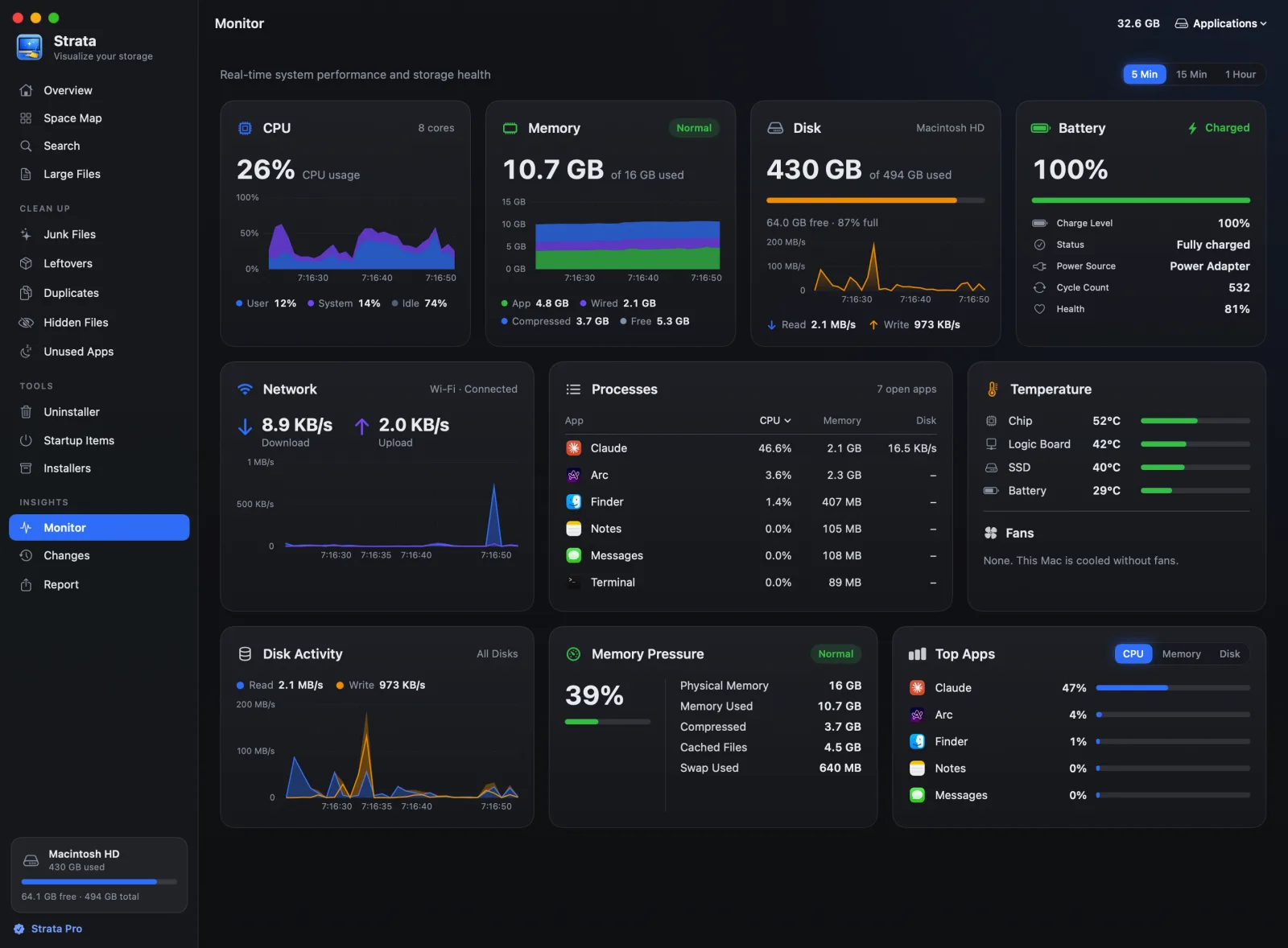
Know what your Mac is doing, right now.
The Monitor charts the processor, memory, disk, battery and network, beside the apps using the most.
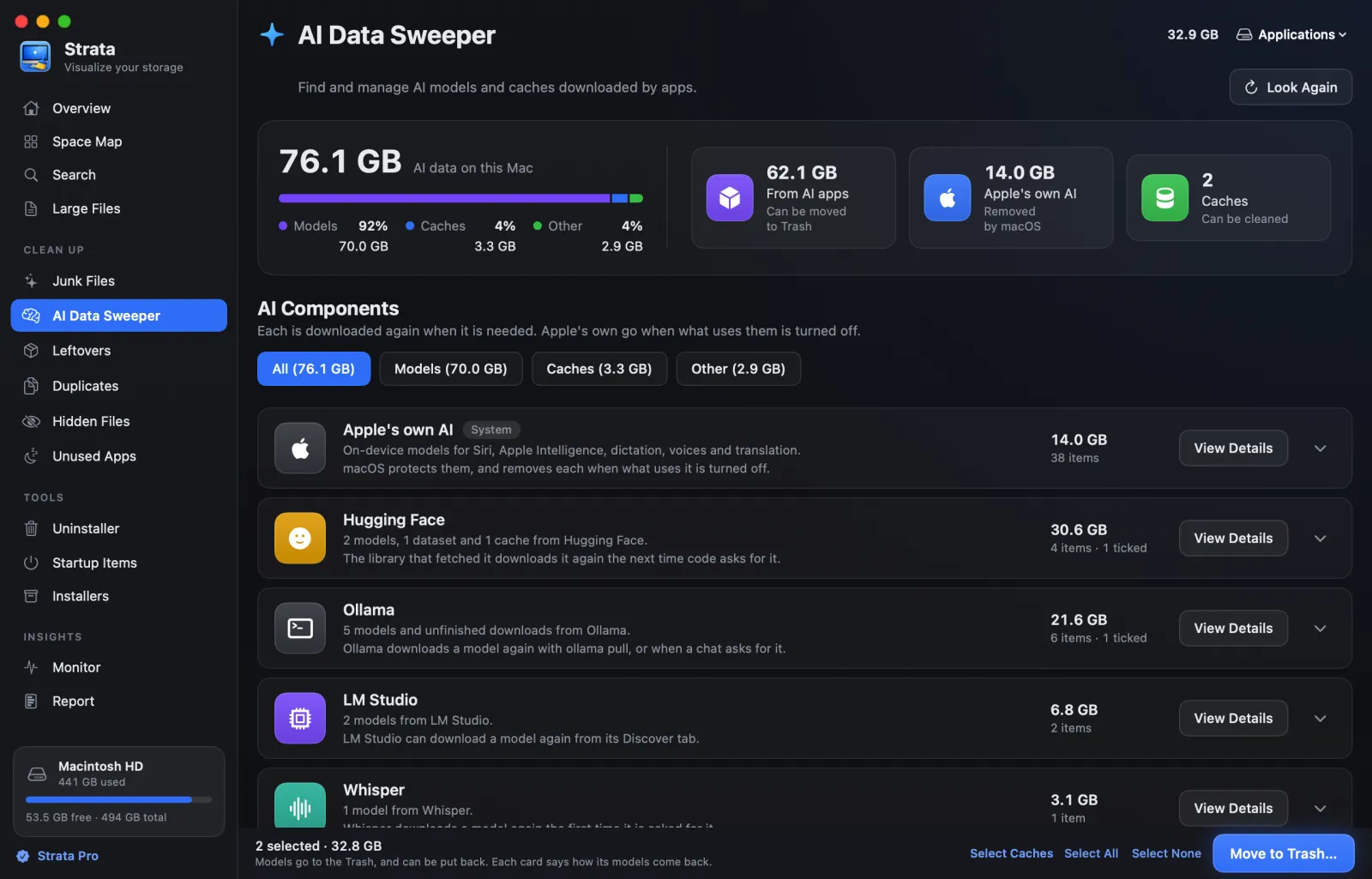
The AI Data Sweeper.
AI models take more room than almost anything else on a Mac, and they arrive without asking. Strata finds every model, names it the way its app does, and sizes it.
Nothing is permanent. Ever.
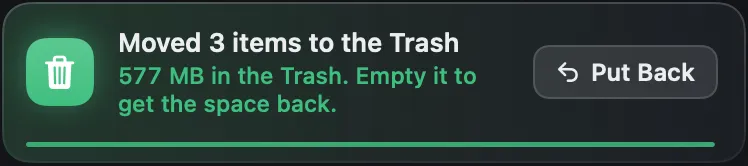
Before anything moves you see the whole list, with anything protected called out and the reason why. Then it goes to the Trash, not into the void: Put Back in Strata or in Finder brings it home, even if you never open Strata again.
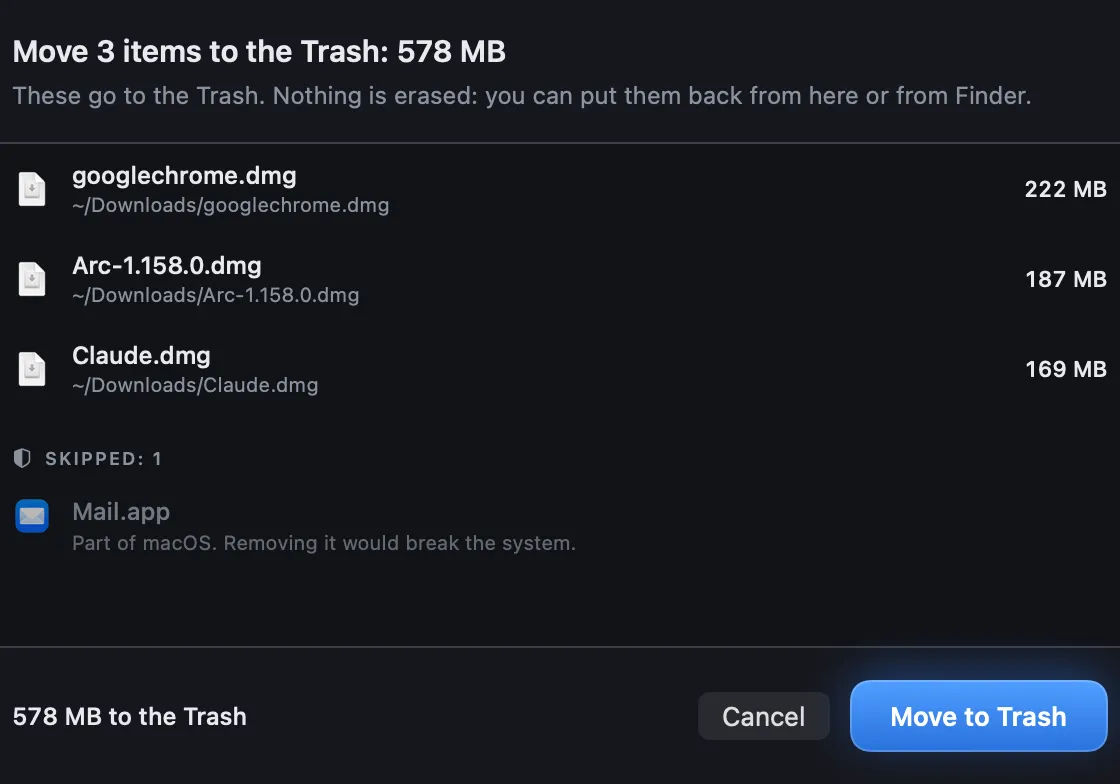
- No “issues found” counter and no scare badges
- macOS’s own files are refused, whatever you ask
Why Strata
Built the opposite way to most Mac cleaners.
0 Invented problems
No counter of “issues”. Optimize turns red only when it has measured something worth clearing, and lists every item before anything moves.
1 Click to undo
Removal means the Trash. Put Back works from Strata or from Finder, for as long as the Trash keeps it.
44MB The whole app
Swift, native, no browser engine inside. An app that promises to reclaim space should not take a hundred megabytes of it first.
0 Bytes uploaded
No account, no telemetry, no analytics. The only thing Strata fetches is its own update, and one switch turns that off.
The tour
Everything Strata does, in a minute and a half.
Every screen in it is the app itself: a scan, the Space Map, Search, Optimize, the clean-up rooms, the uninstaller and the menu bar. It has no sound, so it plays anywhere.
Pricing
Try everything. Keep what you need.
Every feature is free for 14 days from the first launch, removing up to 40 GB, with no account and no card. After that, seeing stays free for good, and Strata Pro is one price, paid once.
Free
$0 forever
See everything on your drive. Change nothing.
- The Space Map of any drive or folder
- The Overview, Search and Large Files
- The Monitor and the menu bar panel
- Unused apps, and whether the Mac needs optimizing
Strata Pro Launch price
$5 once
For the first 200 buyers, then $9.99. Every Mac you own, for good.
- Move to Trash, with Put Back
- The uninstaller, leftovers and all
- Optimize, junk files and duplicates
- The AI Data Sweeper, for gigabytes of AI models
- System Data, device backups, attachments and the Trash
- Leftover installers, hidden files and startup items
- Changes over time and exportable reports
- 14-day refund, no questions
- No subscription
- Free fixes and macOS updates forever
- Compare every feature
Before you download
Common questions.
Why does it ask for Full Disk Access?
macOS hides Mail, Messages, Safari and other apps’ data from any app that has not been granted it. Without the permission the scan still runs, but those folders are invisible and your totals come out short. Nothing is uploaded either way.
Is anything deleted permanently?
No. Everything goes to the Trash, so Finder can put it back even if you never open Strata again. When a disk has no Trash, removal fails and tells you rather than doing something permanent instead.
Is there a free trial?
Yes: every download starts with 14 days of everything in Strata Pro, removing up to 40 GB, with no account, no card and nothing to cancel. After that Strata keeps working as the free version, and nothing you removed with it comes back.
Is this a subscription?
No. Strata Pro is a one-time purchase that does not expire. Bug fixes, security fixes and macOS compatibility updates are free forever, whatever you paid.

Your Mac has more room than it shows.
Download Strata, scan once, and see where it all went. Every feature is yours for 14 days.
Download Strata 1.0.29 Email yourself the link- macOS 13 or later
- Apple silicon and Intel
- Signed and notarized
- 44 MB