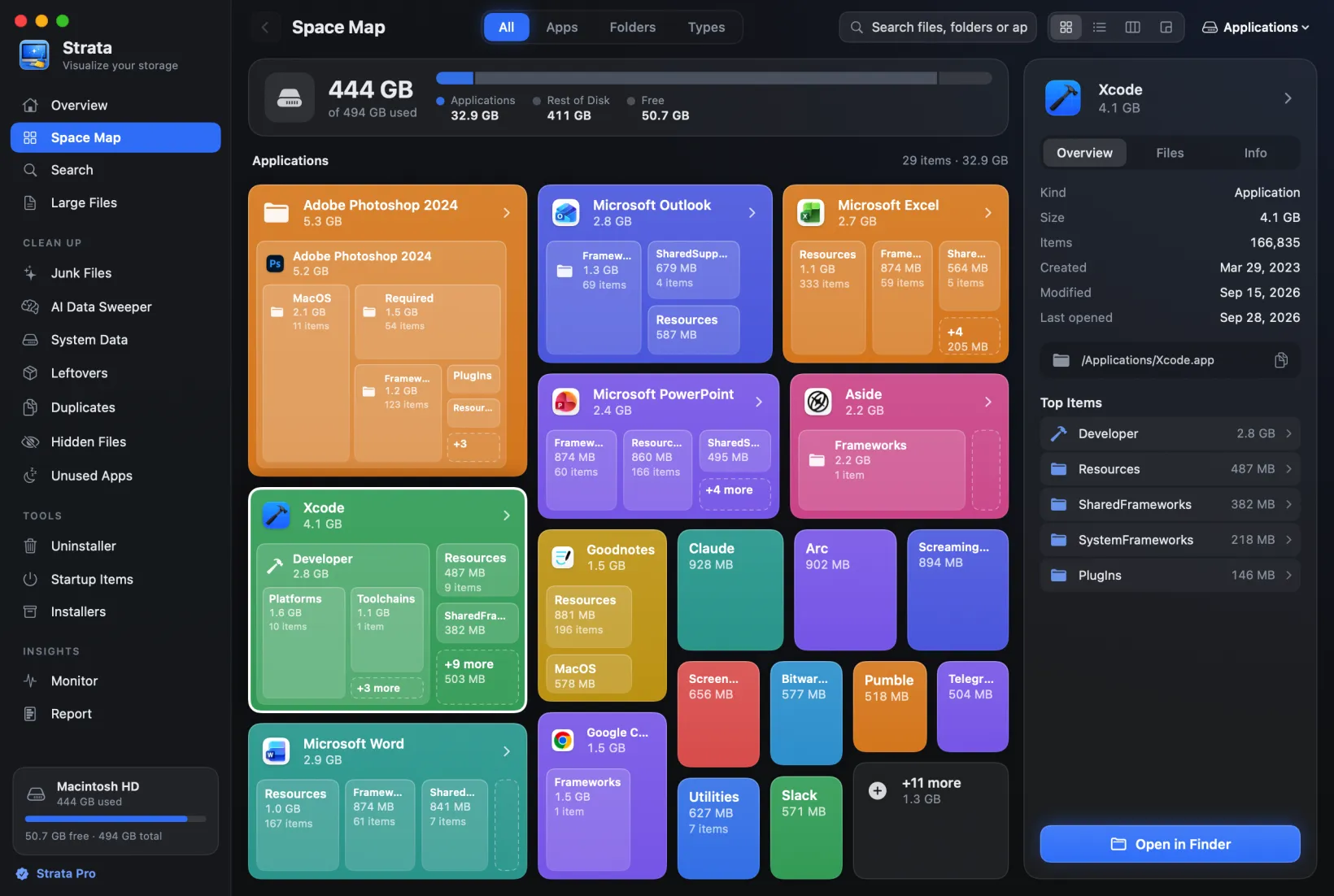
DaisyDisk vs Strata: the same price, two ideas of deleting
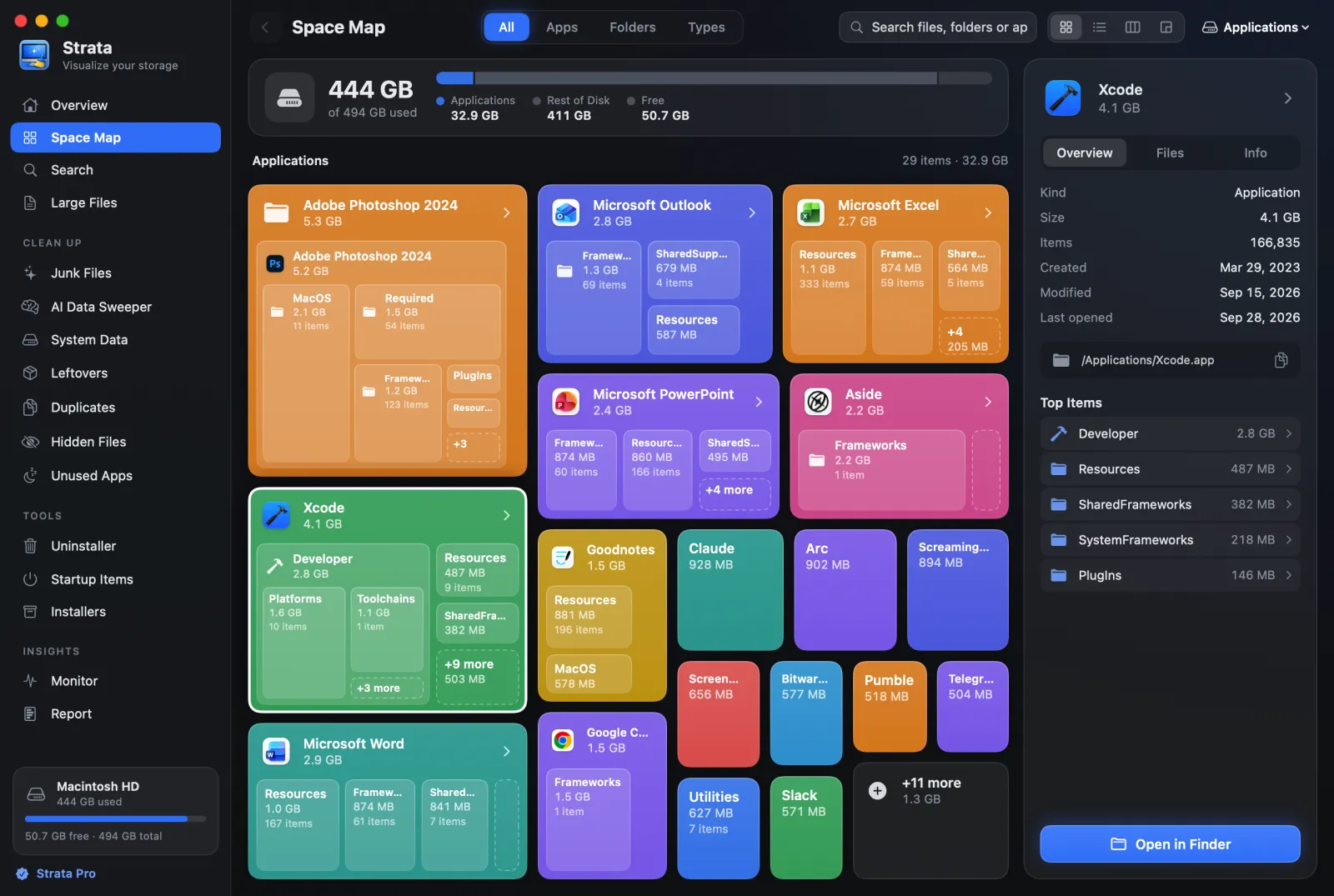
DaisyDisk is the Mac disk map most people have heard of, and Strata costs the same, $9.99 paid once. They are built on different ideas. DaisyDisk is a map with a delete button that erases for good. Strata is a map with a clean-up toolkit that only ever moves things to the Trash. Which fits you depends mostly on how you feel about those two sentences.
Key takeaways
- Both are $9.99, paid once. DaisyDisk's licence covers up to 5 personal Macs; Strata's covers every Mac you own.
- DaisyDisk deletes permanently, by design. Strata only ever moves things to the Trash.
- DaisyDisk is a map. Strata is a map plus an uninstaller, junk, duplicate and installer cleanup.
- DaisyDisk runs on macOS 10.13 and later, is on the Mac App Store, scans cloud drives and explains hidden space in more depth.
- Try both: DaisyDisk's trial has no time limit but cannot delete; Strata gives 14 days of everything, then a free version that keeps scanning.
Written by the maker of Strata. DaisyDisk facts come from daisydiskapp.com, its user guide and its App Store listing, checked on 27 September 2026; quoted claims link to their page.
At a glance
| DaisyDisk | Strata | |
|---|---|---|
| Price | $9.99 once; major upgrades may be paid | $9.99 once; free fixes and macOS updates |
| Macs per licence | Up to 5 personal Macs | Every Mac you personally own |
| Free to try | Unlimited trial; cannot delete or show in Finder | 14 days of everything, up to 40 GB moved; then a free version with no time limit |
| Shows the disk as | A sunburst of rings | Cards, a list, columns or a treemap |
| Deleting | Permanent, with 5 seconds to cancel | To the Trash, with Put Back |
| Uninstaller, junk, duplicates | No | Yes |
| Hidden and purgeable space | Detects, explains and can purge (direct edition) | Shows unaccounted space as System |
| Cloud drives | Scans Dropbox, Google Drive, OneDrive, Box | Counts what is on this Mac only |
| Where to get it | Direct, or the Mac App Store | Direct only |
| Needs | macOS 10.13 or later | macOS 13 or later |
| Analytics | None, per its specs | None |
The real difference: how each one deletes
DaisyDisk's guide is plain about it:
it permanently removes
files and folders instead of moving them to the Trash, so that the space is actually
recovered. You drag what you want gone into its Collector, press Delete, and have five seconds
to cancel. After that, its guide says, the files cannot be undeleted. It does refuse to take
some folders, such as /System, /Library and your home folder.
That is a coherent choice. Emptying the Trash is the step people forget, and a disk tool whose job is freeing space can reasonably do it for you.
Strata made the opposite choice. Every removal, in every room, is macOS's own move to the Trash. A notice offers Put Back for ten seconds, and after that Finder's Put Back works as for anything in the Trash. Strata never empties the Trash; the space comes back when you do. It refuses some things outright, and says why: your keychain, iCloud Drive, anything inside an app, and macOS's own folders.
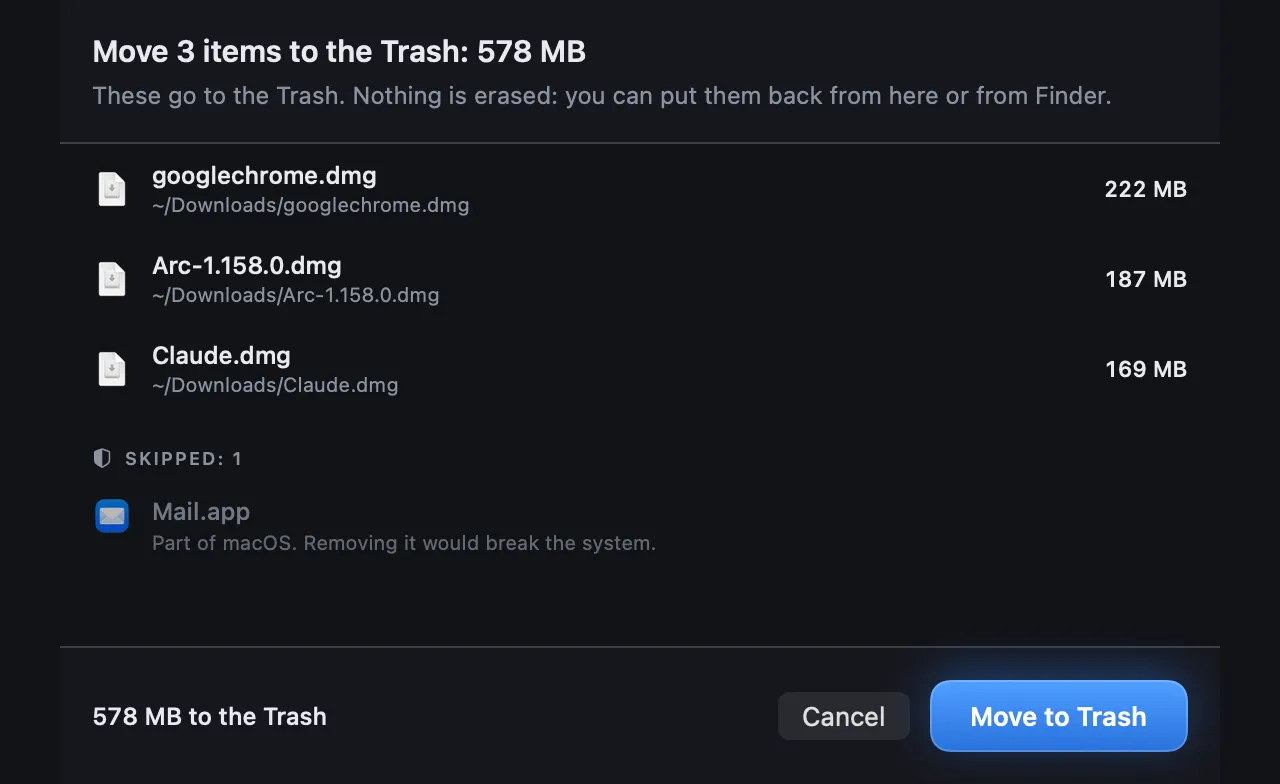
If you know exactly what you are deleting and want the space now, DaisyDisk's way is faster. If you have ever deleted the wrong folder, Strata's is safer. How to delete files on a Mac without regretting it explains which deletions cannot be undone.
A map, or a map with tools
DaisyDisk is deliberately a map. Its FAQ says it does not find duplicates, because that "requires a completely different user interface"; its guide sends you to other tools to remove an app with its settings; and its specs say "No automated cleaning is performed". It does the one thing very well.
Strata's map sits beside rooms that act on what you find:
- an Uninstaller that finds an app's leftovers in 18 Library locations and grades each one before it moves;
- Junk Files for caches, logs, Xcode build data and what your projects' tools build, ticking only what nobody will miss, with old downloads, virtual machines and games listed apart and never ticked;
- Duplicates, comparing contents, not names;
- Installers, for disk images whose app is already installed, ticked only when what is inside proves the match;
- Leftovers, Startup Items, Unused Apps, Optimize, a Monitor and a menu bar panel.
If you already use a separate uninstaller and duplicate finder, DaisyDisk's focus is a plus. If you want one app for the whole job, it is not.
Where DaisyDisk is ahead: hidden space and the cloud
DaisyDisk goes further than Strata into the space no folder accounts for. Its direct edition breaks hidden space into purgeable space and the rest, can purge it, can scan as administrator through a helper it installs, and can list and delete APFS snapshots. Strata shows that space as System on its disk bar. Its System Data room, in Strata Pro, names the large things Storage settings counts in and beside System Data, from device backups to Xcode's simulators and the sounds GarageBand and Logic Pro download. It says how many local snapshots Time Machine keeps, but it purges nothing and leaves snapshots to macOS.
DaisyDisk also scans Dropbox, Google Drive, OneDrive and Box directly, with read access to file metadata, which Strata does not do: Strata makes no network calls except for its own updates, so it counts only what is on the Mac.
Licences, trials and where to buy
Both cost $9.99 once. DaisyDisk's licence covers up to five personal Macs, and its FAQ says a major new version "may be offered for a payment". Strata's covers every Mac you personally own, and bug fixes, security fixes and macOS compatibility updates are free for good.
DaisyDisk's trial never expires but cannot delete or show files in Finder, which is enough to see where the space went. Strata's trial unlocks everything for 14 days and moves up to 40 GB to the Trash in that time; after it, the free version keeps scanning, mapping and searching with no time limit, and removing things needs a key.
DaisyDisk is on the Mac App Store as well, where its guide notes the sandboxed edition cannot scan as administrator and only detects hidden and purgeable space. Strata is not on the App Store at all: the store accepts only sandboxed apps, and Strata is not one.
Privacy
Neither collects analytics. DaisyDisk's specs say it "Does not track any statistics or analytics"; its licence check sends a hardware ID to its server to count Macs. Strata's licence is checked on the Mac with cryptography, and its only network request is its own update check, which one switch turns off.
Which should you choose?
Choose DaisyDisk if
you want its sunburst, you are on macOS 10.13 to 12, you prefer buying through the App Store, you want to see into purgeable space and snapshots, or you scan cloud drives. And you are happy that deleting is permanent.
Choose Strata if
you want every removal to be reversible, you want the uninstaller, junk and duplicate tools in the same app, or you have several Macs on one licence.
Frequently asked questions
Does DaisyDisk delete files permanently?
Yes. Its user guide says DaisyDisk permanently removes files and folders instead of moving them to the Trash, so the space is recovered at once. You get five seconds to press Cancel after clicking Delete. Strata does the opposite: everything goes to the Trash, and Put Back returns it.
Is there a free DaisyDisk alternative?
GrandPerspective is free and open source, with a treemap instead of a sunburst. Strata's free version also scans and maps any drive, with search and large files, and keeps working with no time limit; removing things needs Strata Pro.
Can DaisyDisk find duplicate files or uninstall apps?
No. Its FAQ says it does not detect duplicates, its guide points to other tools for removing apps, and its specs say it performs no automated cleaning. It is a disk map by design.
Is DaisyDisk on the Mac App Store?
Yes, for $9.99, but that edition is sandboxed: DaisyDisk's guide says it cannot scan as administrator and can only detect, not reveal, hidden and purgeable space. The direct edition does both.
Try both, then decide
Strata's scan and map are free forever, and every download starts with 14 days of Strata Pro, with no account and no card. Everything it removes goes to the Trash first.