Documentation: all pages
Installers
Installers has two tabs. Leftover Installers finds the disk images, packages and zips in Downloads and on the Desktop whose app you have already installed. Install Receipts shows what each installer package put on this Mac, and how much of it is still there.
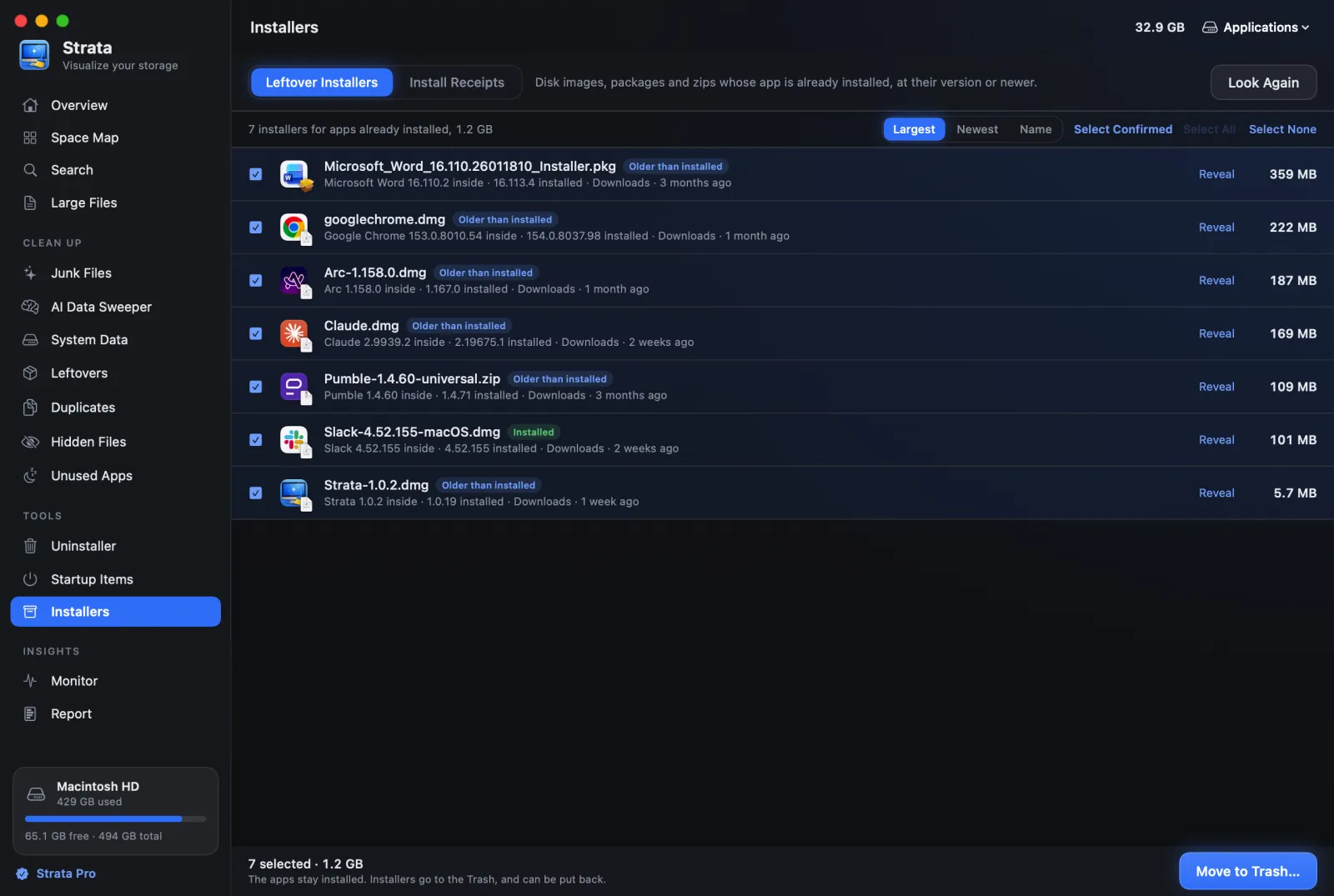
Leftover Installers
After you install an app, its disk image or package usually stays in Downloads for good.
This tab finds them. It looks in Downloads (and one folder down) and on the Desktop for
.dmg, .pkg, .mpkg, .zip and
.xip files, and checks each against the apps you have installed.
How it proves a match
By looking inside, without installing anything:
- a disk image is opened read-only and hidden from Finder, and the app on it is read. One that asks for a password or a licence agreement is never opened;
- a package is read from its own description of what it installs;
- a zip has the app's details read from inside the archive.
Each row then says what is inside and what is installed, for example "Slack 4.52.155 inside · 4.52.155 installed", and carries a tag:
- Installed
- The same version is installed. Ticked for you.
- Older than installed
- You have since updated the app. Ticked for you.
- App installed
- The app is installed, but the version inside could not be read. Not ticked.
- Matched by name
- Only the name matches. Not ticked: check it yourself.
Your next install is never listed. An installer for an app you have not installed, or for a newer version than the one you have, is left alone. Those are someone's next install.
Clearing them
Select Confirmed ticks exactly the proven matches. Move to Trash… moves the installers only: the apps they installed stay installed. Look Again searches afresh, for example after a download finishes.
Install Receipts
When an app is installed from a .pkg, macOS keeps a receipt listing every file
the package put on the disk. This tab reads them, newest first. Choose a package to see:
- how many of its files are still on disk, and their size;
- how many are gone, and how many sit in folders only the system can look into;
- whether the app it installed is still where the installer put it.
This is read-only, and it is the most reliable way to find what an installer scattered beyond the app: fonts, plug-ins, audio units, helpers. Reveal takes you to any of them. The receipts themselves are a few kilobytes each and are macOS's to keep.