Documentation: all pages
Free, the trial and Strata Pro
Seeing is free, for good: the scan, the Space Map and its file browser, Search, Large Files, Unused Apps and the Monitor. Strata Pro, $19.99 once, adds everything that removes or digs deeper. Every download starts with 14 days of Strata Pro, removing up to 40 GB, with no account and no card.
What is free
With no key and no time limit:
- Scanning any drive or folder, internal or external;
- the Overview, the Space Map in all four views, and Search and Large Files;
- from 1.0.41, the Space Map's file browser: Back and Forward, Go to Folder, Quick Look and Copy anywhere; Rename, New Folder, Cut, Paste and Move To where it allows changes; and Undo, even when undoing a copy or a new folder moves it to the Trash;
- Unused Apps, and the Uninstaller's list and leftovers, to look at;
- whether the Mac needs optimizing, and what Optimize would do;
- how much junk Strata finds that is safe to clean, on the Overview and in the locked Junk Files room;
- the Monitor and the menu bar;
- Recently Removed, to put back what Strata moved to the Trash, after a trial too;
- Copy Path, everywhere.
What Strata Pro adds
- Moving anything to the Trash, with Put Back, from 1.0.41 including the originals that the file browser's move to another disk leaves where they were;
- uninstalling apps, leftovers and all, and keeping Apple's apps closed;
- Optimize in one press;
- the Clean Up rooms: Junk Files, AI Data Sweeper, System Data, Leftovers, Duplicates, Hidden Files and, from 1.0.45, Cloud Files, whose Remove Download frees what cloud files' downloads take on this Mac;
- Startup Items, with Turn Off and Turn On from 1.0.45, and Installers;
- Report: changes over time and exports;
- Reveal in Finder and Open in Finder;
- the Night theme.
A locked room shows a small lock in the sidebar. Opening it says what the room does and what Strata Pro costs, with Enter a Key and Buy Strata Pro; Junk Files also says how much Strata found, when it finds any, since its search runs on the free version too.
The 14-day trial
The trial starts the first time Strata opens on a Mac, and unlocks everything for 14 days. There is nothing to sign up for and nothing to cancel. The foot of the sidebar counts down, for example Pro trial: 9 days left.
Within those days, the trial moves up to 40 GB to the Trash in all, whichever rooms it comes from. Every Move to Trash sheet says how much is left, for example Trial: 31.2 GB of 40 GB left to move, and so do the notice after each removal and the Licence room. What Strata's Put Back returns from a recorded removal counts again; what Earlier removals puts back does not. A removal larger than what is left is not made: the sheet says so, and offers to choose less, Enter a Key or Buy Strata Pro, which moves as much as you choose. When the 40 GB is used, a notice says so, with Buy Strata Pro and Enter a Key, and the foot of the sidebar reads Pro trial: 40 GB used. Remove Download, in Cloud Files, and Turn Off, in Startup Items, move nothing to the Trash, so they do not count.
Five days and two days before it ends, while Strata is open, in its window or the menu bar, a notice says how long is left and what Strata found on this Mac that can go. If macOS does not show Strata's notifications, the reminder waits for Strata's window and shows there, with Buy Strata Pro and Enter a Key. Turn these off in Settings, under Notices.
When it ends, Strata says so once, and carries on as the free version, with no time limit. What you removed during the trial stays in the Trash, where Recently Removed can still put it back, and nothing is locked away: you can still see everything on your drive.
Buying
Strata Pro is $19.99, paid once. It is not a subscription and it does not expire. From 10 November 2026, each licence sold is for one Mac at a time and can be moved (see Moving to a new Mac); a licence from before that date covers every Mac you personally own, with no activation count. Bug fixes, security fixes and macOS compatibility updates are free forever. The pricing page shows any offer running now, and refunds are 14 days, no questions asked.
Entering your key
-
Open Licence
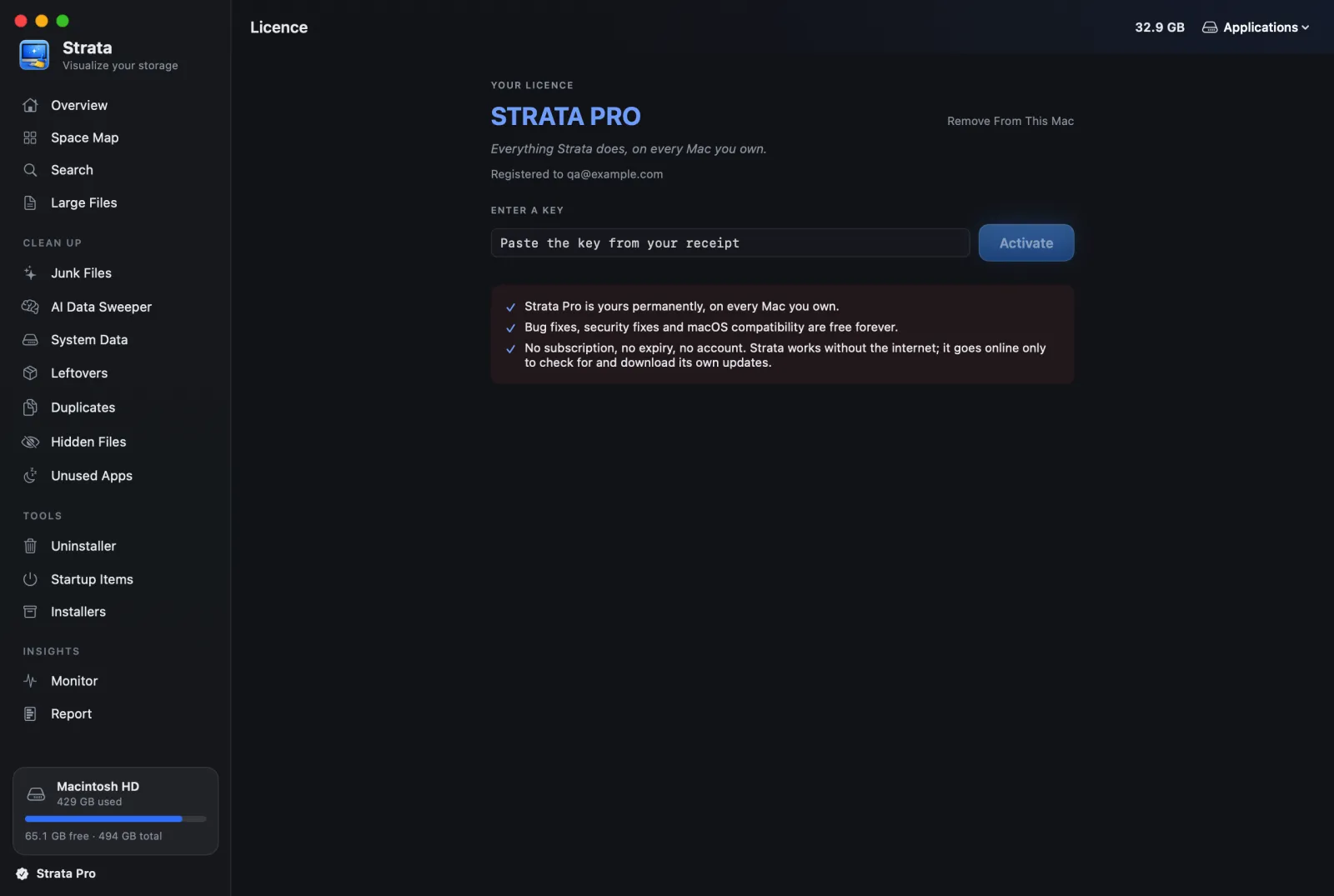
Click the line at the foot of the sidebar (it reads Pro trial, Get Strata Pro or Strata Pro), or, during the trial, the same line in the menu bar's panel, or open Strata's Settings and choose Licence.
-
Paste the key
Copy the whole key from your licence email, including the dot in the middle, into Paste the key from your licence email. From Strata 1.0.38 you can paste the whole email instead.
-
Press Activate
The key is checked on your Mac, with cryptography. A licence bought from 10 November 2026 also goes online once, while Checking this licence… shows, so that our server can note this Mac as the one it is on; a licence bought before then is not sent anywhere. Once added, either kind works offline, and keeps working even if this company disappears.
If Strata finds no key in what you pasted, or cannot verify it, paste it again in full. If it says the key is from a newer version, update Strata first. If it says This licence is in use on another Mac, remove it there first, as below; if it says Strata needs to go online once to add this licence, connect and press Activate again. This licence was refunded means it can no longer be added. Lost the email? Under the field, click Lost your key? to see where to look, or ask for it again.
Moving to a new Mac
A newer licence moves in two steps, because it can be on only one Mac at a time:
-
Remove it from the old Mac
On the Mac it is on now, open Strata's Settings, choose Licence, press Remove from This Mac, and confirm with Remove. Strata shows Freeing this licence… while it goes online, and that Mac goes back to the free version. Offline, it says Strata needs to go online to free this licence for another Mac, and the licence stays on that Mac until you try again.
-
Add it on the new Mac
Enter the key as above. If Strata says the licence is in use on another Mac, it names that Mac's model and the day it was added there: remove it on that Mac first.
After Migration Assistant, or a backup restored onto the new Mac, the sidebar and the Licence room there say Add your licence on this Mac. Press Add Licence, with the key already in place, and Strata goes online once to add it; Strata Pro unlocks there once it is added. If the old Mac still holds the licence, remove it there first.
If the old Mac was lost, stolen or broken, so you cannot remove it there, email support@stratamaccleaner.com from the address you bought with, or with the payment reference on your receipt, and we will release it.
An older licence, bought before 10 November 2026, is not limited to one Mac: enter the same key on the new Mac, with nothing to remove first. Remove from This Mac still takes it off a Mac you are selling, without going online, and the key keeps working on your other Macs.
From 1.0.40, the key field hides once Strata Pro is active. To enter another key, an older licence offers Use a different key; a one-Mac licence is removed with Remove from This Mac first.