CleanMyMac vs Strata: a subscription suite or a one-time disk tool
CleanMyMac is the best-known Mac cleaner, and it does more than Strata: malware protection, cloud cleanup, similar photos. It also costs $39.95 a year, deletes some things for good, and collects diagnostic data. If you are looking for an alternative, the useful question is which of its features you actually use.
Key takeaways
- CleanMyMac is $39.95 a year for one Mac, or about $120 once without major upgrades. Strata is $9.99 once, for every Mac you own.
- CleanMyMac does more: malware protection, cloud cleanup, similar photos. Strata does not try to.
- CleanMyMac deletes large files and duplicates permanently. Strata only ever moves things to the Trash.
- CleanMyMac installs a privileged helper and collects diagnostic data. Strata installs no helper and collects nothing.
- For finding and clearing disk space, both do the job; the difference is price, reversibility and what runs in the background.
Written by the maker of Strata. CleanMyMac facts come from MacPaw's site, its help centre, its privacy notice and its App Store listing, checked on 27 September 2026.
At a glance
| CleanMyMac | Strata | |
|---|---|---|
| Price, 1 Mac | $39.95 a year, $9.95 a month, or about $120 once | $9.99 once |
| Macs | Plans for 1, 2 or 5 Macs | Every Mac you personally own |
| Trial | 7 days; the web trial takes a payment method | 14 days, up to 40 GB moved, no account, no card; then a free version |
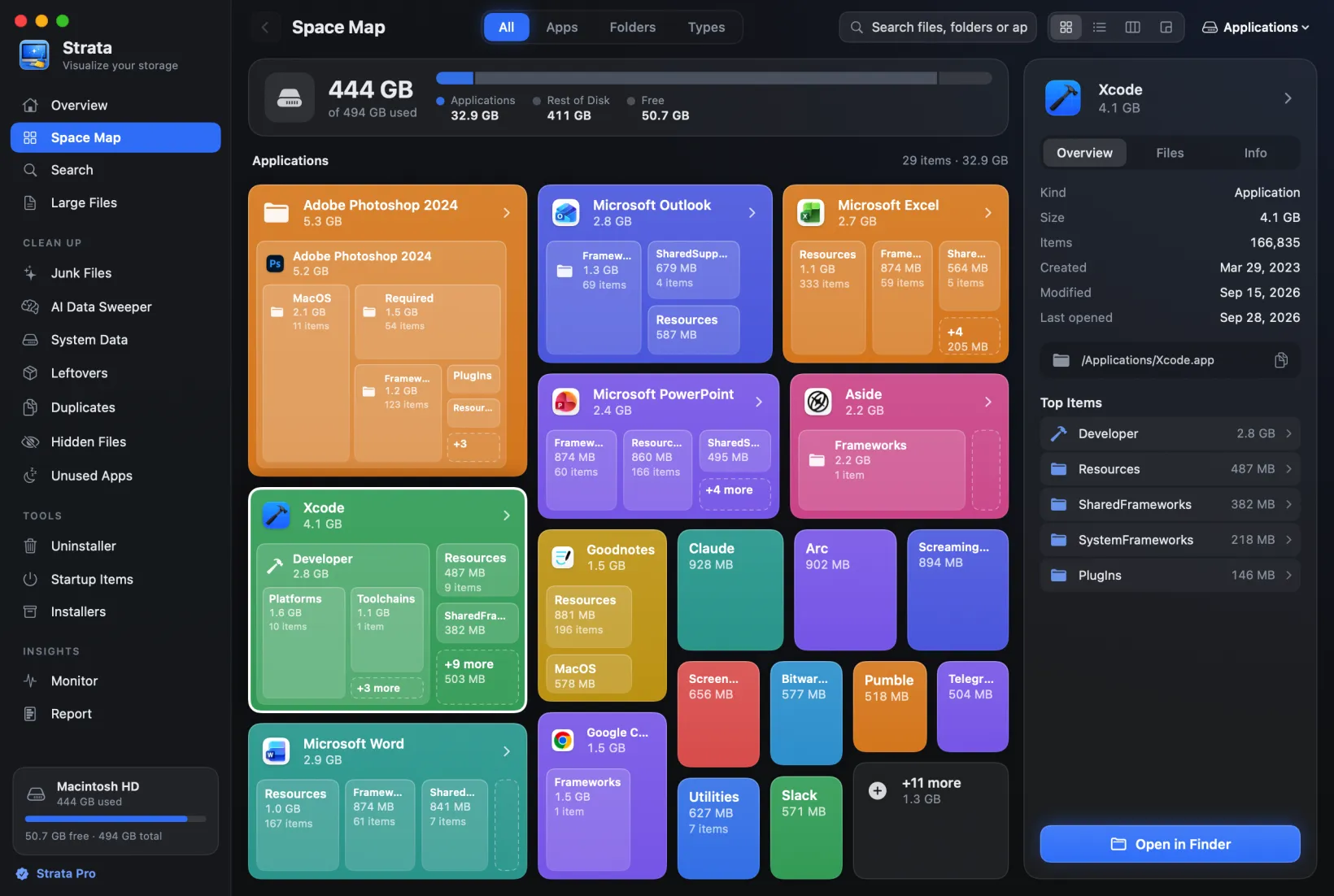
| Disk map | Space Lens (bubbles and a list) | Space Map (cards, list, columns, treemap) |
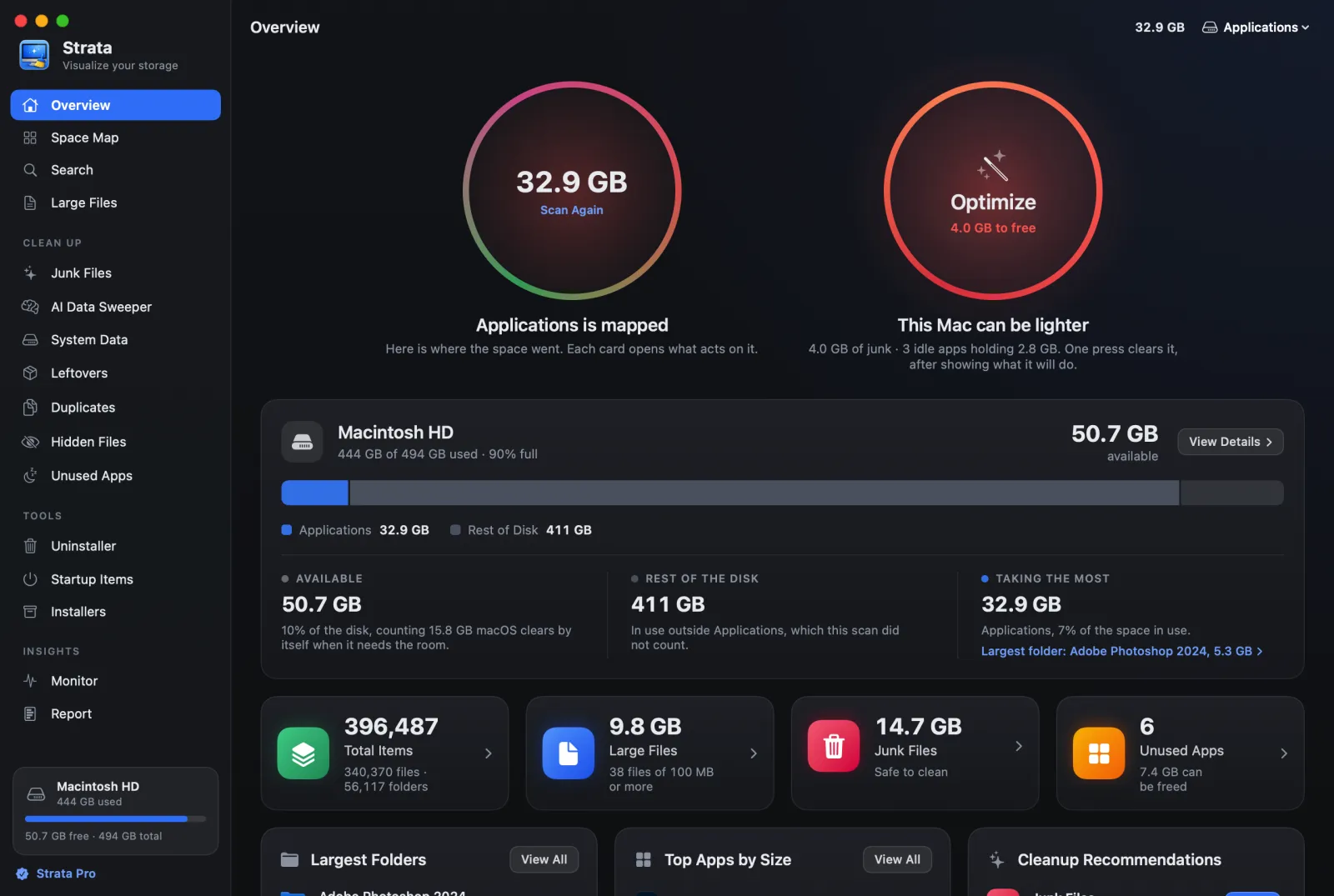
| Junk, uninstaller, leftovers, duplicates | Yes | Yes |
| Malware protection | Yes | No |
| Cloud cleanup, similar photos | Yes (cloud cleanup in the Plus plan, per MacPaw's 2025 announcement) | No |
| Deleting | Permanent for large files and duplicates | Always to the Trash |
| Helpers and background items | A privileged helper, Menu, Health Monitor, Updater | None |
| Account | MacPaw Account to activate a web purchase | None |
| Data collected | Diagnostics, including cleanup logs with file paths | None |
| Where | Direct, Mac App Store, Setapp | Direct |
| Needs | macOS 11 or later | macOS 13 or later |
Price: a year of CleanMyMac, or Strata for good
MacPaw's own article on the new CleanMyMac gives the US prices for one Mac: $39.95 a year, $9.95 a month, or $119.95 once (an older MacPaw page says $119.99). Its help centre adds that a one-time purchase covers only updates and fixes for the current major version. The free trial lasts seven days, and the web trial asks for a payment method that is charged when it ends. CleanMyMac is also part of Setapp, which is worth it if you use the other apps there.
Strata Pro is $9.99, once, for every Mac you personally own, and bug fixes, security fixes and macOS compatibility updates are free for good. Its free version, which you keep after the 14-day trial, scans, maps and searches with no time limit.
What each one does
On disk space, the two cover the same ground: a visual map, junk and cache cleanup, large
files, duplicates, an app uninstaller that finds leftovers, leftovers of apps you already removed, and installer files. Strata's junk cleanup also finds
what developers' projects build and install, such as node_modules and Rust's
target folder, ticked only once the project has sat unchanged for three months,
and lists old downloads, virtual machines and games apart, never ticked. CleanMyMac also manages login items, which Strata leaves to System
Settings. Both have a menu bar panel with live readouts: CleanMyMac's can free up memory, and
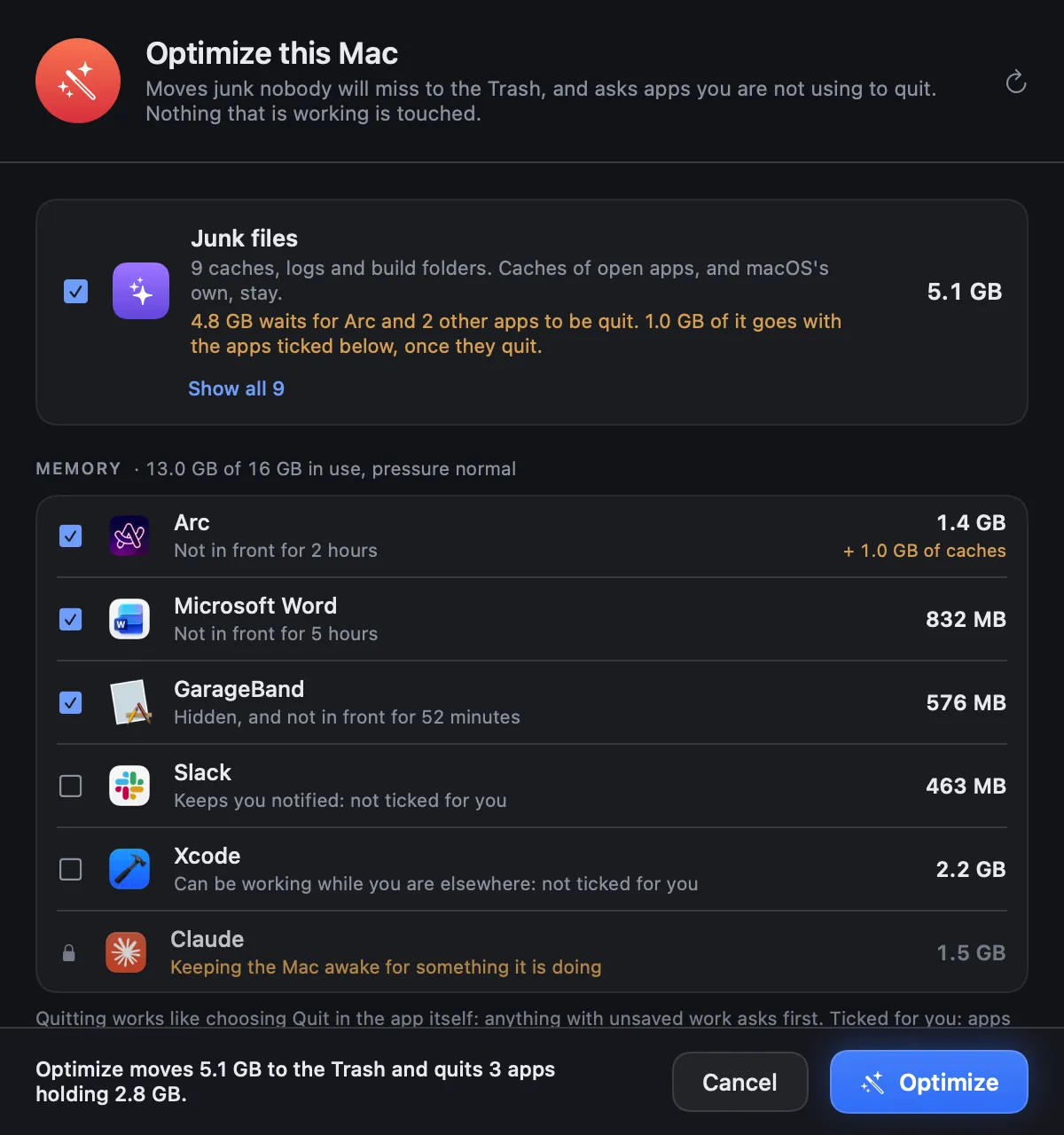
Strata's opens Optimize, which clears junk and asks idle apps to quit.
CleanMyMac goes further in three directions Strata does not follow:
- Malware protection, with real-time monitoring and background scans;
- Cloud cleanup of iCloud Drive, Google Drive, OneDrive and Dropbox, which MacPaw moved to its Plus plan in July 2025;
- Similar images, for near-duplicate photos, and an app updater.
Strata goes further in others: a Space Map that shows any folder four ways and counts the space files take on disk, leftover installers checked by reading inside each one, snapshots to compare the disk over time, and exports. If malware protection is why you pay for CleanMyMac, Strata does not replace it. macOS's own XProtect runs in the background either way.
Deleting: permanent, or the Trash
MacPaw's help is specific. In Large & Old Files, "Files are deleted permanently, bypassing the Trash." In Duplicates, Remove deletes the selected files "bypassing the Trash". Similar photos in the Photos app go to Recently Deleted; other images are deleted permanently.
Strata has one way to remove anything: macOS's own move to the Trash. Nothing is erased, Put Back returns the last batch, and Finder's Put Back works long after. The space comes back when you empty the Trash, which Strata leaves to you.
What runs in the background
CleanMyMac installs a privileged helper, CleanMyMac Agent, and macOS asks for your administrator password to authorise it. Its background items include the Menu, a Health Monitor and an Updater that, by default, checks for a new version about every six hours.
Strata installs no helper, no launch agent and no background item. It never asks for your password: what only an administrator can move, it selects in Finder, where Finder asks. Its menu bar panel runs only while Strata is running, and Strata opens at login only if you switch that on. While it runs, it reads the disk every minute and warns when free space falls below the share you choose in Settings, from 2% to 20%; under 2%, a warning drops from its menu bar icon every hour until there is room.
Privacy
CleanMyMac's privacy notice says it collects diagnostic data such as crash reports, error logs and cleanup activity logs that include "file paths, file sizes" among other details, and names Sentry and Google among its processors. Activating a web purchase uses a MacPaw Account.
Strata has no account, no analytics and no crash reporting. Its licence is checked on the Mac, and its only network request is its own update check. What Strata sends over the network lists it all.
Which should you choose?
Stay with CleanMyMac if
you rely on its malware protection, cloud cleanup or similar-photo finder, you already pay for Setapp, or you want one subscription to cover everything.
Choose Strata if
you use a cleaner for disk space, you want to pay once, you want every removal to be reversible, and you would rather nothing ran in the background or reported home.
Frequently asked questions
Is there a CleanMyMac alternative without a subscription?
Yes. Strata is $9.99 once for every Mac you own, with a free version that keeps scanning. CleanMyMac itself also sells a one-time licence, about $120 for one Mac according to MacPaw's own articles, which does not include major upgrades.
Does CleanMyMac delete files permanently?
Some modules do. MacPaw's help says Large and Old Files are deleted permanently, bypassing the Trash, and so are duplicates. Strata only ever moves things to the Trash, where Put Back returns them.
Is CleanMyMac safe?
It is a signed app from an established company. Its privacy notice says it collects diagnostic data including cleanup activity logs with file paths, and it installs a privileged helper and background items. Whether that is acceptable is your call; Strata installs neither and collects nothing.
Does Strata remove malware?
No. Strata is a disk space tool: it maps, cleans and uninstalls. For malware, macOS has XProtect built in, and CleanMyMac includes a malware module.
See what it would free, before you pay anything
Strata's scan, map and search are free forever, and every download starts with 14 days of Strata Pro, with no account and no card. After that it is $9.99 once, for every Mac you own.