AppCleaner vs Strata: two ways to uninstall a Mac app completely
AppCleaner has been the free way to uninstall a Mac app properly for years: drop the app on its window, see the files it left, delete them. It is still updated, and still free. Strata's uninstaller does the same job differently: it grades every leftover by how sure it is, and only ever moves things to the Trash. First, though, a word about names, because two different products share almost the same one, and a third often comes up beside them.
Key takeaways
- AppCleaner (FreeMacSoft) is free, was updated on 22 September 2026, and version 3.7 needs macOS 15.
- App Cleaner & Uninstaller is a different app, from Nektony, and removing needs its paid version. Pearcleaner, another free uninstaller, has been on hold since the end of 2025.
- Download AppCleaner from freemacsoft.net or with Homebrew; a look-alike site uses its name.
- Strata's uninstaller grades every leftover, takes several apps at once, and only ever moves things to the Trash; it is part of Strata Pro.
Written by the maker of Strata. AppCleaner facts come from freemacsoft.net and its release notes, checked on 27 September 2026; what SmartDelete does is described by a 2015 Macworld guide.
Three apps with nearly the same name
- AppCleaner, one word, is the free app by FreeMacSoft, at freemacsoft.net/appcleaner.
- App Cleaner & Uninstaller is Nektony's app: free to scan and find leftovers, and $14.95 a year or $34.95 once for one Mac to remove them, at nektony.com. It moves removed files to the Trash by default and keeps a removal history.
- Pearcleaner is a free, source-available uninstaller whose developer put it on hold at the end of 2025; its last release was 5.4.3, on 26 November 2025. Its README says the only legitimate website is itsalin.com, and that anything else offering it is "either a scam or not affiliated".
Watch for look-alikes. A site at appcleaner.pro presents itself as AppCleaner
"by FreeMacSoft", is not linked from FreeMacSoft's own site, and was still offering the older
3.6.8 on 27 September 2026. Download AppCleaner from freemacsoft.net, or with Homebrew
(brew install --cask appcleaner).
AppCleaner in 2026
Its site describes it simply: drop an application onto AppCleaner's window, it finds the related files, and you delete them with one button. Version 3.7, released on 22 September 2026 after a three-year gap, adds support for macOS 27, asks for Full Disk Access (without it, "some files may fail to be removed"), and improves searching in Application Scripts. It needs macOS 15 or later; 3.6.8 remains for macOS 10.14 to 15.6.
Its release notes also mention undoing the last removal, and a feature called SmartDelete, which, as Macworld described it in 2015, offers to remove an app's files when you drag the app to the Trash. It is free and has no account; we found no privacy policy on its site. Its site describes one job, uninstalling: no disk map and no junk cleaning.
Strata's uninstaller
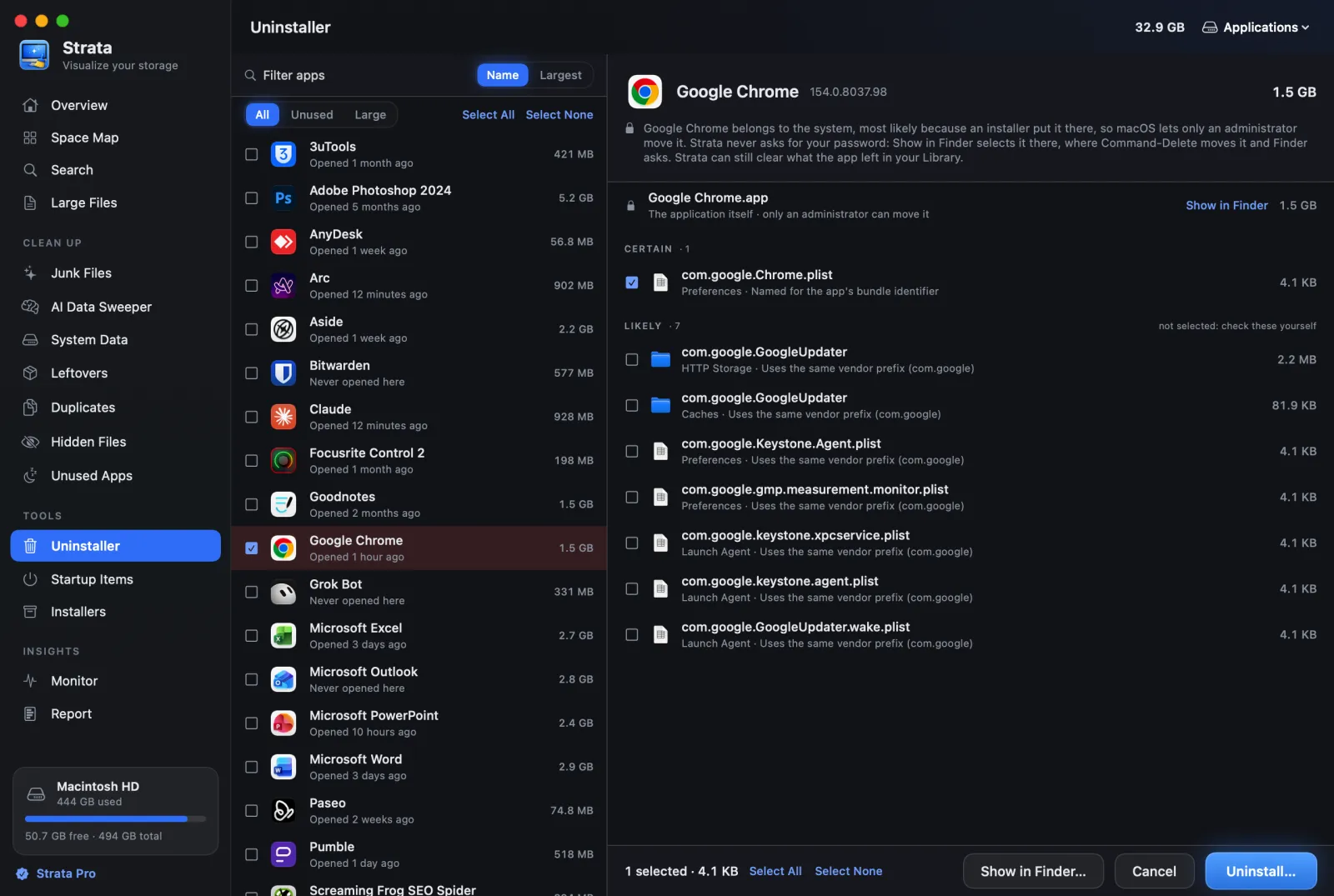
Strata's Uninstaller is one room of a larger app. Choose an app and it searches 18 places in your Library and the shared Library for what belongs to it: support files, caches, preferences, containers, saved state, logs, cookies, launch agents and daemons, helper tools. Then it does two things AppCleaner does not describe:
- It grades every match. Certain and Very likely, named for the app's identifier or the app itself, are ticked. Likely and Possible, a vendor prefix no other installed app uses or a similar name, are shown and left for you. Every match is checked against every other installed app, and folders a vendor shares between several apps are never offered.
- It never deletes. Everything, app and leftovers, goes to the Trash, and Put Back returns it. The app's Dock icon goes with it, and comes back if you use Put Back in Strata's notice. When Strata opens, it also offers to clear the icons of apps already gone.
It also takes several apps at once, filters to apps you have not opened in three months, shows apps that only an administrator can move (and selects them in Finder rather than asking for your password), and can keep Apple's own apps, such as Music, closed instead. An app with a camera, network or other system extension is selected in Finder too, because macOS takes the extension away only when Finder puts the app in the Trash. Strata still clears what the app left in your Library. Beside the Uninstaller are Leftovers, for apps you already dragged to the Trash, and Startup Items.
Side by side
| AppCleaner | Strata | |
|---|---|---|
| Price | Free | Uninstalling is Strata Pro, $9.99 once |
| Needs | macOS 15 (3.6.8 for 10.14 to 15.6) | macOS 13 |
| Finds leftovers | Yes | Yes, in 18 locations, graded |
| Leftovers of apps already deleted | SmartDelete, as you trash an app (per Macworld) | Yes, any time (Leftovers room) |
| Several apps at once | Not documented | Yes |
| Where removed files go | "Safely deletes"; not documented | The Trash, always |
| Undo | The last removal | Put Back, then Finder's Put Back |
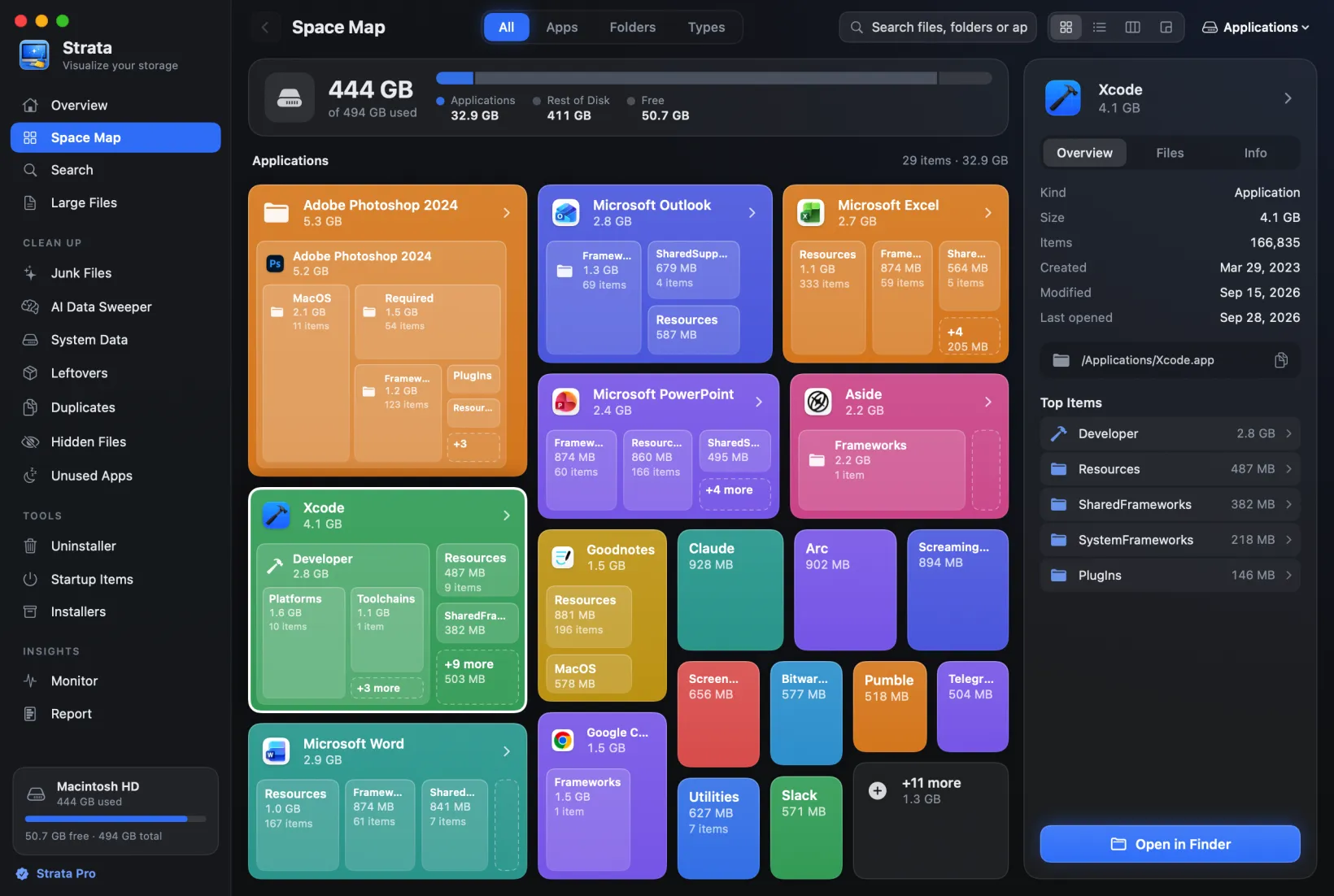
| Beyond uninstalling | No | Disk map, junk, duplicates, installers, startup items |
Which should you use?
Use AppCleaner if
you want a free, single-purpose uninstaller on macOS 15 or later, and you are happy to check its list yourself.
Use Strata if
you want each leftover graded, several apps removed together, everything moved to the Trash, and the rest of a clean-up in the same place.
Whichever you use, quit the app first: an open app writes its preferences again as it quits. Where apps hide their files, and which leftovers are risky, is in Dragging an app to the Trash does not uninstall it.
Frequently asked questions
Is AppCleaner still free?
Yes. AppCleaner by FreeMacSoft is free, with a donate link. Version 3.7, released on 22 September 2026, needs macOS 15 or later; version 3.6.8 is still offered for macOS 10.14 to 15.6.
Is AppCleaner the same as App Cleaner & Uninstaller?
No. AppCleaner is FreeMacSoft's free app. App Cleaner & Uninstaller is Nektony's app, free to scan and find leftovers and paid to remove them, from $14.95 a year or $34.95 once. They are unrelated despite the names.
Is appcleaner.pro the official AppCleaner site?
No. FreeMacSoft's site is freemacsoft.net. A site at appcleaner.pro presents itself as AppCleaner by FreeMacSoft, is not linked from freemacsoft.net, and still offered the older 3.6.8 when we checked.
Does AppCleaner move files to the Trash?
Its own site says it finds the files and safely deletes them, without saying where they go. A 2015 Macworld article said removed apps went to the Trash. Strata's uninstaller always moves everything to the Trash, and Put Back returns it.
See what an app left behind, for free
Strata's Uninstaller shows every app's leftovers without a licence. Every download starts with 14 days of Strata Pro, which removes them, up to 40 GB in all; after that it is $9.99 once.