
Download Strata
Version 1.0.29, for macOS 13 Ventura or later on Apple silicon and Intel. Every feature is free for 14 days, removing up to 40 GB, with no account and no card.
Download Strata 1.0.29 Email yourself the link
Strata is a Mac app: send yourself the link, and open it on your Mac.
- 11 MB download
- 44 MB installed
- Signed and notarized by Apple
- No account
After the 14 days, the map, search and large files stay free. Strata Pro is $5 once for the first 200 buyers, then $9.99, with a refund within 14 days of buying if it is not for you: see pricing.
Or with Homebrew: brew install --cask pankaj-kholiya/strata/strata
Install
Three steps, and a minute.
- 1
Open the download
Double-click
Strata-1.0.29.dmgin your Downloads. macOS checks Apple's notarization before it opens, and names Kapybara LLC as the developer. - 2
Drag Strata to Applications
The disk image shows Strata beside your Applications folder. Drag one onto the other, then eject the disk image.
- 3
Open it and scan
A short tour points at everything once. Press Scan, and the whole Mac is mapped in under a minute on most Macs.
Your first minute
What you will see first.
A short tour lights up each part of the window once, then the first scan maps your Mac. This is the app itself, sped up.
Recommended
Give it Full Disk Access.
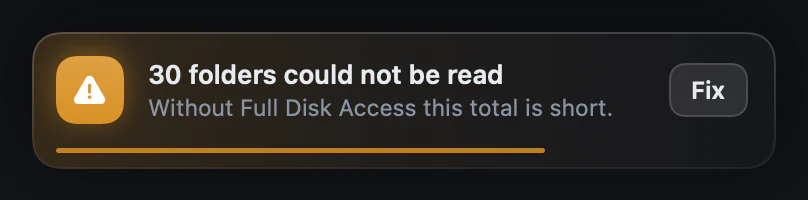
macOS hides Mail, Messages, Safari and other apps' data from any app that has not been granted it. Without it the scan still runs, but those folders are invisible and the totals come out short, and Strata says so rather than quietly reporting a wrong number.
Strata checks for it each time it opens, and shows you the setting while it is off. Turn Strata on in System Settings, Privacy & Security, Full Disk Access, then open it again: macOS applies the change at launch. Nothing is uploaded either way.
Updates itself
Every hour Strata checks this site for a new version, downloads it in the background and installs it while you are away, or when you quit. One switch in Settings turns it off.
Nothing leaves your Mac
No account, no telemetry, no analytics. Updating itself is the only thing Strata fetches.
Free for 14 days
Every feature from the first launch, removing up to 40 GB. After that the map, search and the Monitor stay free for good, and Strata Pro is one price, paid once.
Easy to remove
Strata is one app in Applications, with no helper tools and no background agents. Drag it to the Trash to remove it.
Requirements
macOS 13 Ventura or later.
A universal app for Apple silicon and Intel Macs. Distributed directly, signed with a Developer ID and notarized by Apple. Earlier releases and what changed in each are on the changelog.