The best uninstaller for Mac in 2026, compared on what happens to your files
Dragging an app to the Trash leaves its settings, caches and helpers behind, which is why Mac uninstallers exist. They differ less in what they find than in what they do with it: some move leftovers to the Trash with an undo, some delete them for good, and two of the best known, Pearcleaner and TrashMe 3, have not shipped an update for months. This compares the best uninstallers for Mac on exactly that, from each developer's own pages, starting with the free ones.
Key takeaways
- Free and current: AppCleaner 3.7 (September 2026), for macOS 15 and later.
- Pearcleaner is free and careful, moving everything to the Trash with an undo, but it is on hold and does not list macOS 27. Download it only from its GitHub page or with Homebrew: pearcleaner.com is a fake that users report spreads malware.
- Read how each one removes. App Cleaner & Uninstaller, Pearcleaner, TrashMe and Strata use the Trash; BuhoCleaner calls uninstalling irreversible; three do not say.
- The others' paid plans start at $14.95 a year (App Cleaner & Uninstaller) or $17.99 once (TrashMe 3); CleanMyMac is $39.95 a year or $119.95 once. Strata Pro is regularly $9.99 once for every Mac you own.
- Several install a background helper or watch your Trash. Know what you are adding before you add it.
We make Strata, which is in this list. Every other app's facts come from its developer's own site, help pages, release notes, GitHub repository or App Store listing, checked on 6 October 2026. We did not run the other apps for this article. Prices, and sale prices especially, change often; check before you buy.
What separates one uninstaller from another
Finding an app's leftovers is the easy part: they sit in a dozen well-known folders in your Library, named after the app or its developer. What decides whether an uninstaller is good is everything around that:
- Where the files go. The Trash, where Put Back can undo a mistake, or gone for good. A wrong match on a shared folder is recoverable in one case and not the other.
- What it ticks for you. Files named for the app's bundle identifier are safe bets. Files that merely share the developer's name may belong to another of its apps.
- What it installs. A privileged helper runs with administrator rights. A Trash watcher runs at login, all the time, to catch apps you drag away.
- Whether it is maintained. macOS 27 shipped in September 2026; an uninstaller that does not list it may not have been tested on it by its developer.
- What it costs. Free, once, or every year.
The comparison table
| App | Price | Removed files go to | Undo | macOS 27 | Latest release |
|---|---|---|---|---|---|
| Strata | Free to look; Pro regularly $9.99 once, every Mac | Trash only | Put Back, in Strata and Finder | Yes, tested on 27.0.1 | 1.0.29, 13 Oct 2026 |
| AppCleaner | Free | Not stated | Last removal | Yes | 3.7, 22 Sep 2026 |
| Pearcleaner | Free | Trash | Last 10 removals | Not listed | 5.4.3, 26 Nov 2025 (on hold) |
| App Cleaner & Uninstaller | Free to look; $7.95 a month, $14.95 a year or $34.95 once | Trash by default; can delete at once | Removal History | Yes | 10.0.1, Sep 2026 |
| CleanMyMac | $39.95 a year, $9.95 a month or $119.95 once | Not stated (some other modules delete permanently) | Not stated | Yes | 5.7.1, 1 Oct 2026 |
| TrashMe 3 | $17.99 once, your own Macs | Trash | Not stated | Not stated | 3.7.5, 22 Jan 2026 |
| BuhoCleaner | On sale: $17.99 a year, $25.99 lifetime (regularly $39.99 and $67.99) | "Irreversible" | None stated | Yes | 1.17.0, 18 Sep 2026 |
| AppZapper 3000 | $18, one Mac | Not stated | Not stated | Not stated | 1.0, 2026 |
And what each adds to your Mac, besides itself:
| App | Runs in the background | Data it sends |
|---|---|---|
| Strata | Menu bar item, on by default, can be turned off; opens at login only if you turn that on; no helper | None; its own update check only |
| AppCleaner | A login item (SmartDelete); its pages do not say whether it is on by default | No privacy policy found |
| Pearcleaner | Trash watcher, off by default; privileged helper; Finder extension | Not stated; checks other apps for updates at launch, which can be turned off |
| App Cleaner & Uninstaller | Menu bar helper; network extension, if you allow it; optional Trash watcher | Crash reports, anonymous analytics |
| CleanMyMac | Privileged helper when needed; Health Monitor, menu and updater | Analytics |
| TrashMe 3 | Optional Smart Mode in the menu bar | None collected, per its App Store label; checks other apps for updates |
| BuhoCleaner | Menu at login; privileged helper | Device information, crash reports (its policy also names Google Analytics and Sentry) |
| AppZapper 3000 | Not stated | Anonymous usage statistics |
The free uninstallers
AppCleaner
FreeMacSoft's AppCleaner is the one most people already know: drop an app on its window, it finds the related files, and one button removes them. Version 3.7, on 22 September 2026, was its first in three years. It adds support for macOS 27, asks for Full Disk Access (without which, its notes say, some files may not be removed), and moves its SmartDelete login item to the modern system that lists it in System Settings. It needs macOS 15 or later; its update feed says 15.6, and 3.6.8 remains for older Macs.
Its release notes mention undoing the last removal. Its site says it "safely deletes" files without saying whether they go to the Trash, and we found no privacy policy. It does one job, with no account and no price. Our AppCleaner comparison goes further.
Pearcleaner
Pearcleaner is free, with source anyone can read under a licence that forbids selling it. Since version 5.4.0 it moves everything except Homebrew packages to the Trash, keeps an undo for the last ten removals, and refuses to touch protected system paths, according to its release notes. It can remove several apps at once, lets you choose how hard it searches, and has an optional watcher that opens it when an app lands in the Trash.
The catch is in its README: the project is on hold. Its developer has no Mac to build or test on, and the last release, 5.4.3, came out on 26 November 2025. Its support table stops at macOS 26.
pearcleaner.com is not Pearcleaner. Pearcleaner's README says the developer's
only website is itsalin.com, and users have reported in its GitHub issues that pearcleaner.com
serves malware through a Terminal command it asks you to paste. That site ranked first for
"pearcleaner" on Brave when we checked on 6 October. Download Pearcleaner from its GitHub releases or
with Homebrew (brew install --cask pearcleaner), and never paste a command from a
download page into Terminal.
The paid uninstallers
App Cleaner & Uninstaller
Nektony's App Cleaner & Uninstaller (not to be confused with AppCleaner) matches leftovers against a database of more than 20,000 apps rather than by name. Every removal starts with a list you can untick, removed files go to the Trash by default (a setting deletes them at once instead), and a Removal History can bring apps back. The free version scans and previews; removing needs a licence: $7.95 a month, $14.95 a year or $34.95 once for one Mac, after a two-day trial. It runs on macOS 11 to 27, adds a menu bar helper and, since version 10, a network extension, and its developer says it collects crash reports and anonymous analytics.
CleanMyMac
MacPaw's CleanMyMac has an uninstaller in its Applications module: select several apps, open each to see what it found, and uninstall. It groups apps as unused, by vendor or by store, and flags some as suspicious based on where their developers are. MacPaw sells it at $39.95 a year, $9.95 a month or $119.95 once for one Mac ($39.99 a year on the App Store), with a seven-day trial, and runs on macOS 11 to 27. Its help does not say whether the uninstaller uses the Trash, though it does say its Large and Old Files and Duplicates modules delete permanently. To uninstall apps it needs its privileged helper, installed with your administrator password, alongside a Health Monitor that can offer to remove an app's files when you drag it to the Trash.
TrashMe 3
Jibapps' TrashMe 3 is $17.99 once, from the App Store or its own store, with a 15-day trial that limits how much it deletes. Its how-to page says files are moved to the Trash rather than deleted; that page dates from 2020, and we found nothing newer either way. An optional Smart Mode in the menu bar notices apps put in the Trash. It needs macOS 10.13 or later and says it is ready for macOS 26; its last release was in January 2026, and macOS 27 is not mentioned.
BuhoCleaner
Dr.Buho's BuhoCleaner is a cleaner with an uninstaller inside, including a Leftovers tab for apps already dragged away. On 6 October 2026 it was on sale at $17.99 a year or $25.99 for life on one Mac; the trial frees up to 3 GB, and one-click uninstalling needs a licence. Its own guide calls uninstalling irreversible. It runs from OS X 10.10 to macOS 27, adds a menu at login and a privileged helper. For the app, its privacy policy lists device information and crash reports; it also names Google Analytics and Sentry among the services it uses.
AppZapper 3000
AppZapper was the classic uninstaller of the 2000s, and it has returned as AppZapper 3000: $18 for one Mac or $29 for five, with three free zaps, for macOS 15 and later. Its site describes finding caches, preferences and support files and removing them in one go, but not where they go or whether you can undo it. Its privacy policy says it sends anonymous usage statistics. Most lists still describe the old app, at the old price.
Strata's uninstaller
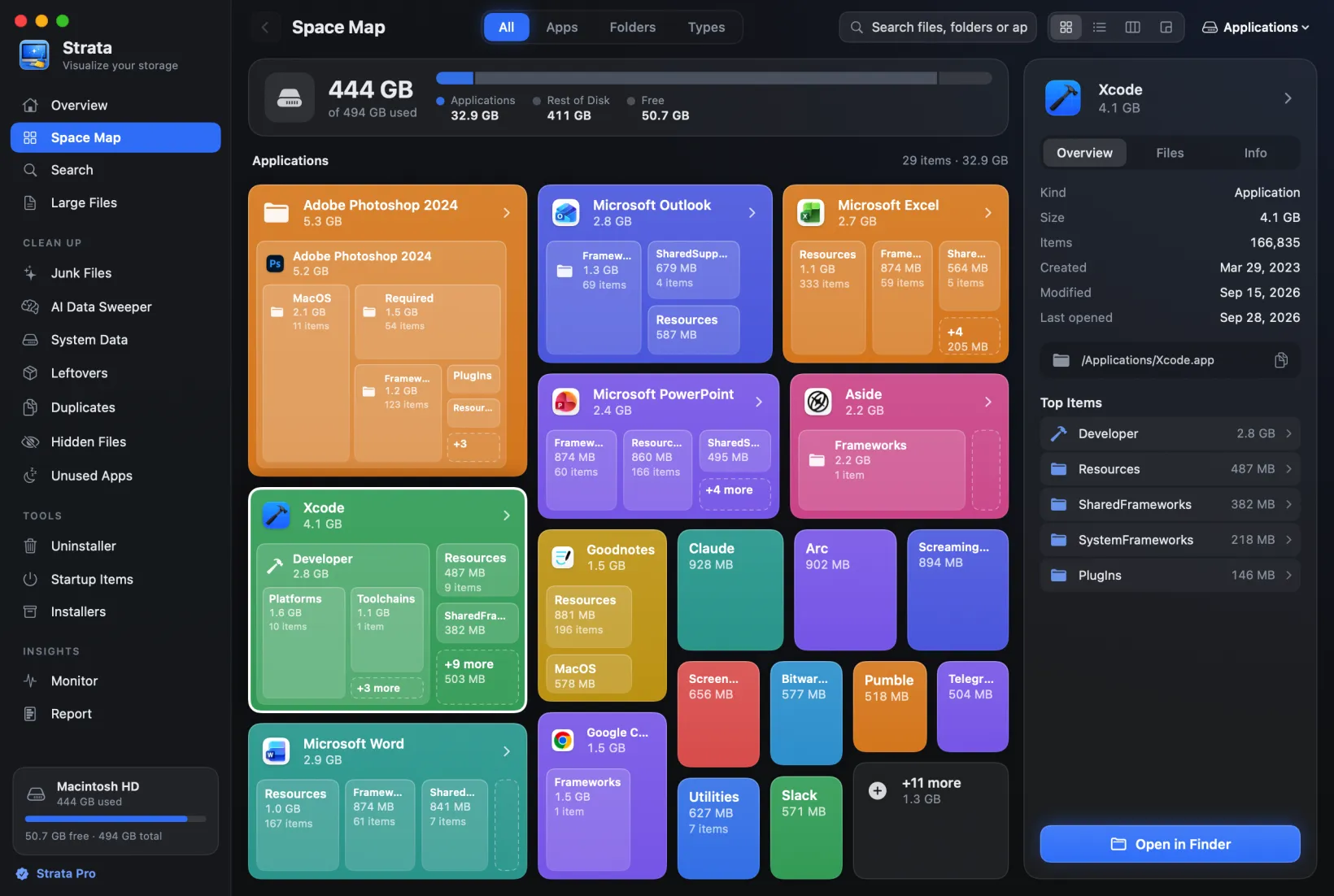
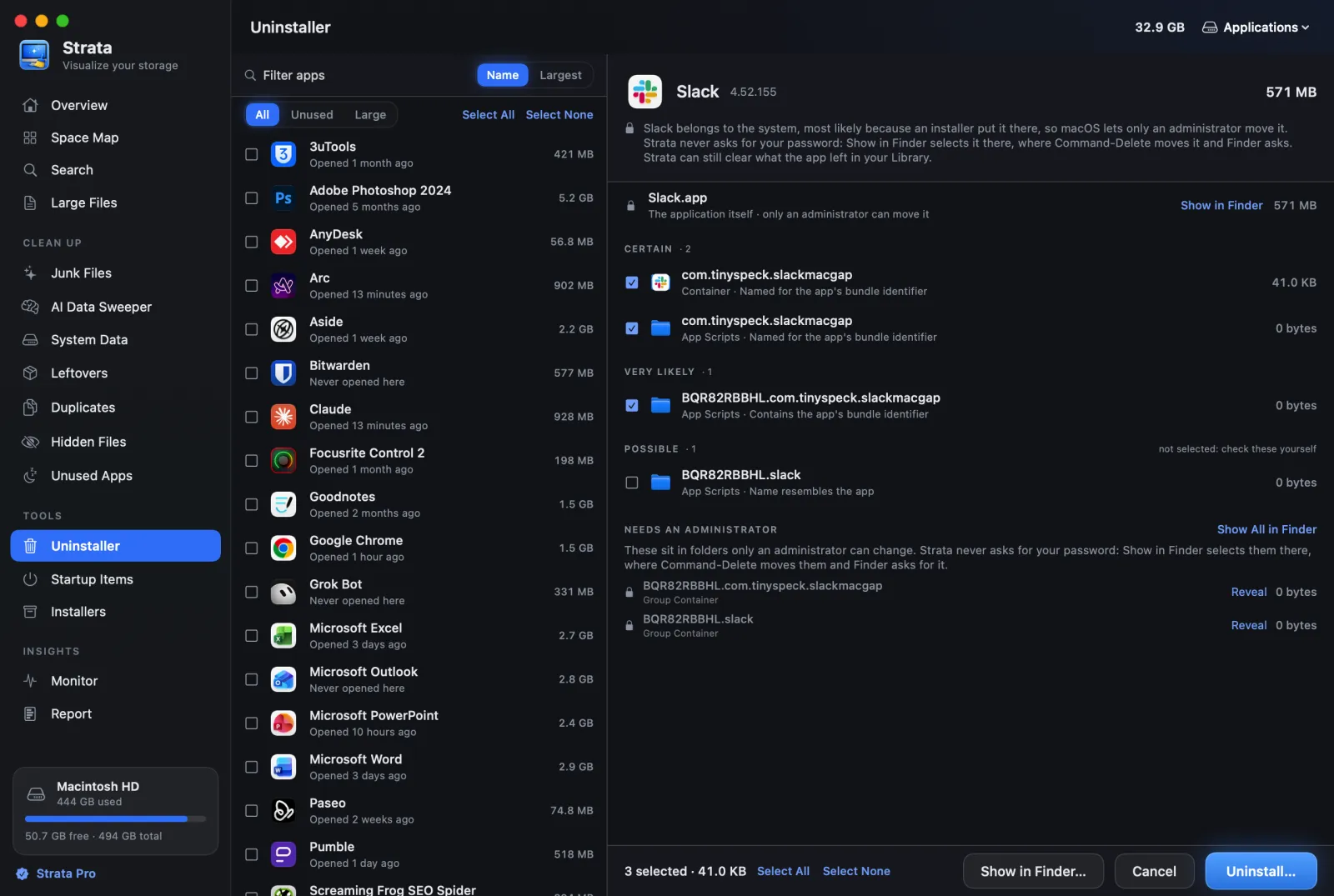
Strata's Uninstaller is one room of a larger disk app. Choose an app, or several with Command-click, and it searches 18 places in your Library and the shared Library. Every leftover is graded:
| Grade | What it means | Ticked for you |
|---|---|---|
| Certain | Named for the app's bundle identifier | Yes |
| Very likely | Contains the identifier, or has the app's exact name | Yes |
| Likely | Shares the developer's prefix, when only one installed app does | No |
| Possible | Starts or ends with the app's name | No |
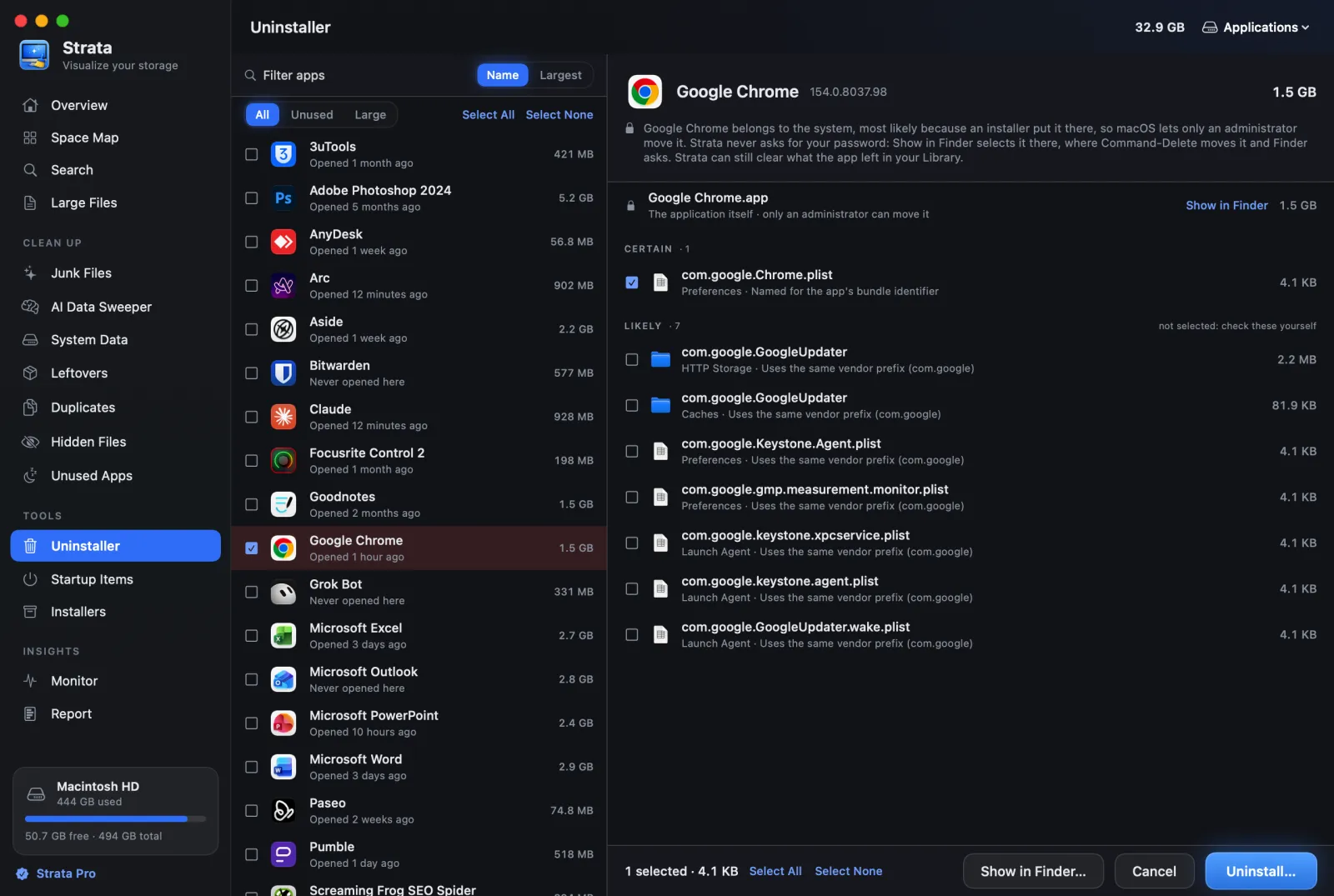
Anything another installed app could claim is left out, and so are shared folders such as Google's or Microsoft's. Files only an administrator can change are listed but never ticked: Strata never asks for your password, and hands them to Finder instead. An app with a system extension goes the same way, never ticked: macOS removes the extension only when Finder moves the app to the Trash. Strata selects the app in Finder and still clears what it left in your Library. Filters pick out apps unused for 90 days or larger than 1 GB. Everything goes to the Trash, Put Back undoes it, and since 1.0.18 an uninstalled app also leaves the Dock, coming back with Undo. Since 1.0.22, Strata offers, as it opens, to remove the Dock icons of apps that are gone, however they went. There is no helper and no Trash watcher; for apps deleted long ago, the Leftovers room looks for what they left. Strata does keep an item in the menu bar, on by default, which you can turn off, and opens at login only if you ask it to.
The free version shows every app's leftovers; removing them is Strata Pro, regularly $9.99 once for every Mac you own. It needs macOS 13 or later, on Apple silicon or Intel.
Ones we left out
- AppDelete: its developer's domain now redirects to an unrelated gambling site. Treat it as gone.
- iTrash: its developer's domain has expired.
- TestDisk: listed by one roundup as an uninstaller; it is a data recovery tool.
- Hazel: a folder automation app whose App Sweep offers to throw away an app's support files after you trash the app. Useful if you already own it; not an uninstaller you would buy for the purpose.
Which one to choose
Free, on macOS 15 or later
AppCleaner. It is current, simple and free; check its list before you press the button.
Free, on macOS 13 or 14
Pearcleaner, downloaded from GitHub, knowing it is on hold and untested on macOS 27; or the free version of Strata or of App Cleaner & Uninstaller to see what each app left, before removing by hand.
Everything to the Trash, with an undo
App Cleaner & Uninstaller, Pearcleaner or Strata, which document both. TrashMe 3 says it uses the Trash.
Pay once
Strata Pro (regularly $9.99, every Mac), TrashMe 3 ($17.99, your own Macs), AppZapper 3000 ($18), BuhoCleaner's lifetime licence ($25.99 on sale, $67.99 regularly, though it calls uninstalling irreversible), App Cleaner & Uninstaller ($34.95) or CleanMyMac ($119.95).
You already pay for CleanMyMac
Use its uninstaller, and look in its list before uninstalling, since its help does not say where removed files go.
Frequently asked questions
What is the best free uninstaller for Mac?
AppCleaner, if you are on macOS 15 or later: it is free and was updated for macOS 27 in September 2026. Pearcleaner is free too and moves everything to the Trash with an undo, but it has been on hold since the end of 2025 and does not list macOS 27. Strata's free version, and App Cleaner & Uninstaller's, show every app's leftovers without removing them.
Is Pearcleaner safe?
Pearcleaner itself is notarized and its source can be read on GitHub. The danger is a look-alike: pearcleaner.com is not its site, and users report it serving malware. Download it only from github.com/alienator88/Pearcleaner or with Homebrew; the developer's own site is itsalin.com.
Do Mac uninstallers delete files permanently?
Some do. BuhoCleaner calls uninstalling irreversible, and App Cleaner & Uninstaller can be set to delete at once instead of using the Trash. Pearcleaner, TrashMe and Strata move files to the Trash. AppCleaner, CleanMyMac's uninstaller and AppZapper 3000 do not say on their own pages.
Does a Mac have a built-in uninstaller?
Not for third-party apps. Dragging an app to the Trash removes the app itself but leaves its preferences, caches, containers and helpers in your Library. Some apps ship their own uninstaller, which is worth running first. For an app with a system extension, such as a camera or network extension, use that uninstaller, or move the app to the Trash in Finder. Moved any other way, the app leaves its extension running.
Is AppCleaner still updated?
Yes. Version 3.7 came out on 22 September 2026, three years after the previous one, and added support for macOS 27. It needs macOS 15 or later; its update feed says 15.6.
Uninstall with every file graded
Strata shows what each app left in your Library, grades every file by how sure the match is, removes several apps at once and moves everything to the Trash, where Put Back undoes it. It also maps your whole disk, clears junk and finds what deleted apps left behind.
Looking is free forever. Every download starts with 14 days of Strata Pro, removing up to 40 GB.