Last updated 10 November 2026
Press kit
Descriptions you can use as they are, the facts, real screenshots and the icon. If you are reviewing Strata, a review licence is free: just ask.
Download everything
One ZIP holds the icon at 1,024 pixels, the eight screenshots below as full-size PNG files, and this page's descriptions and facts as plain text.
Download the press kit (ZIP, 5.5 MB)
Strata in a sentence
Strata is a native Mac app that shows what is taking up space on your disk and helps you clear it safely, moving everything to the Trash, where it can be put back.
Strata in a paragraph
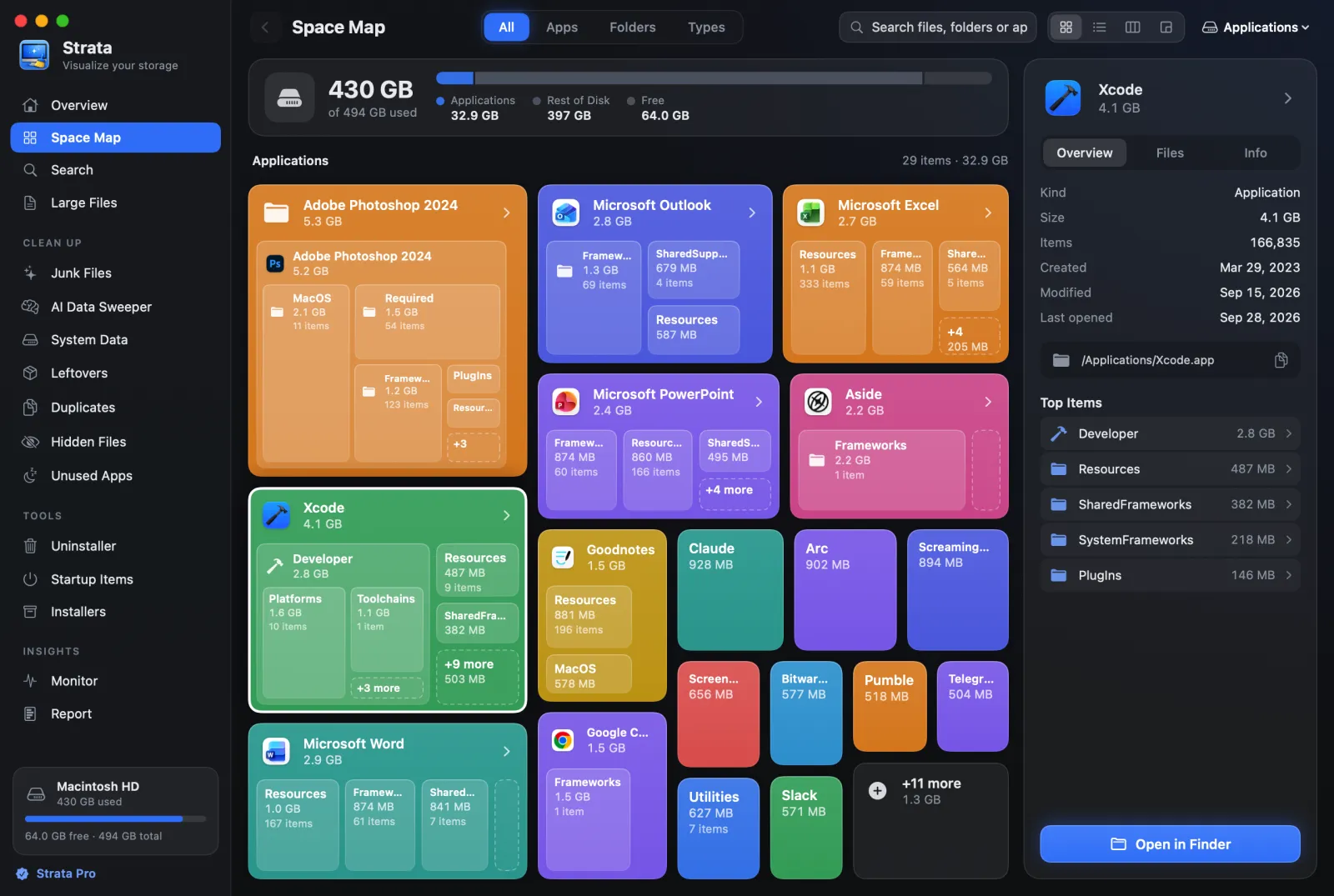
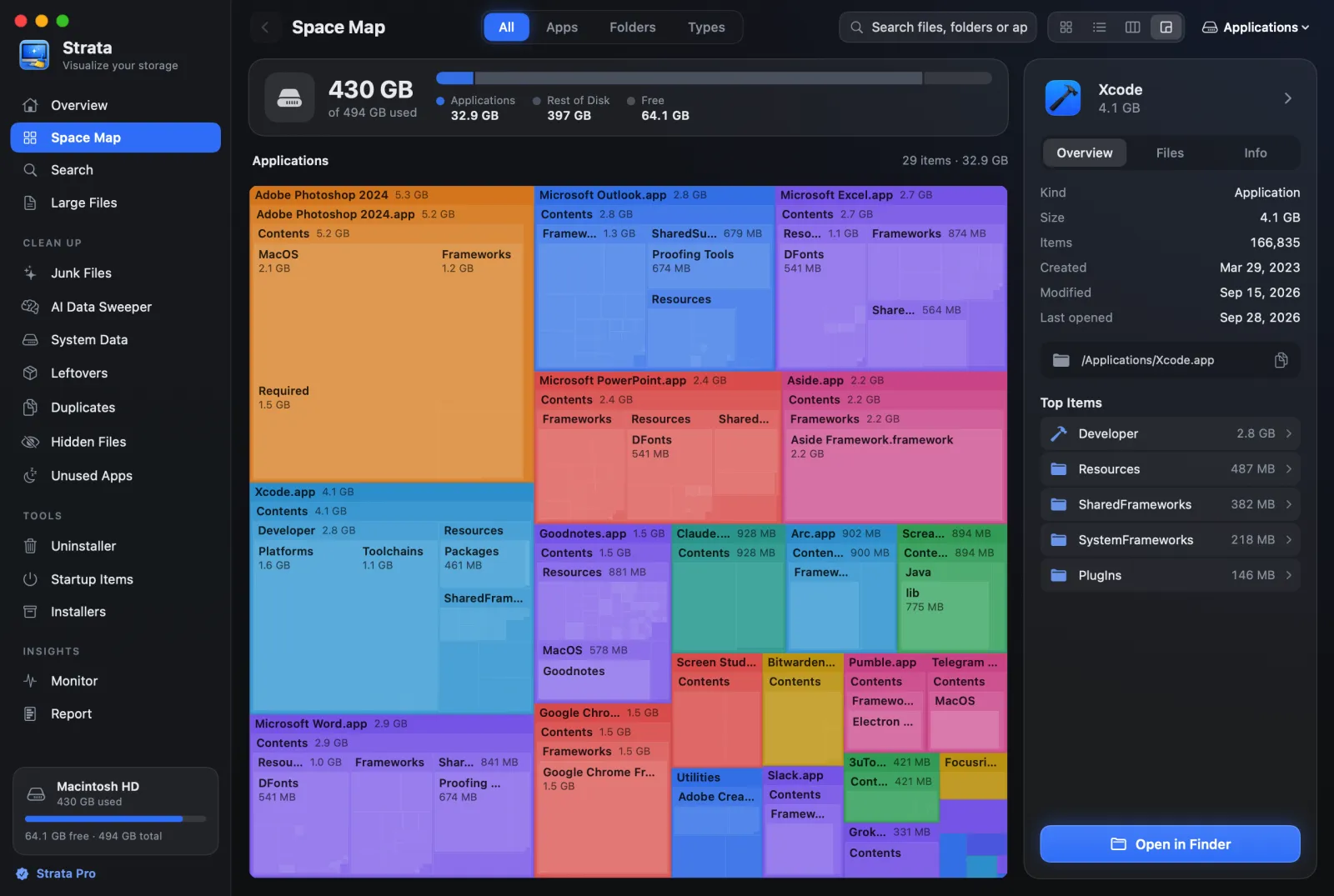
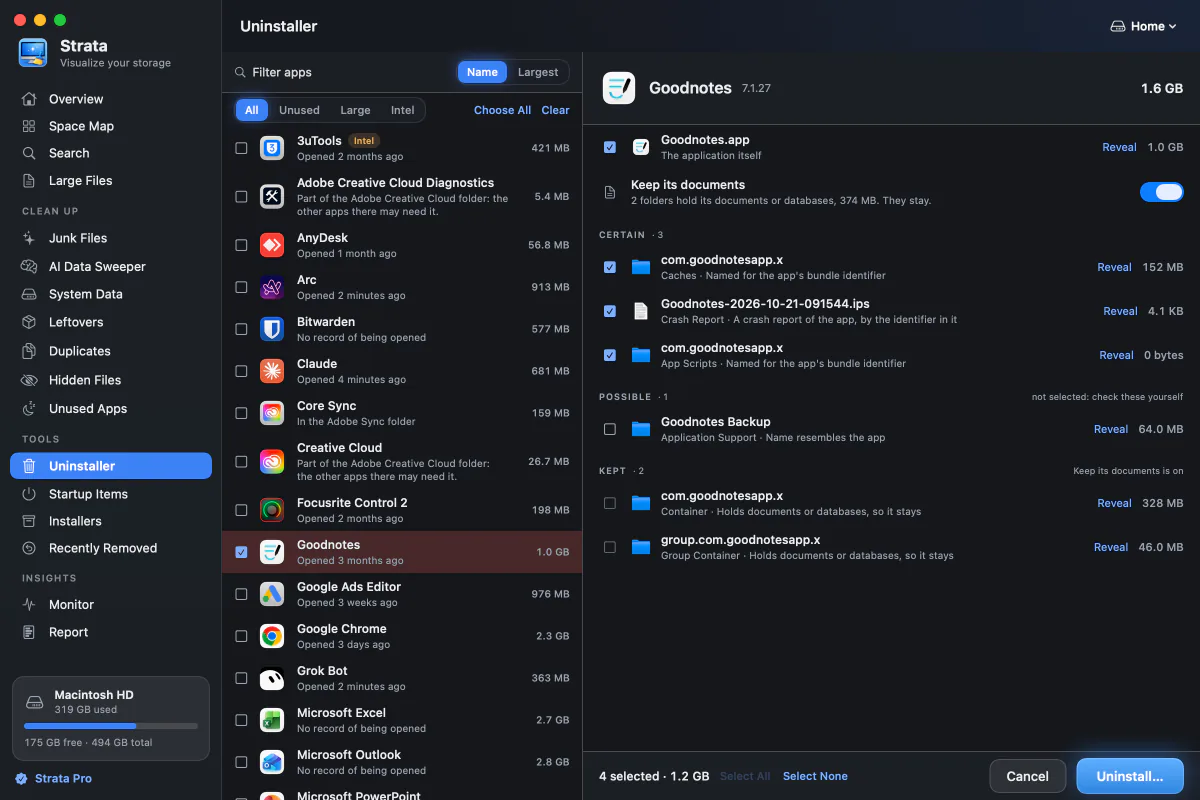
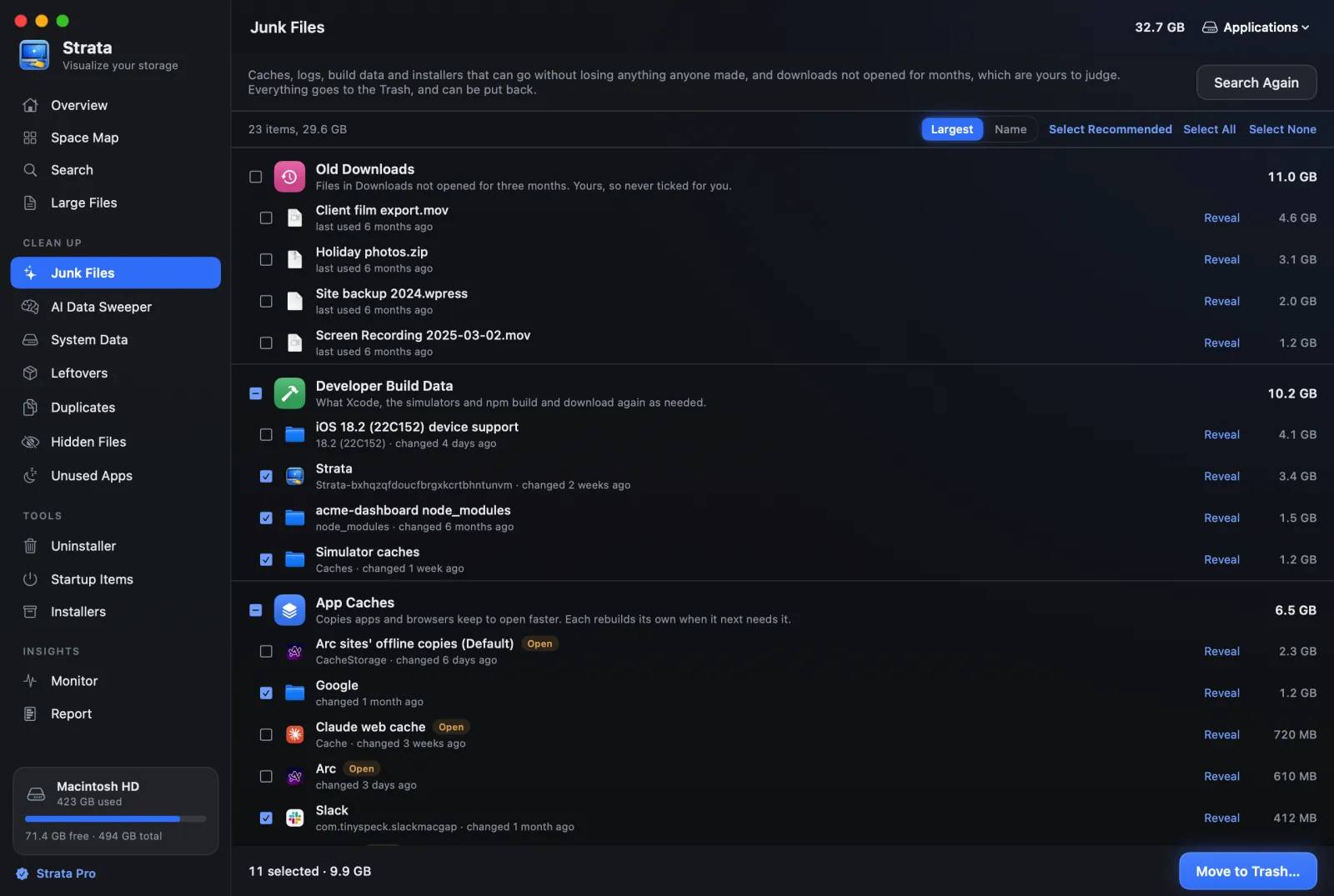
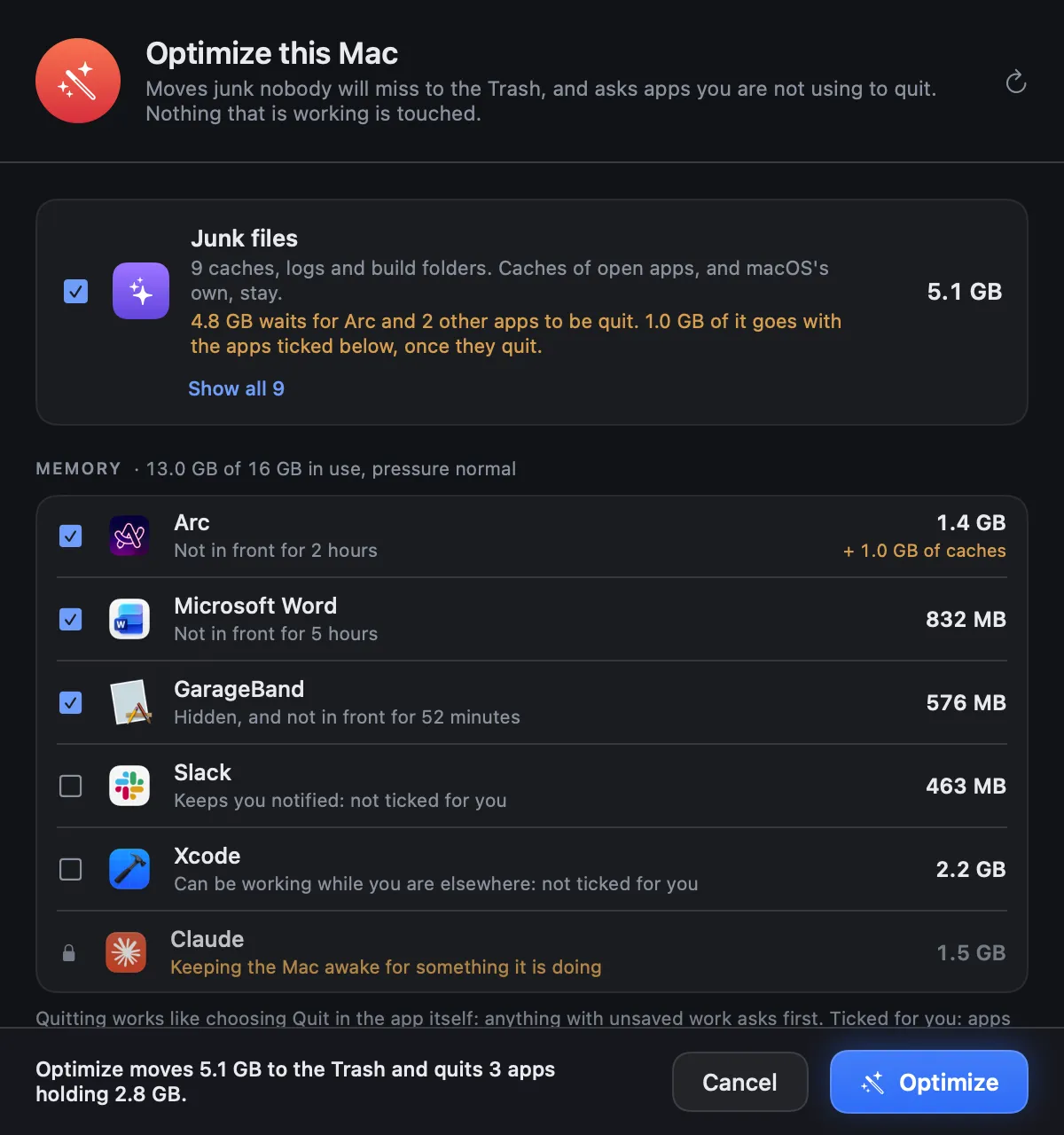
Strata maps a Mac's disk to scale, in four views that run from cards sized by the space each app and folder takes to a classic treemap. It finds what can go: caches and build data nobody will miss, apps along with the files they leave behind, duplicate files, AI models, installers and old downloads. Before anything moves, a sheet lists exactly what will go, and everything goes to the Trash, so it can be put back until the Trash is emptied. Strata runs on macOS 13 Ventura or later, on Apple silicon and Intel Macs. Scanning and the map are free; Strata Pro is $19.99, paid once, and every download starts with 14 days of all of it.
The facts
| About | Strata |
|---|---|
| Name | Strata; the paid upgrade is Strata Pro |
| Made by | Pankaj Kholiya, sold by Kapybara LLC |
| Runs on | macOS 13 Ventura or later, Apple silicon and Intel; signed and notarized by Apple |
| Price | Scanning and the map are free. Strata Pro is $19.99, paid once, not a subscription |
| Trial | 14 days of everything from the first launch, with no account and no card |
| Licence | One Mac at a time for licences bought from 10 November 2026, moved free whenever you change Macs |
| Refunds | Within 14 days of buying, no reason needed |
| Privacy | No account and no analytics in the app; nothing about your files leaves the Mac |
| Latest version | See What’s New |
| Download | stratamaccleaner.com/download, or with Homebrew: brew install --cask pankaj-kholiya/strata/strata |
About the maker
Pankaj Kholiya makes Strata, and builds, signs and releases every version of it. The guides on this site come from that work: where macOS keeps things, what is safe to remove, and what the other tools do differently. Pankaj is on X as @Panku005.
Screenshots
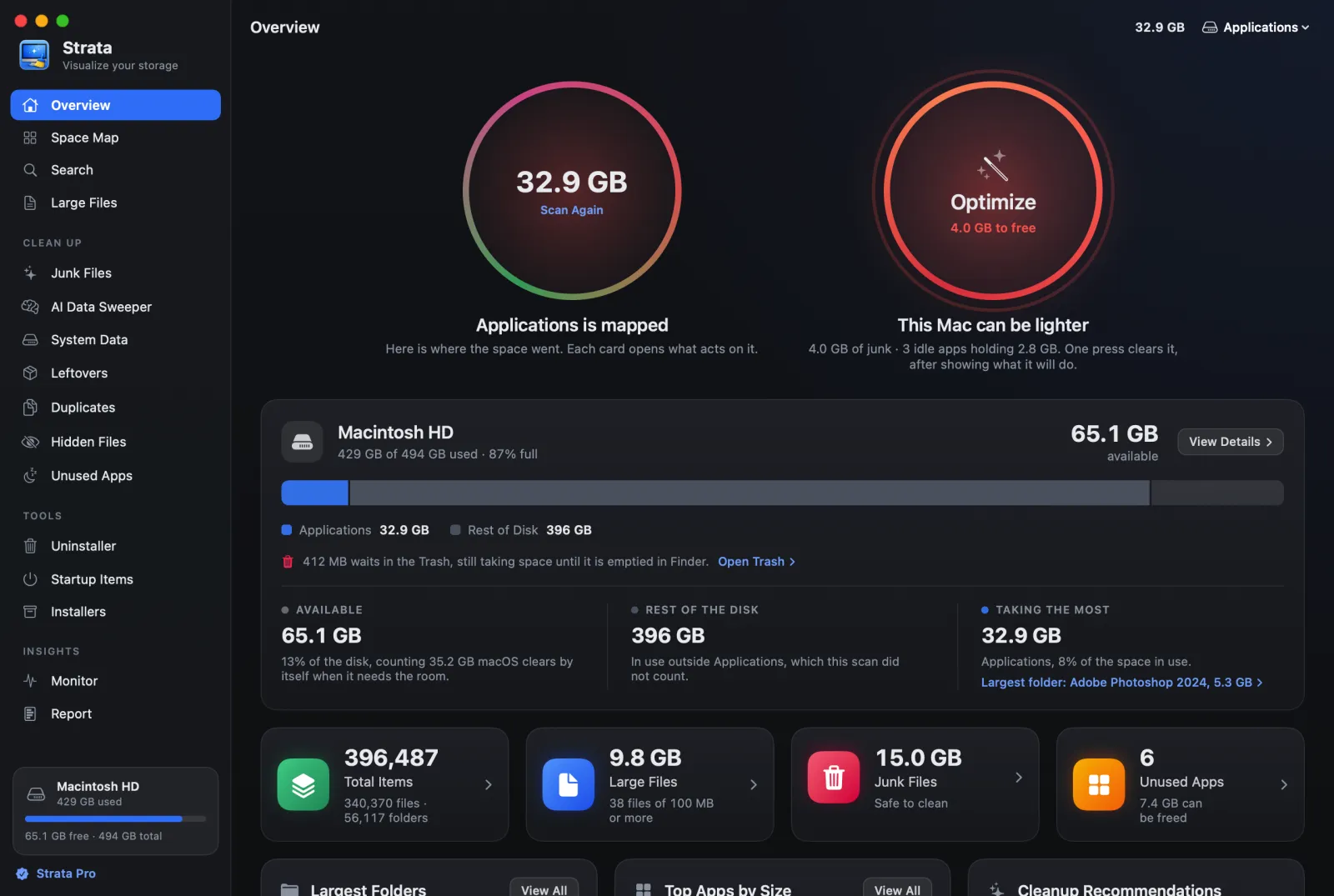
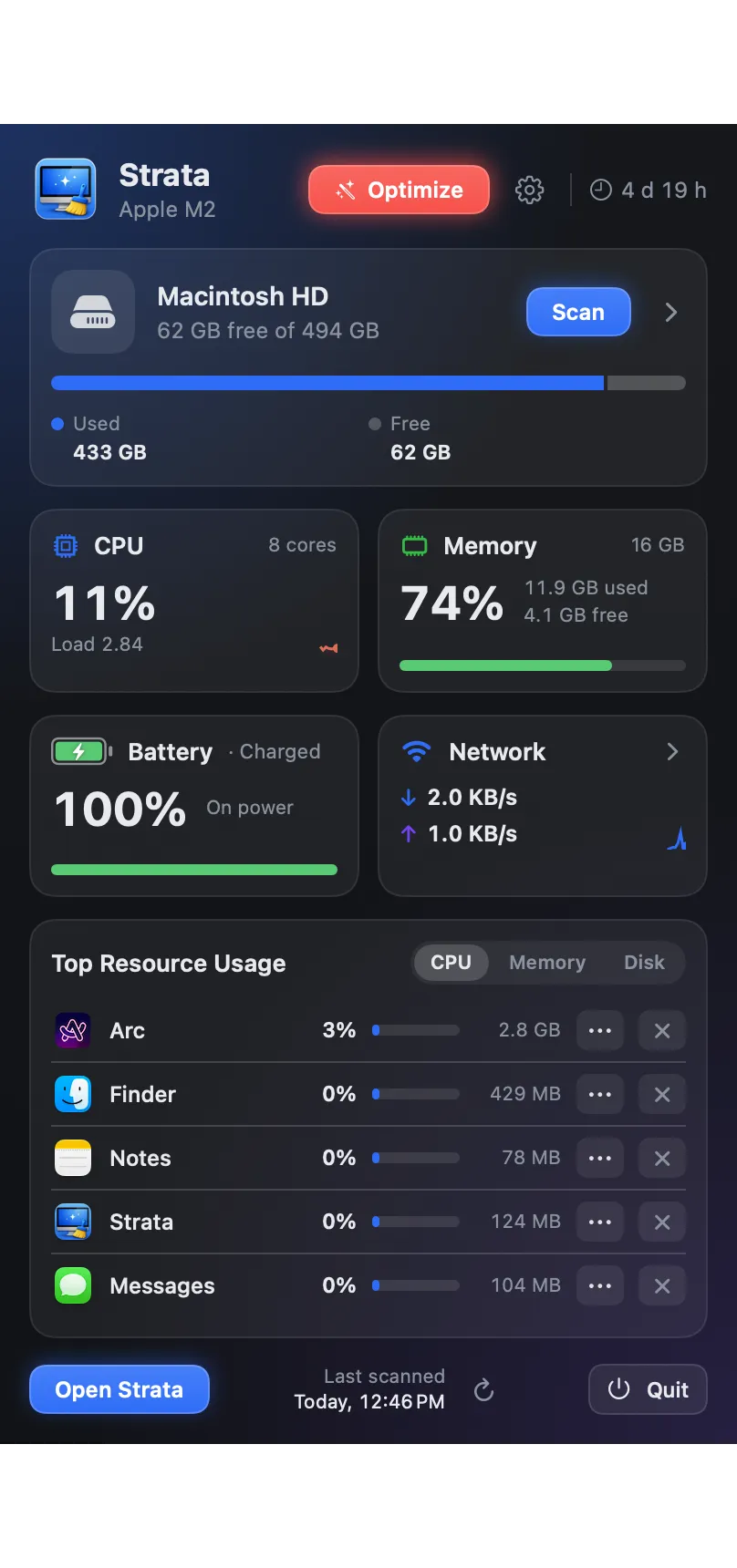
Every picture is Strata itself, captured on a Mac. Where a capture uses a demonstration folder rather than a real one, its caption says so; please keep that note if you use it.

The icon

The ZIP has it at 1,024 pixels on a transparent background. Please use it as it is, without changing its shape or colours, and write the name as Strata.
Contact
Review licences, interviews and questions go to support@stratamaccleaner.com, or to @Panku005 on X. If you write about it and want to earn from the link, the affiliate terms are here.
Last updated 10 November 2026.