Documentation: all pages
The Monitor
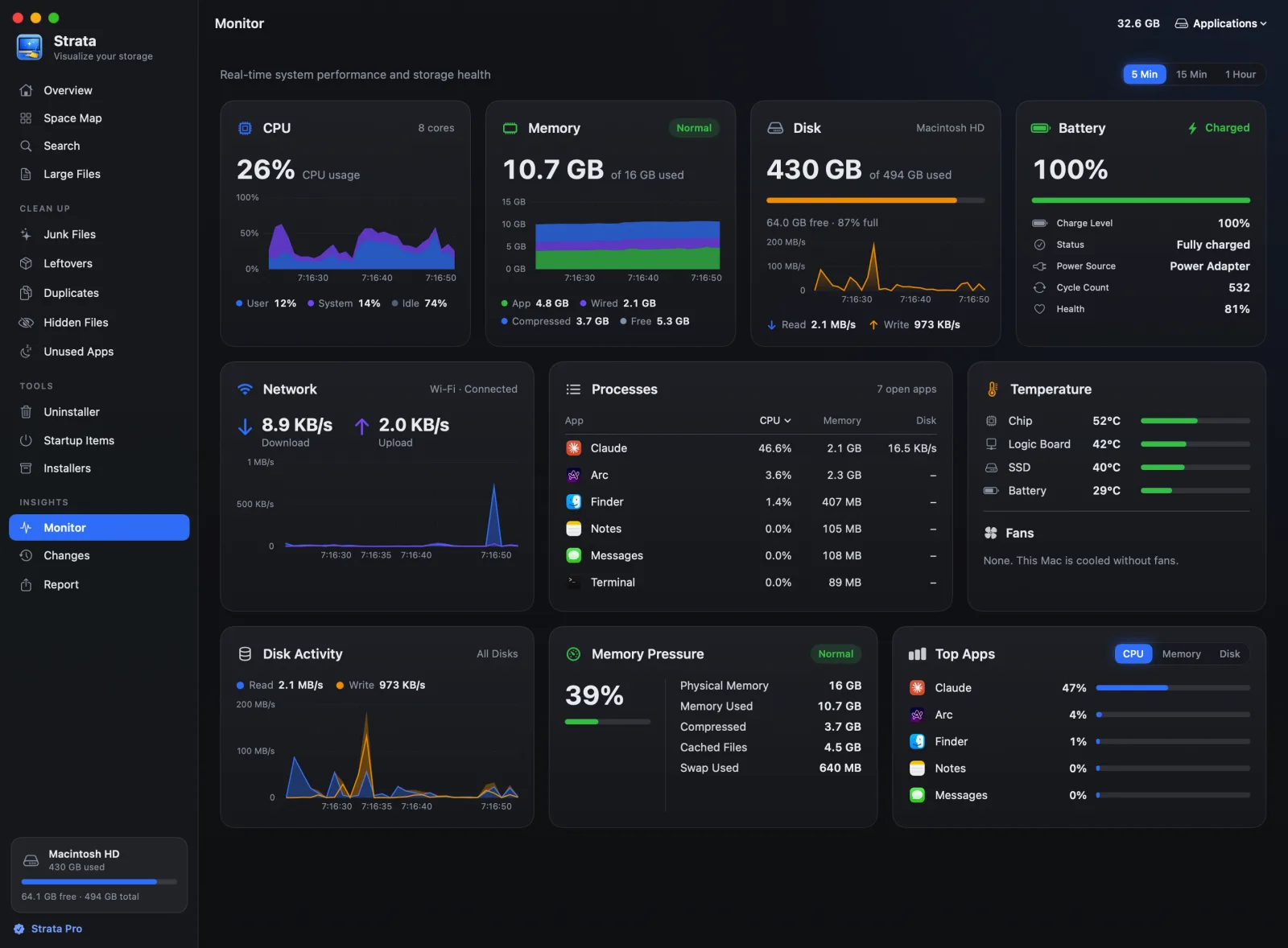
The Monitor charts what your Mac is doing: the processor, memory, disk, battery and network over the last five minutes, fifteen or the hour, beside the apps using the most, the temperatures and the fans. It is free, and it reads the Mac only while Strata runs.
The cards
Choose how far back the charts go at the top: 5 Min (the default), 15 Min or 1 Hour. The hour fills in while Strata runs.
- CPU
- How busy the processor is, as user, system and idle, and how many cores it has.
- Memory
- How much is used of the total, split into app, wired, compressed and free, with macOS's own verdict on the pressure: Normal, Warning or Critical.
- Disk
- How full the disk you scanned is, and how fast it is being read and written.
- Battery
- Charge, whether it is charging, the time left or to full, the power source, cycle count and health. A Mac without a battery shows On power.
- Network
- Wi-Fi or wired, and the download and upload speed.
- Processes
- The open apps, each counted with its helpers as Activity Monitor adds them up, by processor, memory or disk. Click a column's name to sort by it.
- Temperature
- The chip, logic board, SSD and battery, where the Mac shares them, and the fans' speeds. A Mac without fans says so.
- Disk Activity, Memory Pressure and Top Apps
- Reads and writes across all disks; how hard macOS is working to find memory, with physical memory, compressed memory, cached files and swap; and the five apps using the most processor, memory or disk.
Details on any card
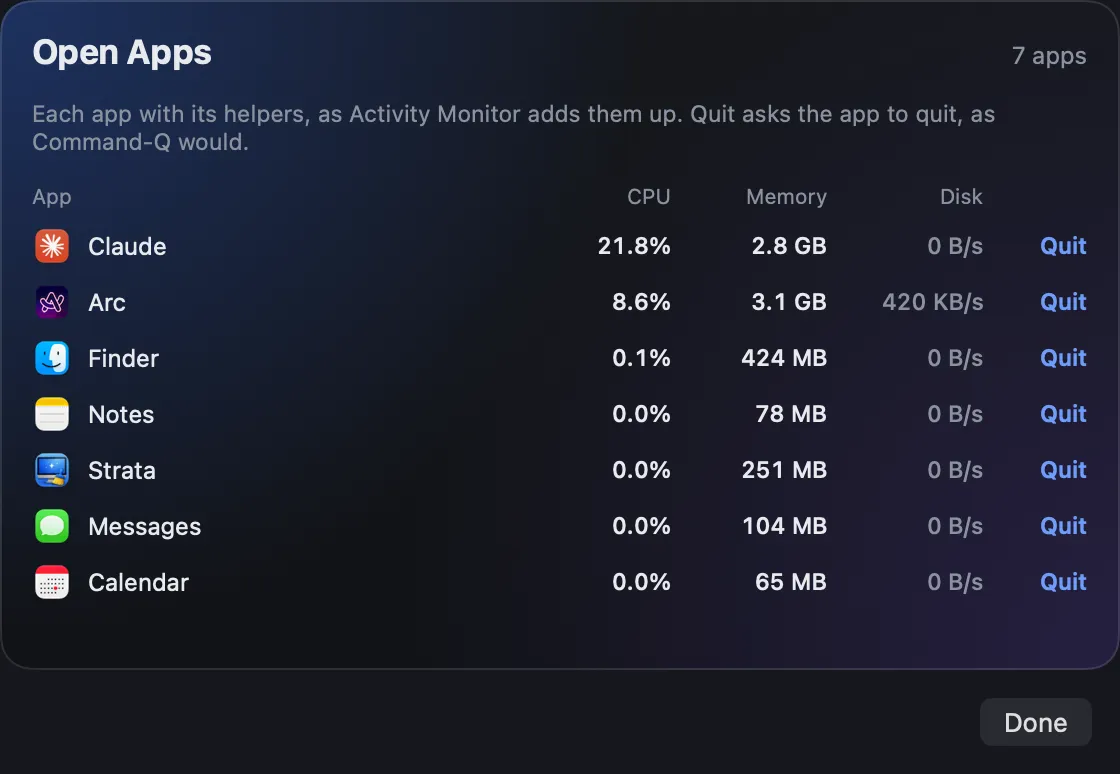
Click a card for its details. The Processes and Top Apps cards open Open Apps: every open app with its processor, memory and disk use, and a Quit button that asks the app to quit, as Command Q would. Anything with unsaved work asks you first.
How memory is counted
Memory used is app memory plus wired plus compressed, the way Activity Monitor counts it. It is never "total minus free". macOS fills spare memory with cached files on purpose, so free memory on a healthy Mac is close to zero, and counting that as used is how some tools tell everyone their Mac is out of memory. Watch the pressure instead: Normal means there is nothing to fix.
When it reads the Mac
Strata takes a reading every five seconds while it runs, and every second while the Monitor is open. Readings are kept in memory for an hour and never written anywhere. The room pauses while Strata is not the app in front. The same readings feed the menu bar panel.