Documentation: all pages
Report
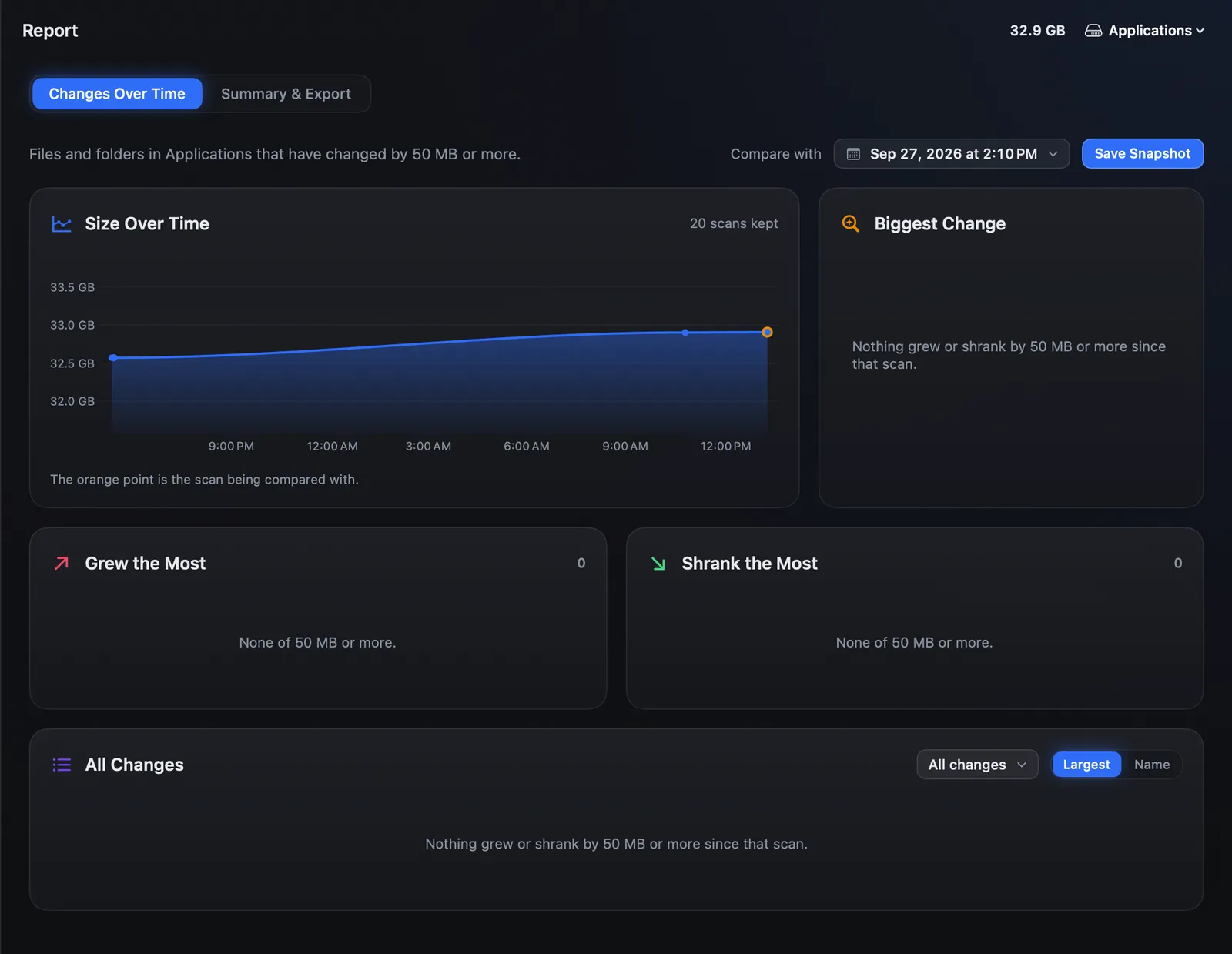
Report has two tabs. Changes Over Time compares this scan with an earlier one of the same place: what grew, what shrank, what is new and what is gone. Summary & Export turns a scan into a spreadsheet, a web page or a few lines of text.
Until 1.0.15 these were two rooms, Changes and Report. They are now one room, Report, at the foot of the sidebar under Insights.
Snapshots
With Strata Pro, every finished scan is kept as a snapshot: the sizes of the folders of
10 MB or more, and nothing else. No file names below that, and nothing inside your files.
Snapshots are a few hundred kilobytes each, kept in
~/Library/Application Support/Strata/Snapshots, one folder per place you scan,
newest 20 per place. Save Snapshot keeps the current scan as a point to
compare against later.
Changes Over Time
This compares the current scan with an earlier snapshot of the same place, the newest one by default; Compare with picks another. It lists files and folders that changed by 50 MB or more.
- Size Over Time
- The place's total at every kept scan. The orange point is the one being compared with.
- Biggest Change
- The one folder or file that changed most, with Show in Finder and Show in the Map.
- Grew the Most and Shrank the Most
- Up to eight each.
- All Changes
- Everything, filtered to what grew, what shrank, what is new since then or what is gone since then, largest first or by name.
A folder is listed only when most of its change is its own, so a change deep inside does not show up again for every folder above it.
Nothing to compare with yet? Snapshots start with your first scan with Strata Pro or the trial. Scan the same place again another day, or save a snapshot now, and this fills in.
Summary & Export
Three ways to keep or share a scan. Nothing is exported unless you ask.
- Spreadsheet: Export CSV…
- The largest folders and files, up to 2,000 of each, one per row, with the path, whether it is a folder or a file, the bytes allocated, the size, its share of the scan and when it was scanned. Opens in Numbers or Excel.
- Web Page: Export HTML…
- One page with the totals and the 200 largest folders and files. It opens in any browser and loads nothing from the internet, so it works offline and can be emailed as it is.
- Summary: Copy Summary
- A few lines of text, the place, its size and its five largest folders and files, copied and ready to paste into a message or a support request.
What is inside an app, a library or another package is counted in the totals but not listed line by line: the app is one item, as in Finder.