OmniDiskSweeper alternatives, for people who like a list
OmniDiskSweeper does one thing: it lists what is on your drive, biggest first, and lets you trash what you do not want. Plenty of people prefer that to any map. It is free and still maintained, but slowly, and its stable version does not yet cover macOS 27. These are the other ways to get a size-sorted list of your Mac.
Key takeaways
- OmniDiskSweeper is free and maintained; its stable 1.16 supports macOS 11 to 26, and a 1.17 test build covers macOS 27.
- For a native list with cleanup attached, Strata's List and Columns views sort any folder by the space it takes.
- WhatSize is the long-standing paid list tool, with column, browser and table views.
- QDirStat gives a tree beside a treemap, free. In Terminal,
ncduis a list you drive with the keyboard. - Finder can sort by size too, slowly, with Calculate all sizes.
Written by the maker of Strata, one of the tools below. OmniDiskSweeper facts come from The Omni Group's site, release notes and update feed, checked on 27 September 2026.
Where OmniDiskSweeper stands in 2026
Omni describes it simply: it shows the files on your drive "largest to smallest" and lets you trash or open them. It has been free since 2009. It is still updated, just not often; Omni said in 2018, "we don't update it often. But we do update it."
- Stable: 1.16, released 12 September 2025, "supported on macOS 11 through macOS 26". It has been native on Apple silicon since 1.13.
- Test: 1.17, built 11 September 2026, supported on macOS 14 through 27. Omni calls its test builds "unstable and untested".
- Deleting: the Trash button moves files to the Trash. Hold Option and it becomes Destroy, a permanent delete; for items already in the Trash, Destroy is the only choice.
- Where: a direct download only. It is not on the Mac App Store, whatever some download sites say.
If you are on macOS 26 or earlier and it does what you need, there is no reason to leave. The reasons to look elsewhere are macOS 27, wanting cleanup tools beside the list, or wanting a map as well.
Alternatives that keep the list
Strata: List, Columns and Large Files
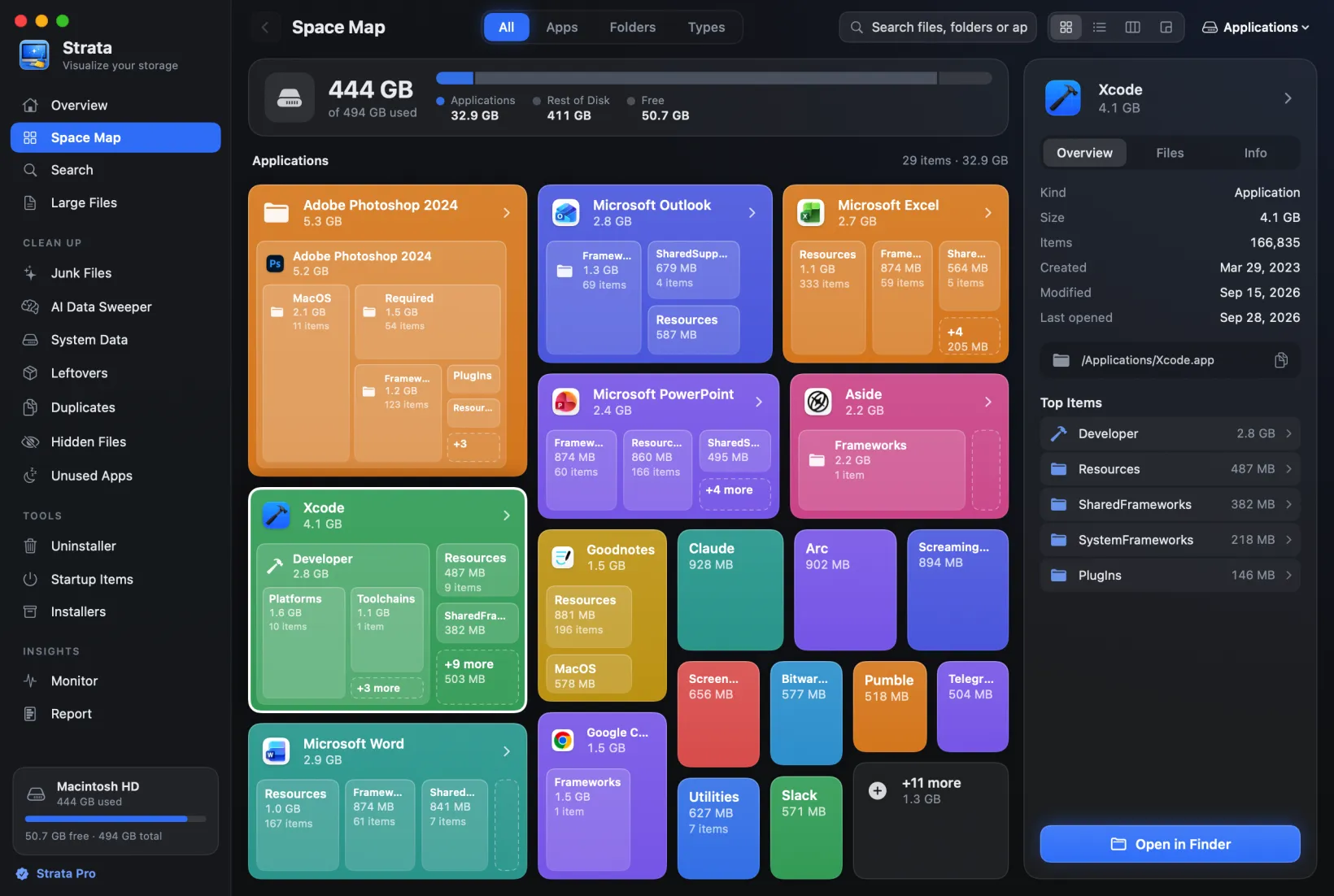
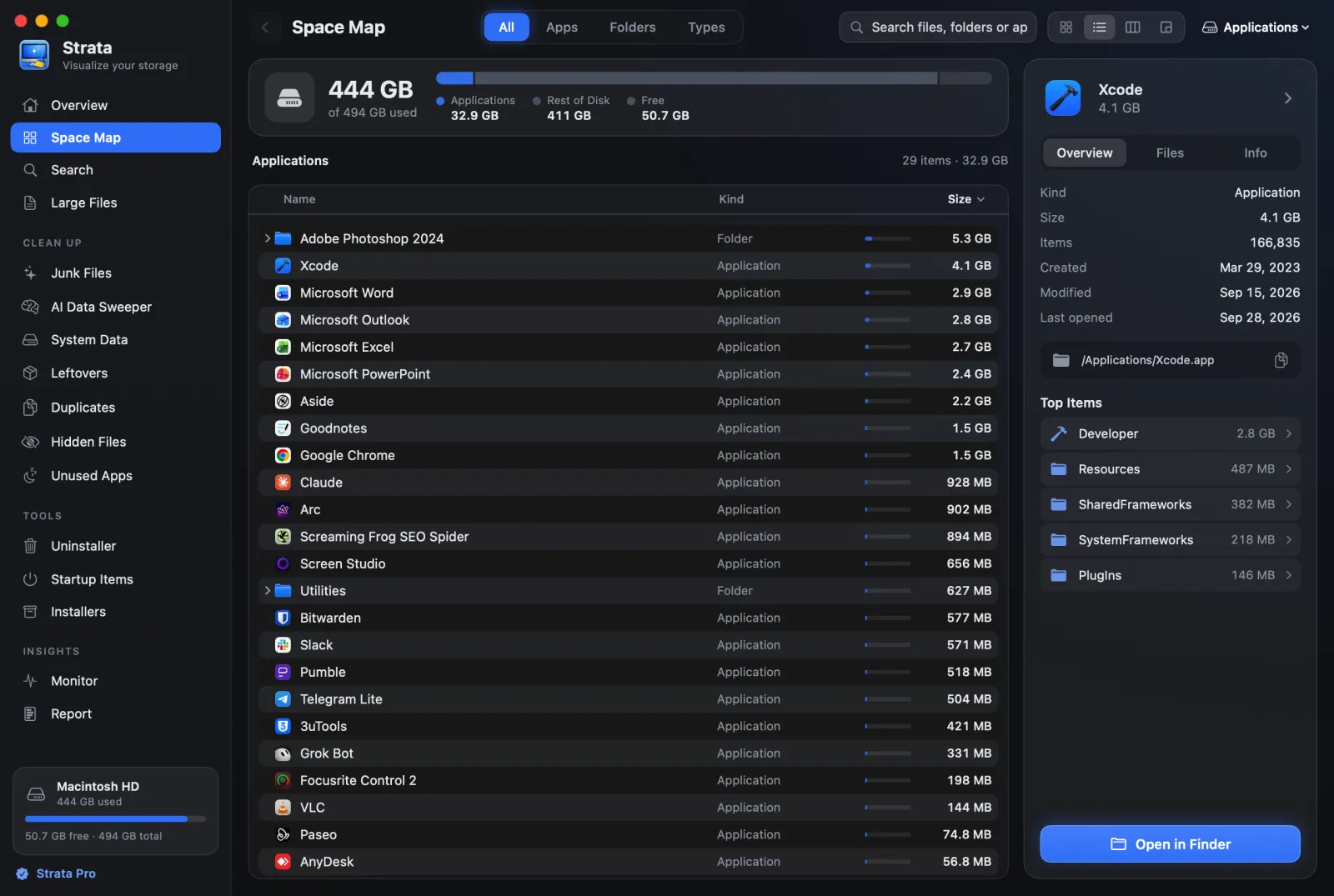
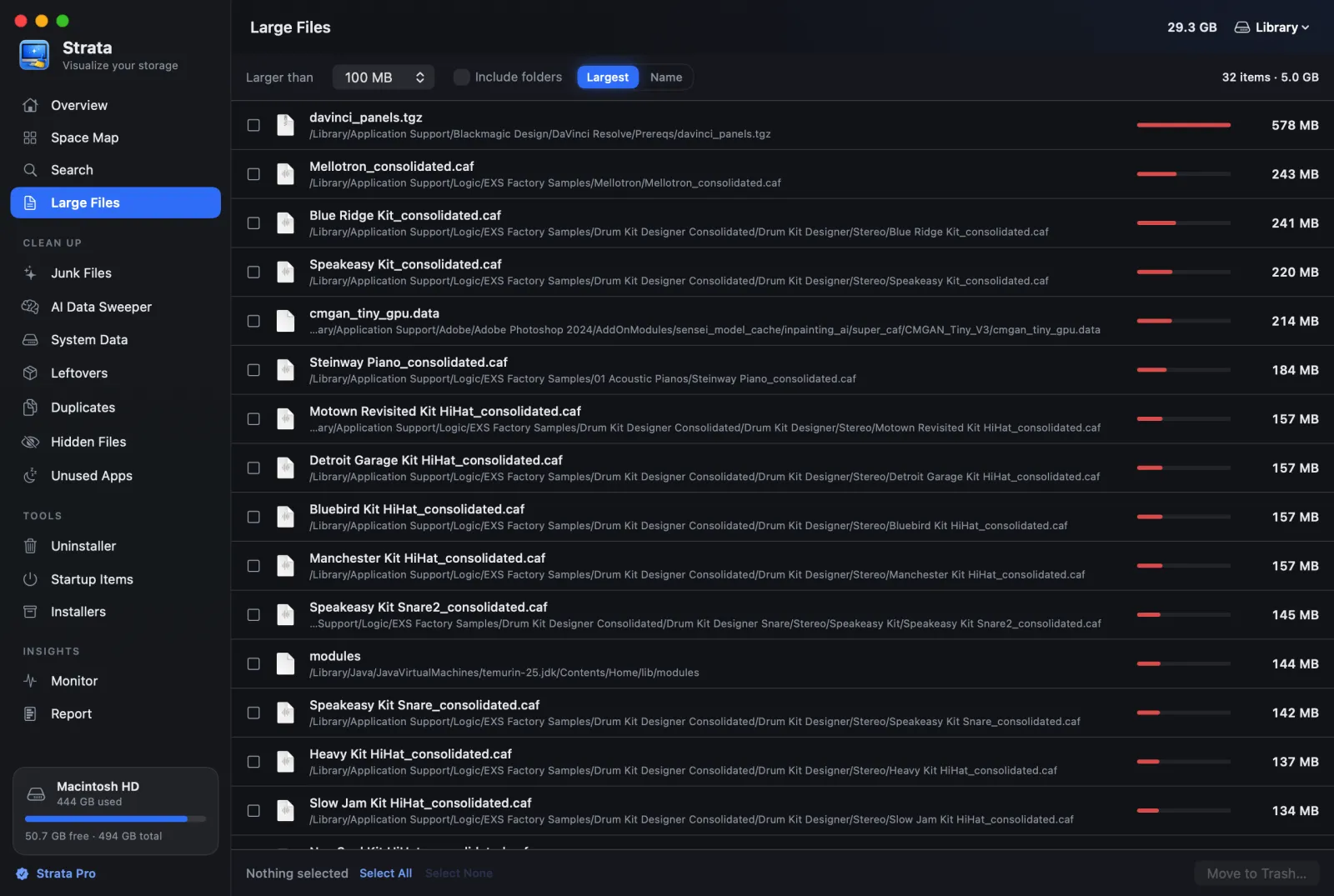
Strata is ours. Its Space Map has a List view (Command 2): Finder's list, with triangles to open folders in place, ordered by Name, Kind or Size, each size with a bar for its share of the folder. Columns (Command 3) works like Finder's column view: choose a folder and it opens in the next column, and the arrow keys move in and out. Large Files lists the largest files over the size you pick, biggest first.
Sizes are what files take on disk rather than their lengths, hard links count once, and when clones make a total larger than the disk, Strata says so. The lists are free. With Strata Pro, $9.99 once, you can choose several items and move them to the Trash in one go, and use the rooms beside the map: an uninstaller, junk and duplicate cleanup. Nothing is ever deleted permanently. It needs macOS 13 or later.
WhatSize
WhatSize, by id-design, is the other long-standing list tool: a Finder-style column view, plus browser and table views, a duplicates tab, cleaning tools and local snapshot management. Version 8.2.9 came out at the end of August 2026 and supports macOS 11 to 27. It costs $14.99, with a 30-day trial, and a licence activates on two Macs. It can move to the Trash or delete in place, and uses a privileged helper to measure everything as an administrator. Note that the Mac App Store still lists an old 2012 version.
QDirStat
A tree of folders and sizes beside a treemap, free and open source, from the author of
KDirStat. Its notarized Mac builds, made with the author's approval, need macOS 13 and install
with brew install --cask qdirstat. It has Move to Trash, and a separate cleanup that
deletes permanently.
In Terminal: ncdu, dust and friends
If you like a list because it is fast, ncdu is the fastest to drive: an
interactive list of folders by size that you move through with the arrow keys. Its manual notes
that on macOS it counts firmlinks separately, so scan a folder rather than the whole disk, and
its d key deletes. dust prints the biggest folders as one tree and
deletes nothing. Both install with Homebrew.
Finder itself
Finder can sort by size. Open a folder in list view, choose View, Show View Options, tick Calculate all sizes, and sort by Size. It is slow on big folders, but for a quick look at one folder, it is enough.
Side by side
| Tool | View | Price | Needs | Latest | Deleting |
|---|---|---|---|---|---|
| OmniDiskSweeper | List, by size | Free | macOS 11 to 26 (test build: 14 to 27) | 12 Sep 2025 | Trash; Option for Destroy |
| Strata | List, columns, cards, treemap | Free to view; $9.99 once to remove | macOS 13 | 27 Sep 2026 | Trash only |
| WhatSize | Columns, browser, table | $14.99 | macOS 11 to 27 | 31 Aug 2026 | Trash or in place |
| QDirStat | Tree and treemap | Free | macOS 13 | 27 Sep 2026 | Trash, or a permanent action |
| ncdu | Terminal list | Free | Homebrew | 24 Oct 2025 | Deletes (d) |
Which should you use?
Keep OmniDiskSweeper if
you are on macOS 26 or earlier and a free list with a Trash button is all you need.
Choose Strata if
you want the list and the columns, plus a map and cleanup tools, on macOS 13 through 27, with nothing ever deleted permanently.
Choose WhatSize if
you want a paid list tool with local snapshot management, and do not mind a helper that runs as administrator.
Frequently asked questions
Is OmniDiskSweeper still updated?
Yes, but rarely. The stable 1.16 came out on 12 September 2025 and supports macOS 11 through macOS 26. A 1.17 test build from 11 September 2026 supports macOS 14 through 27; Omni describes its test builds as unstable and untested.
Is OmniDiskSweeper on the Mac App Store?
No. It is a free download from The Omni Group's website. Some download sites say otherwise, but Apple's catalogue of Omni Group apps does not include it.
Does OmniDiskSweeper delete permanently?
Not by default. Its Trash button moves files to the Trash. Holding Option turns it into Destroy, which deletes permanently, and items already in the Trash can only be destroyed.
Can Finder sort folders by size?
Yes, in list view, if you turn on Calculate all sizes in the View Options. It is slow on big folders, but it needs nothing installed.
Sort your whole Mac by size
Strata's List, Columns and Large Files are free, with no time limit. Every download starts with 14 days of Strata Pro; after that, moving things to the Trash is $9.99 once, for every Mac you own.