GrandPerspective alternatives, and when it is still the right choice
GrandPerspective is one of the best free things you can put on a Mac: a treemap of your disk, open source, updated nine times this year. People look for an alternative for three reasons: the latest version needs macOS 14, its map has no labels, and it only shows the space rather than helping clear it. Here is what to use for each, and when to stay put.
Key takeaways
- If you are on macOS 14 or later and want a free treemap, GrandPerspective is still an excellent choice.
- On macOS 11 to 13, use GrandPerspective 3.7.2, or a tool that supports your Mac: QDirStat and Strata run on macOS 13.
- For names on the map itself, look at Strata; QDirStat and DaisyDisk list names beside the map, and GrandPerspective shows a name only when you point.
- To clear space as well as see it, you need a tool with cleanup: Strata, CleanMyMac, or several single-purpose apps.
Written by the maker of Strata, one of the alternatives below. GrandPerspective facts come from its website, help pages and App Store listing, checked on 27 September 2026.
What GrandPerspective does well
It draws your disk as a treemap: every file a rectangle with an area in proportion to its size, files in the same folder side by side. You can colour them by extension, kind, folder, age or size, filter them (a filter for huge files, say), search by name, and save or export a scan. Its privacy page says it collects no data and shares nothing over the network.
It is free from SourceForge, or $2.99 on the Mac App Store, "the same app either way"; the fee helps pay for its developer's Apple membership and development. It is open source under the GPL. And it is actively maintained: 3.8.1 came out on 13 September 2026, after eight other releases this year.
Deleting is off unless you turn it on. When you do, it moves items to the Trash, and can ask for confirmation each time. For a tool whose job is looking, that is a sensible default.
Three reasons people switch
1. Your Mac is on macOS 13 or earlier
GrandPerspective 3.8.0 raised its minimum to macOS 14. Its site still offers 3.7.2 for macOS 11, 12 and 13, which works; you just will not get new versions. If you want a maintained app on an older Mac, QDirStat's Mac builds and Strata both run on macOS 13, and DaisyDisk on 10.13 and later.
2. You want to read the map, not hover over it
GrandPerspective's rectangles are unlabelled; a file's name appears at the bottom of the window when you point at it. That keeps the map clean, and it makes it slow to scan by eye. Tools that label their maps:
- QDirStat puts a sortable tree of names and sizes beside its treemap;
- DaisyDisk lists the contents of the folder you point at beside its sunburst;
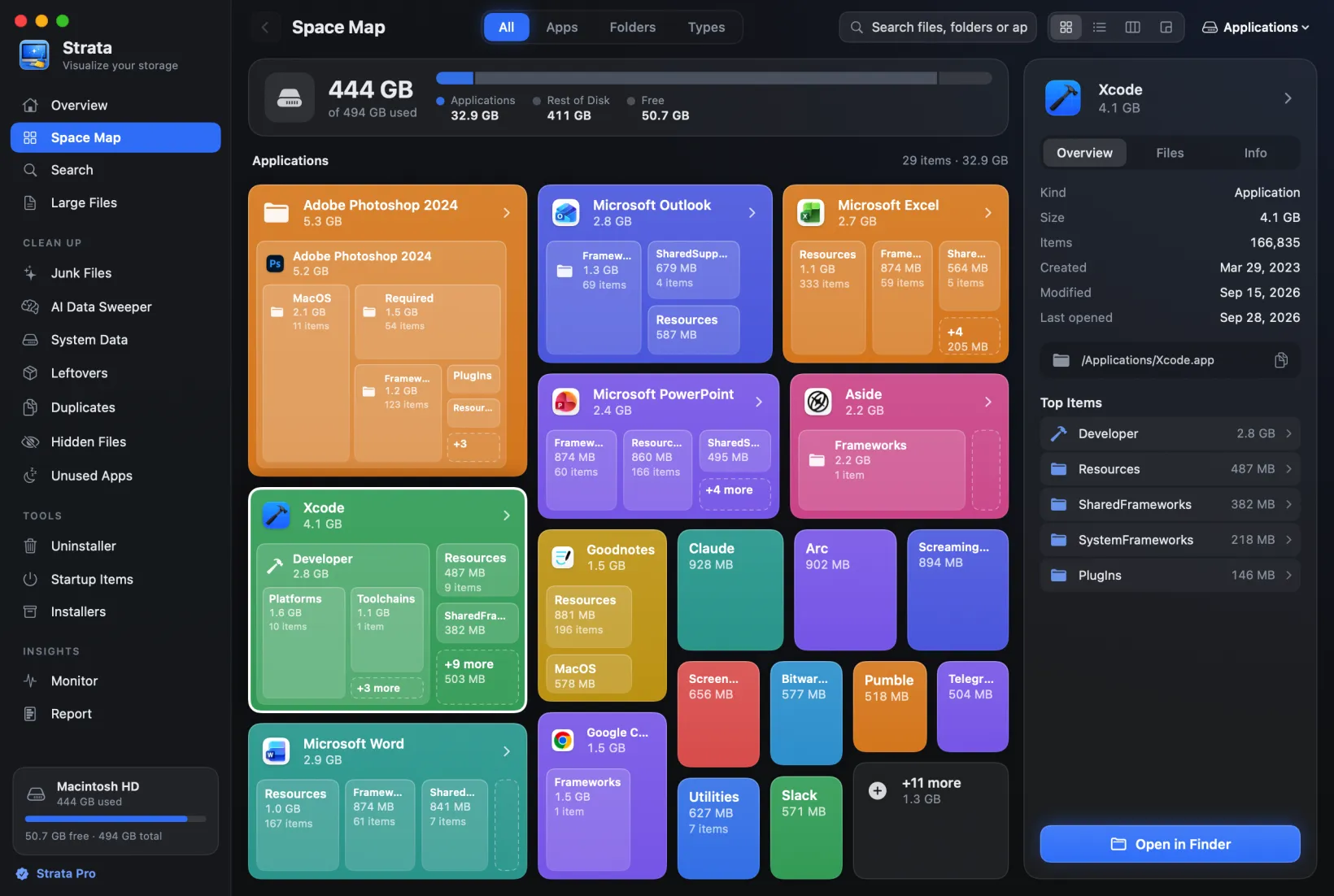
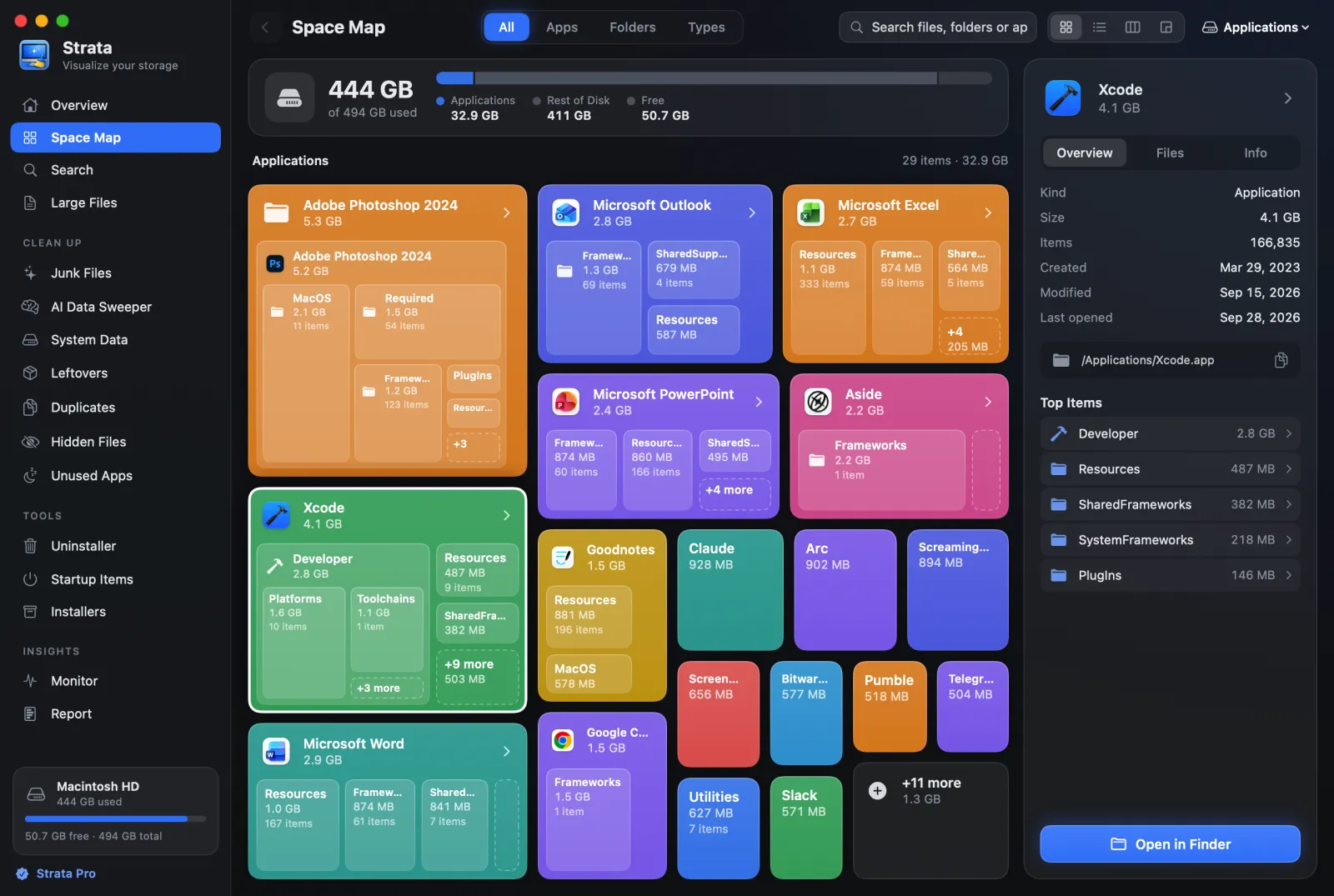
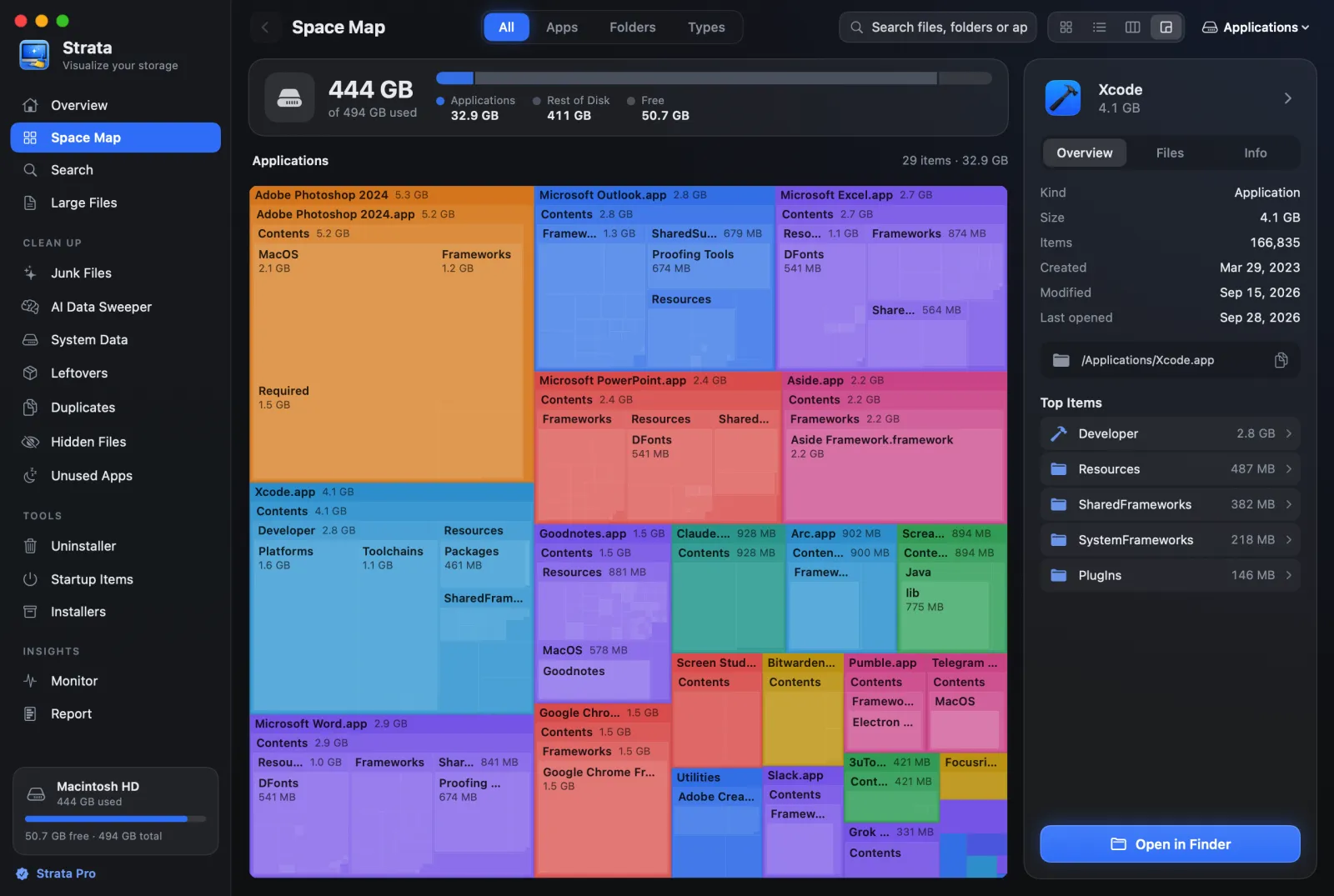
- Strata draws each app and folder as a card with its icon, name and size, the biggest things inside as smaller cards. Its Detailed Map is a labelled treemap, and its List view is Finder's list, sorted by size.
3. You want to clear the space too
GrandPerspective shows you where the space went; it does not know what a cache is, what an app left behind, or which files are duplicates. If you want those, you need either a toolkit or several apps. Strata's map sits beside an uninstaller that finds leftovers, junk cleanup that only ticks what nobody will miss, a duplicate finder and old-installer cleanup, with everything moved to the Trash.
The alternatives, compared
| Tool | Map | Labels | Cleanup | Price | Needs | Deleting |
|---|---|---|---|---|---|---|
| GrandPerspective | Treemap | On hover | No | Free, or $2.99 | macOS 14 (3.7.2: 11 to 13) | Trash, off by default |
| QDirStat | Treemap and tree | In the tree | Scripted cleanups | Free | macOS 13 | Trash, or a permanent action |
| OpenDisk | Sunburst and list | In the list | No | Free | macOS 15 | Permanent, skips the Trash |
| DaisyDisk | Sunburst | In a side list | No | $9.99 once | macOS 10.13 | Permanent |
| Strata | Cards, treemap, list, columns | On the map | Yes | Free to scan; $9.99 once to remove | macOS 13 | Trash only |
QDirStat and OpenDisk are free and open source. QDirStat's Mac builds are made by a
contributor with its author's approval and install with brew install --cask qdirstat;
OpenDisk is new this year, on
GitHub under the MIT
licence, and its README warns that deleting from its Collector is permanent. DaisyDisk is covered
in DaisyDisk vs GrandPerspective.
Stay, or switch?
Stay with GrandPerspective if
you are on macOS 14 or later, you want a free, open, private treemap, and you clear space by hand in Finder. It is very good at exactly that.
Switch to QDirStat if
you want free and open source, but with a tree of names beside the map.
Switch to Strata if
you want a labelled map and the tools to act on it in one app, with every removal reversible, on macOS 13 or later.
Frequently asked questions
Is GrandPerspective still maintained?
Yes. Version 3.8.1 was released on 13 September 2026, and there have been nine releases in 2026. It is free from SourceForge and $2.99 on the Mac App Store, the same app either way.
What version of GrandPerspective works on macOS 13 Ventura?
Version 3.7.2, which its site still offers for macOS 11, 12 and 13. Version 3.8.0 and later need macOS 14.
Does GrandPerspective delete files?
Only if you allow it. Deletion is off by default, and when switched on in its preferences it moves items to the Trash, optionally asking for confirmation.
What is a free alternative to GrandPerspective?
QDirStat is free and open source, with a tree of names beside its treemap, on macOS 13 or later. Strata's free version maps any drive with labelled cards, a list and a treemap; removing things needs Strata Pro.
Map your Mac, with labels
Strata's scan, Space Map and search are free, with no time limit. Every download starts with 14 days of Strata Pro, which adds the uninstaller and cleanup tools, $9.99 once after that.