WizTree for Mac: what WizTreeMac does, and what changes on a Mac
WizTree, which calls itself the fastest disk space analyzer, made its name showing what fills a Windows drive, and since 16 September 2026 it has a Mac version. Here is what WizTreeMac does, the trick that cannot come across from Windows, what it costs, and the Mac tools worth weighing it against.
Key takeaways
- There is a WizTree for Mac now: WizTreeMac 1.00, released on 16 September 2026, for macOS 12 or later on Apple silicon and Intel.
- It brings WizTree's tree, treemap and file list to the Mac. The one feature its maker lists as missing is scanning phones over MTP.
- The Windows speed trick, reading the NTFS Master File Table, has no equivalent on a Mac, so WizTreeMac reads folders the way macOS provides.
- It is free for personal use, and a Supporter Code works on both systems, for versions released within a year of buying it.
- WizTree's duplicate finder matches names, sizes and dates, not contents, and its pages do not say whether deleting uses the Trash.
Written by the maker of Strata, which is one of the tools below. Facts about WizTree and the other tools come from their own websites, checked on 10 October 2026; each links to its source.
Is there a WizTree for Mac?
Yes, since 16 September 2026. That day Antibody Software, which makes WizTree, released WizTree 4.33 for Windows and, beside it, WizTreeMac 1.00, the first version for the Mac. Until then WizTree was a Windows program. Its download page says the Mac version "includes most of the functionality in WizTree 4.33", and its comparison page calls it the official port of WizTree for macOS.
It needs macOS 12 Monterey or later, and it is a universal app, so it runs natively on both
Apple silicon and Intel Macs. It comes as a 4.4 MB disk image: open it and drag WizTreeMac to
Applications. If you use Homebrew, its maker's own tap installs it with
brew install --cask antibodysw/tap/wiztree.
What WizTreeMac does
If you used WizTree on Windows, the Mac version will look familiar. The screenshots on WizTree's home page show the same layout on both systems: a tree of folders with their sizes, and a treemap where every file is a rectangle sized by the space it takes. Around that sit the tools WizTree is known for on Windows, and its comparison page lists only one of them as missing on the Mac:
- A file list of the drive's largest files, so they surface without opening a single folder.
- A duplicate finder, covered below, because it works differently from what the name suggests.
- Search filters, including regular expressions, which on a Mac start with a backslash rather than a forward slash.
- CSV export, from the app and from the command line, where Mac options are
written
--name=value. WizTree 4.33 for Windows can open the Mac version's CSV files, which is handy in an office with both. - A portable mode: copy the app to an external drive and run it from there, and it keeps its settings in a WizTreeMac Data folder beside the app.
The missing one is scanning Android phones and other devices over MTP, the protocol they use to share files with a computer, which the comparison page marks "Not yet supported."
What is different from WizTree on Windows
Most of the differences are the ones you would expect from moving between two systems. One matters more than the rest: the speed trick does not come across.
| WizTree on Windows | WizTreeMac | |
|---|---|---|
| How it scans | Reads the NTFS Master File Table directly, with administrator rights; uses the ordinary Windows interface otherwise; several threads either way | macOS's bulk directory reading, on several threads |
| Permissions | One Run as Administrator | Full Disk Access, once per Mac, plus Restart as Administrator for root-level access |
| Phones over MTP | Yes | Not yet |
| Command line | /name=value | --name=value |
| File attributes | Read Only, Hidden, System, Archive, Compressed | Read Only, Hidden, Compressed |
| Portable mode | When not run from Program Files | When run from an external or removable drive |
The speed trick stays on Windows
NTFS, the Windows file system, keeps a Master File Table (MFT): one index of every file on the drive. WizTree's speed comes from reading that table straight off the disk instead of asking Windows about each folder in turn. Its speed test, of WizTree 3.40 against WinDirStat 1.1.2, puts it 46 times faster on a hard disk under Windows XP and 22 times faster on an SSD under Windows 10.
A Mac's disk uses APFS, and as the comparison page puts it, "There's no MFT-equivalent low-level structure on APFS/HFS+", HFS+ being the Mac's older format. So WizTreeMac reads folders through macOS's bulk directory interface, on several threads at once. That is a sound way to scan a Mac, but it is not the shortcut that made WizTree famous.
Two permissions instead of one
On Windows, one administrator prompt opens the whole drive. A Mac separates two things. Full Disk Access, which you grant once in System Settings, lets an app read the folders macOS protects, such as Mail, Messages and other apps' data; without it, a scan quietly leaves them out. Restart as Administrator, on the menu of WizTreeMac's Scan button, gives it root-level access. Our guide to Full Disk Access explains what the first one grants.
What WizTreeMac costs
WizTree is free for personal use, and so is the Mac version. Commercial use needs a Supporter Code, priced by the number of staff: $25 for one person, rising to $500 for up to 100, with a $750 Enterprise licence for unlimited use at one site. The comparison page says Supporter Codes work on both the Windows and the Mac version, so a business that already paid for Windows need not pay again for its Macs, as long as its code is recent: per WizTree's FAQ, a code covers every version released within a year of buying it, and WizTreeMac 1.00 came out on 16 September 2026.
Sizes on a Mac: read the numbers carefully
WizTree shows two numbers for everything, as its FAQ explains: Size, a file's length, and Allocated, the space it takes on disk. On a Mac, the second is the one to watch.
APFS, the Mac's file system, can let two files share the same storage. Copy a file with Finder's Duplicate on the same disk and the result is a clone: it costs almost nothing until one of the pair is edited. Many system and app files are compressed, too, and virtual machine disks are often sparse, so a file's length is a poor guide to what it costs, and Allocated is the column to sort by. Our guide to finding large files explains why Mac tools disagree about sizes.
Before you delete anything with it
Two things are worth knowing first.
The duplicate finder does not read files. It matches by name, size and
modified date, the default since WizTree 4.24 (name and size alone before that), and WizTree's guide warns
that "WizTree does not compare the file contents." Two files called report.pdf
with the same size and date are listed as duplicates even if they say different things. Open
both before removing one.
Its pages do not say where deleted files go. Its download, comparison and guide pages, checked today, do not say whether WizTreeMac moves files to the Trash or deletes them outright. Until you know, try it on one file you do not need and look in the Trash. On a Mac it matters: Finder's own Option Command Delete skips the Trash entirely, and there is no Put Back from that.
Alternatives to WizTree on a Mac
WizTreeMac is a good choice if you liked WizTree. These are the other tools worth a look, with the full field compared in our guide to the best disk space analyzers for Mac.
Strata: the same views, with cleanup that goes to the Trash
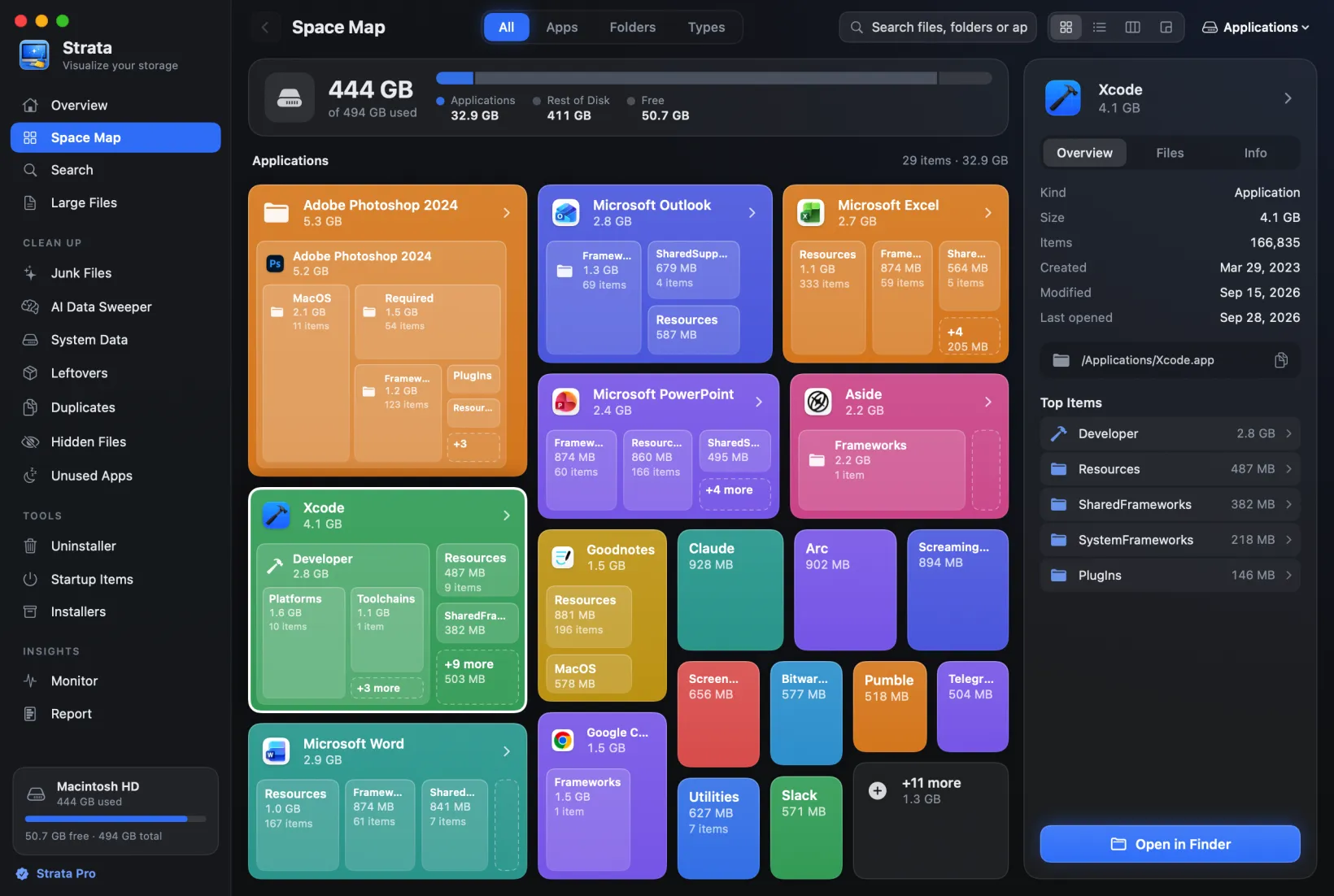
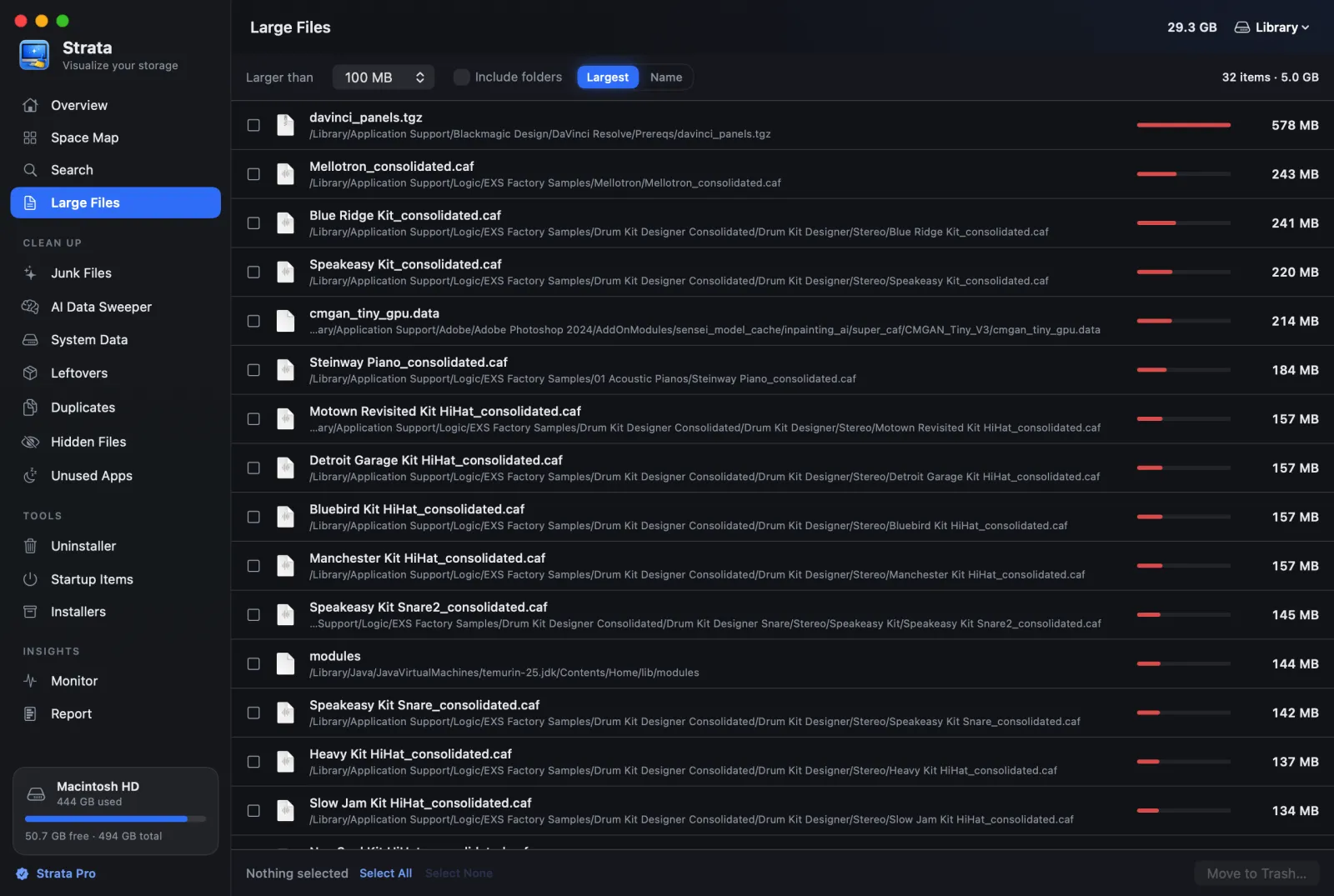
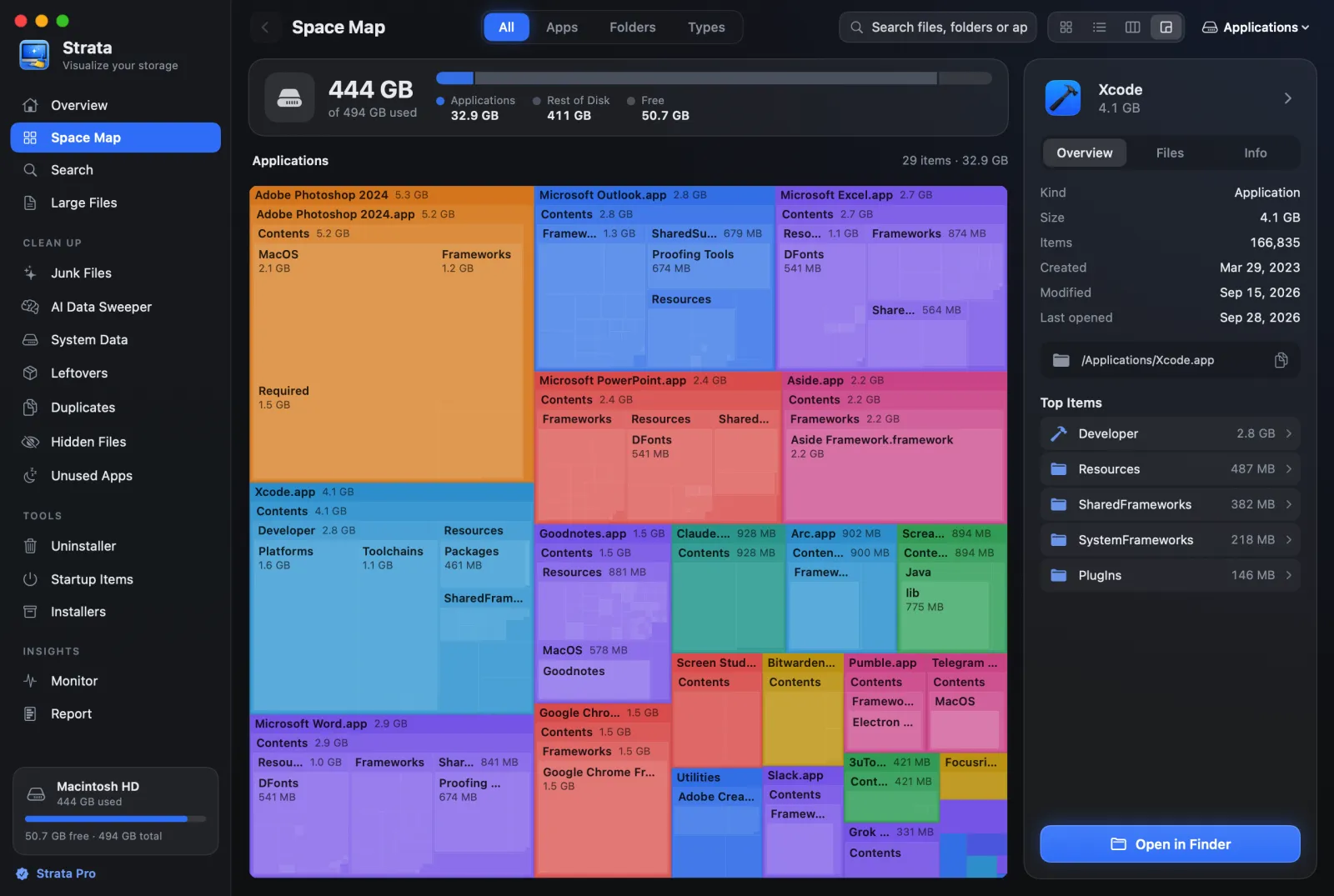
Strata is ours, so weigh this accordingly. It maps any drive or folder four ways, and two of those views, with its Large Files room, do what WizTree's main window does:
- Detailed Map (Command 4) is WizTree's treemap pane, drawn down to single files.
- List (Command 2) is its folder tree: sizes first, and folders open where they are.
- Large Files is its file list: up to the 500 biggest files on the drive, each with its path. It looks inside ordinary folders, not inside apps or bundles such as Photos libraries and virtual machines; tick Include folders to list those whole.
Where it differs is what happens next. Its Duplicates room compares contents, not names, so two different files that happen to share a name and size are never a match. And everything it removes goes to the Trash, where Put Back returns it. Scanning, the four map views, Search and Large Files are free; removing things, Duplicates and the other cleanup rooms are Strata Pro, $9.99 once. It needs macOS 13 or later.
QDirStat: WizTree's two panes, in another app
QDirStat is the
nearest match to WizTree's main window: a folder tree above a coloured treemap. It costs
nothing under the GPL. Apple has notarized its Mac builds, which means they passed Apple's
malware check, and the Homebrew cask, brew install --cask qdirstat, wants macOS 13 or
later. It is drawn with Qt rather than Apple's frameworks, so it looks a little foreign on
a Mac.
GrandPerspective: just the map
GrandPerspective draws only a treemap, with no tree or list beside it, a lighter choice if WizTree's map was the part you used. SourceForge has it free, and the Mac App Store sells the same app for $2.99. The current 3.8.1, from 13 September 2026, wants macOS 14; Macs on 11 to 13 can use 3.7.2. Deleting is off by default; switched on in its preferences, it moves items to the Trash.
DaisyDisk: rings, and documented deleting
DaisyDisk swaps the rectangles for rings you click through. One payment of $9.99 covers up to five personal Macs on macOS 10.13 or later. Unlike WizTreeMac, it documents where deleted files go: its user guide says it deletes them permanently instead of using the Trash, after five seconds in which you can cancel.
In Terminal: ncdu
If you liked WizTree for its speed and keyboard, ncdu, from Homebrew, browses a
disk by size in Terminal. Our WinDirStat for Mac guide
lists it with the other command-line tools and the Mac details to watch.
Side by side
| Tool | Shows | Price | Needs | Duplicates | Deleting |
|---|---|---|---|---|---|
| WizTreeMac | Tree, treemap, file list | Free for personal use; Supporter Code from $25 | macOS 12 | By name, size and date | Not documented |
| Strata | List, columns, cards, treemap, large files | Free to scan; $9.99 once to remove | macOS 13 | By contents | Trash, with Put Back |
| QDirStat | Tree, treemap | Free | macOS 13 | No | Trash, or a permanent delete |
| GrandPerspective | Treemap | Free, or $2.99 on the App Store | macOS 14 (11 with 3.7.2) | No | Trash, off by default |
| DaisyDisk | Rings | $9.99 once | macOS 10.13 | No | Permanent |
Which should you use?
You used WizTree on Windows and want it back
WizTreeMac. It is free for personal use, and a Supporter Code bought within the last year covers it too.
You want a free, native treemap and nothing more
GrandPerspective: 3.8.1 on macOS 14 or later, 3.7.2 on macOS 11 to 13.
You want WizTree's two panes in a free, open-source app
QDirStat, free and notarized.
You want to clear what you find, and be able to undo it
Strata: the treemap, the list and Large Files for free; with Strata Pro, duplicates matched by contents, and everything removed goes to the Trash.
Frequently asked questions
Is there a WizTree for Mac?
Yes. WizTreeMac 1.00, from WizTree's maker Antibody Software, was released on 16 September 2026. It needs macOS 12 Monterey or later, runs natively on Apple silicon and Intel, and is a free download from diskanalyzer.com, or installs with Homebrew.
Is WizTreeMac free?
For personal use, yes. Commercial use needs a Supporter Code, priced from $25 to $500 by the number of staff, from one to 100, or a $750 Enterprise licence for one site. A Supporter Code works on both the Windows and the Mac version, for every version released within a year of buying it.
Is WizTree as fast on a Mac as on Windows?
It cannot work the same way. On Windows it reads the NTFS Master File Table directly, which is where its speed comes from. APFS has no equivalent, so WizTreeMac reads folders through macOS's bulk directory interface on several threads instead. Its speed claims, such as 46 times faster than WinDirStat, come from tests on Windows.
Does WizTreeMac need Full Disk Access?
Yes, for a complete scan. Its maker describes two separate permissions on a Mac: Full Disk Access, granted once in System Settings, for protected folders, and Restart as Administrator, from the Scan button's menu, for root-level access.
See your Mac the WizTree way
Strata maps any drive or folder as a treemap, a list or cards, and lists its largest files. The scan, the map and search are free forever. Every download starts with 14 days of Strata Pro, removing up to 40 GB.