How-to guides: all pages
How to restore files from the Trash on a Mac
Until the Trash is emptied, everything in it can come back. Finder's Put Back returns many items to where they were, and anything can be dragged out; Strata puts back what it has moved since version 1.0.30, even after a restart. Once the Trash is emptied, only a backup can help.
With Finder
-
Open the Trash
Click the Trash in the Dock.
-
Find what you want
Sort by Date Added to see the latest first. Hold Command to select several items.
-
Put it back
Choose File > Put Back to return it to the folder it came from, or drag it out of the Trash to any folder. If Put Back is not offered for an item, dragging still works.
Apple's page Delete files and folders on Mac gives Put Back and dragging, and covers emptying the Trash.
What Strata moved
Everything Strata removes goes to the Trash, and since version 1.0.30 it records where each item came from, so it can put things back after it has quit, restarted or updated.
-
Right after a removal
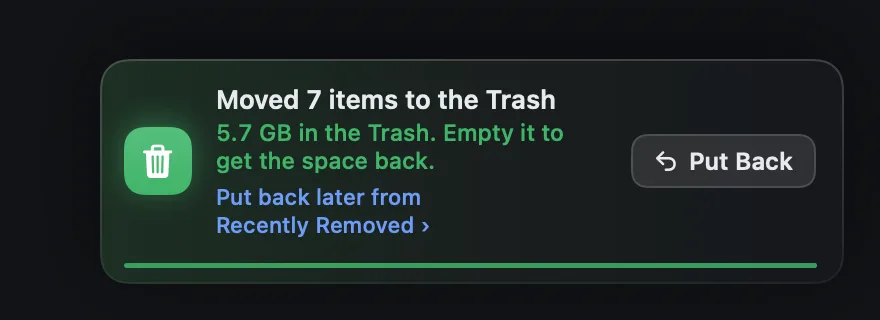
The notice at the bottom right of the window has Put Back for the latest batch, and a link, Put back later from Recently Removed.
-
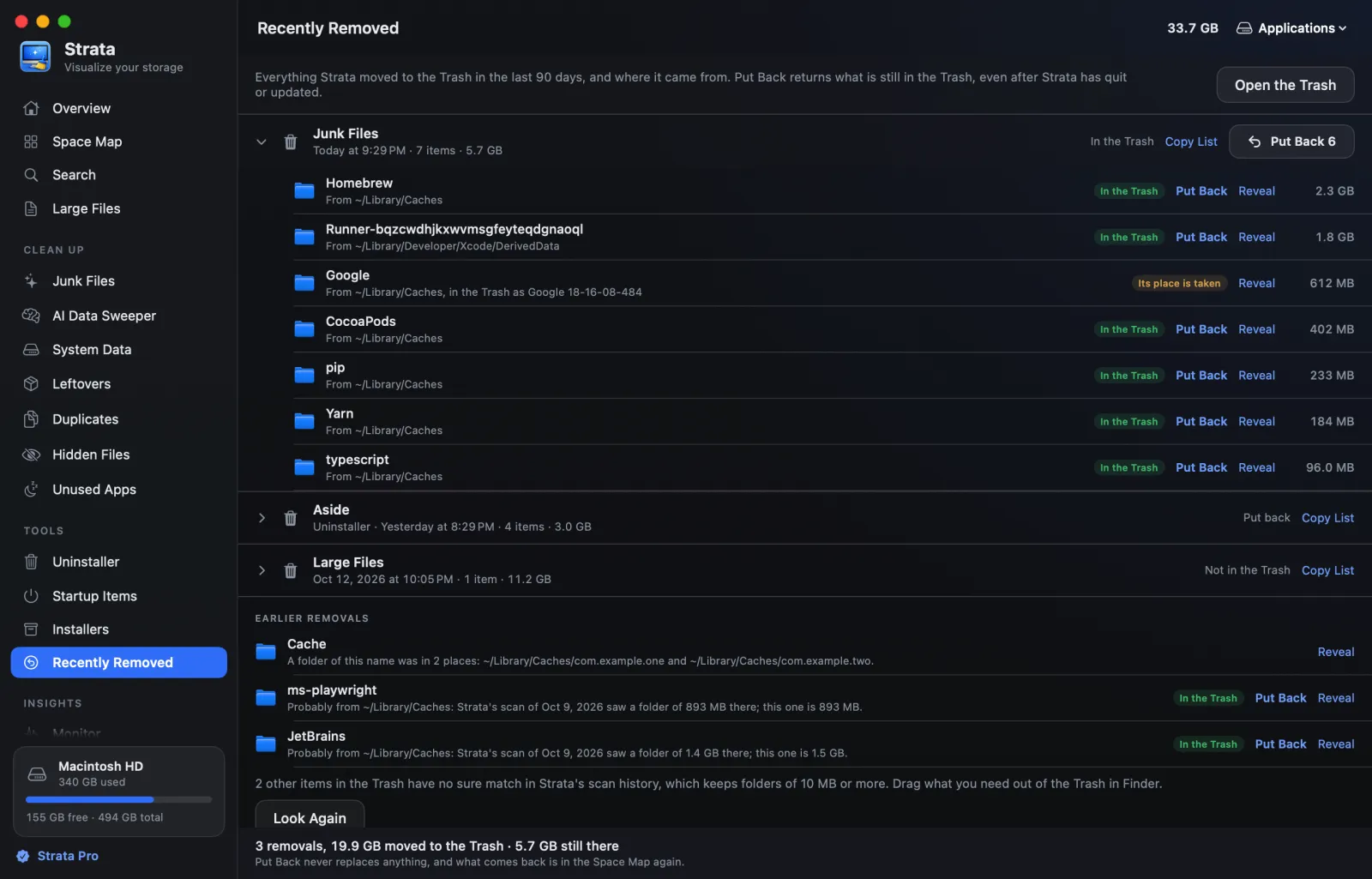
Later, in Recently Removed
It is under Tools in the sidebar. There, every removal of the last 90 days shows each item's old folder and whether the Trash still holds it. Put Back returns all of a removal that can go back, or one item, and never replaces anything. The room is free, during a trial and after it.
More on both, and on what cannot come back, is in how to put back something you removed.
Folders in the Trash from before
Strata kept no record of what version 1.0.29 or earlier removed, and has none of what another app moved to the Trash. From version 1.0.31, it can still say where many folders probably were.
-
Look in the Trash
In Recently Removed, under Earlier removals, press Look in the Trash. It looks in your Trash on the startup disk. Strata needs Full Disk Access to read it; if that is off, the room shows Allow Full Disk Access.
-
Read where each was
Each folder is matched by name with the folders in Strata's scan history, which holds every folder of 10 MB or more from up to 20 recent scans of each place you scanned. It looks at each scanned place's last scan before the folder went to the Trash. A match says where the folder probably was, with the size that scan saw and its size now. When those scans saw folders of that name in several places, Strata lists them and leaves the choice to you.
-
Put it back
With one likely place, and a folder close to the size that scan saw, Put Back moves it there; it never replaces anything. Files stay unmatched, as do folders under 10 MB, folders no earlier scan saw, folders a later scan found gone and folders far from the size it saw. Drag those out of the Trash in Finder.

The scan history is kept with Strata Pro and the trial, from the scans you run, so the more places you have scanned, the more Strata can match.
After the Trash is emptied
Apple says items emptied from the Trash are permanently deleted, and Strata cannot bring them back either. A backup made before they went can. With Time Machine, following Apple's page Restore items backed up with Time Machine:
-
Open the folder it was in
In Finder, open a window for the folder the item was in, such as Documents. For something that was on the desktop, skip this step.
-
Open Time Machine
Search for it with Spotlight. A message may appear while your Mac connects to the backup disk.
-
Go back, then restore
Use the arrows to go back to a backup from before the item was deleted; the timeline on the right shows which one you are in. Select the item and click Restore: it returns to its original location.
Files deleted from iCloud Drive are a separate case: Apple's iCloud guide explains what iCloud.com can recover, within 30 days.
Before you empty the Trash. After a big clean-up, leave it a day or two and use the Mac as usual. And check Finder > Settings > Advanced: when Remove items from the Trash after 30 days is on, Finder empties old items by itself.
Frequently asked questions
Why is Put Back not offered for something in the Trash?
Finder's Put Back needs a record of where the item was, and macOS does not always keep one for what an app, rather than Finder, moved to the Trash. Drag the item to the folder you want instead. For what Strata has moved since version 1.0.30, Recently Removed lists where each item came from; for folders older versions moved, Earlier removals may find where they probably were.
Can I get files back after emptying the Trash on a Mac?
Only from a backup. Apple says items emptied from the Trash are permanently deleted. If you use Time Machine, restore them from a backup made before they were deleted. Strata never empties the Trash: you do, or macOS does after 30 days, as the next answer says.
How long do files stay in the Mac Trash?
Until you empty it, unless Finder's setting to remove items from the Trash after 30 days is on. Items moved to the Trash from iCloud Drive are emptied after 30 days whatever that setting says.